AI strategy

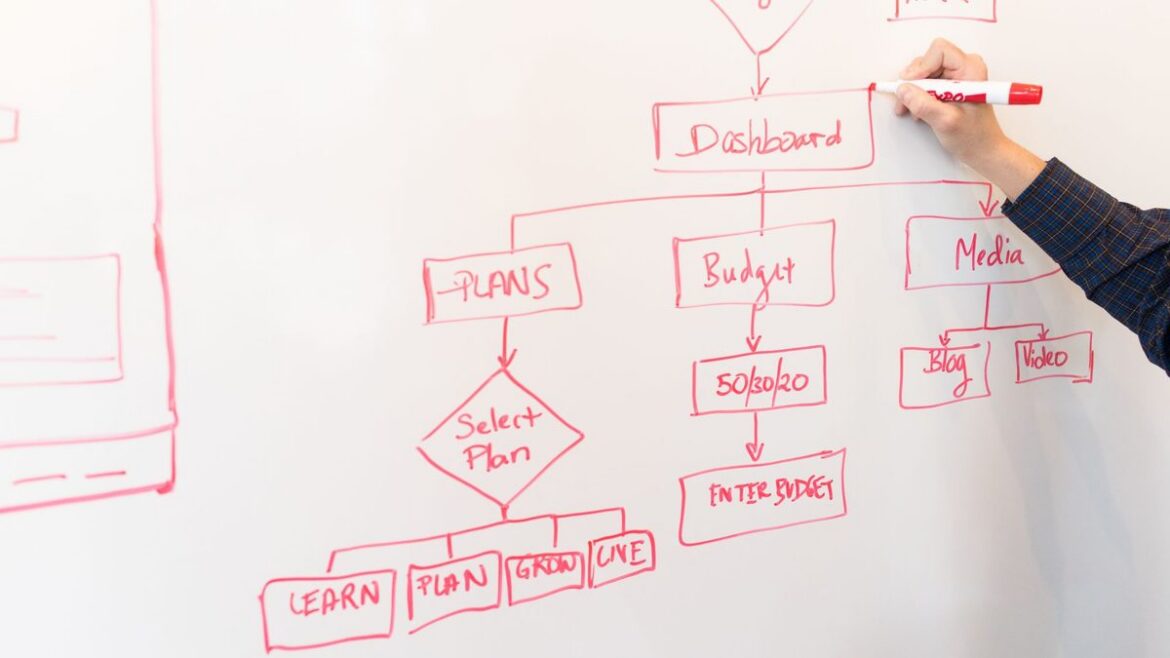
Hand drawing a red workflow flowchart with decision steps on a white whiteboard
What Is Agentic AI? A Plain-English Guide for Business Leaders
What Is Agentic AI? A Plain-English Guide for Business Leaders 1024 576 Nadeem Shaikh

Agentic AI is AI that can take a goal, plan the steps, use your business tools to carry them out, and check its own progress until the job is done. A chatbot answers a question. An agent finishes a task: it looks things up, decides what to do next, updates the right systems, and asks a person when it hits something it shouldn’t decide alone.

The term is everywhere this week. On October 8, Google announced a Gemini agent for businesses that can get things done on a user’s behalf, not only answer questions. VentureBeat reported it can work on tasks lasting hours or days, and that it follows an updated Microsoft Copilot (September 25) and OpenAI’s always-on dots agents. If you lead a business, you’ll hear “agentic” in every vendor pitch from now on. Here’s what it actually means and how to tell whether you need it.

What makes AI “agentic”

Most systems sold as agents have four parts working together:

  • A goal, not a single prompt. You give it an outcome, such as “triage today’s support tickets”, rather than one question.
  • Planning. The AI model breaks the goal into steps and decides what to do next based on what it finds.
  • Tools. It can call real systems: search your documents, read a CRM record, check an order in the ERP, draft an email, open a ticket. Protocols like the Model Context Protocol (MCP) are a common way to connect those tools.
  • Memory and checks. It keeps track of what it has done, notices when a step failed, and tries another route or hands off to a person.

Take away the tools and the planning and you have a chatbot. Take away the AI model and you have a script.

Agentic AI vs chatbots, assistants and automation

  • Chatbot: answers questions in a conversation. It doesn’t act in your systems.
  • AI assistant: helps a person do their work, like drafting, summarizing or searching, but waits for that person at every step.
  • Traditional automation and RPA: follows fixed rules very reliably, and breaks when an input doesn’t match the rule.
  • AI agent: works toward a goal across several steps and systems, and handles some variation along the way, within limits you set.

The line matters because many products are relabeled. Gartner calls this “agent washing”: rebranding assistants, chatbots and RPA tools as agentic without real agentic capability. A quick test for any vendor: ask what the system does on its own between your request and the final result, and which of your systems it can change.

Where agents are useful today

Agents earn their keep on work that spans several systems, needs some judgment, and happens often enough to matter. Typical examples:

  • Support triage: read a new ticket, pull the customer’s account and order history, and draft a reply for an agent to approve.
  • Sales operations: research a new lead, fill in missing company details, and update the CRM.
  • Back office: match supplier invoices to purchase orders and flag the ones that don’t line up.
  • Operations: check order or inventory status across systems every morning and report the exceptions.

Notice the pattern: the agent does the gathering and the first pass, and a person still approves anything that costs money, changes a customer record in a big way, or goes out under your name.

Where agentic AI goes wrong

Gartner predicted in June 2025 that over 40% of agentic AI projects will be canceled by the end of 2027, because of rising costs, unclear business value or weak risk controls. The causes are usually practical:

  • No clear job. “Use AI agents” isn’t a project. “Cut the time to first reply on support tickets” is.
  • Too much access. An agent that can change everything is a risk. Give it only the permissions its task needs, and log every action. Our guide to AI agent governance covers the controls.
  • Messy data. An agent can only be as good as the records and documents it reads.
  • No way to measure it. Decide before launch what “working” means: time saved, error rate, or tickets handled without rework.

How to start with agentic AI

  1. Pick one workflow that is frequent, spans two or three systems, and has a clear “done”.
  2. Map the steps a person takes today, and mark which ones need a human decision.
  3. Connect only the tools that workflow needs, with read access first and write access where it’s safe. A custom MCP server is one way to do this for in-house systems.
  4. Run it with a person approving every action, then loosen approvals only where results are consistently right.
  5. Measure against the old way, then expand to the next workflow.

Want help picking the right first workflow? GrtLabs builds agentic AI for operations, support and sales teams, with approvals and logging built in. If you’re not sure an agent is the right fit, start with AI Discovery, or talk to us about your use case. Based in Texas? Meet our AI development company in Houston.

FAQ

How is agentic AI different from a chatbot?

A chatbot answers questions in a conversation. Agentic AI works toward a goal: it plans steps, uses business tools such as a CRM, ERP or document store to carry them out, and checks the result, asking a person for approval where needed.

Is agentic AI safe to use with company data?

It can be, if the agent gets only the permissions its task needs, every action is logged, and a person approves high-impact steps such as payments, customer messages or record deletions. Safety comes from how the agent is set up, not from the AI model alone.

Do I need agentic AI, or is a simpler automation enough?

If the task follows the same rules every time, traditional automation is usually cheaper and more reliable. Agentic AI fits work that needs judgment across several steps and systems, such as triaging requests or reconciling documents that don’t match exactly.

Woodworking tools, tape measure and wood shavings on a workbench suggesting custom-built craftsmanship
Off-the-Shelf AI vs Custom AI: How to Decide What to Buy and What to Build
Off-the-Shelf AI vs Custom AI: How to Decide What to Buy and What to Build 1024 576 Nadeem Shaikh

Off-the-shelf AI vs custom AI comes down to one question: is the work you want AI to do the same at your company as everywhere else, or does it depend on your own data, rules and systems? If it’s the same everywhere, buy it. If it depends on what makes your business different, that’s the part worth building, usually on top of the AI tools you already pay for.

This week made the choice more pressing. On October 6, SAP began rolling out Joule Work, an AI interface that works across SAP and third-party data, and on October 8 Google Cloud announced the Gemini agent, a universal agent for work. In the same week, Infor published a survey of 2,111 business decision-makers in seven markets in which 68% said off-the-shelf AI doesn’t adequately address their industry’s needs. Infor sells industry-specific AI, so read that number with its source in mind. Still, the gap it describes is one most operations teams will recognize.

What the big platforms now give you out of the box

Built-in AI is getting genuinely useful. SAP says its Knowledge Graph maps more than 7 million data fields to ground Joule in business context, and that Joule Studio lets customers build their own agents while choosing from more than 70 AI models. Google says its Gemini agent plans the work, connects to customers’ business systems, chooses the best model for the job and has built-in cost controls. If you run those platforms, you get a lot without writing code.

The catch is in the word “platform”. Built-in AI works best on the data inside that vendor’s product, and most businesses don’t run on one vendor. Orders sit in one system, contracts in a shared drive, pricing rules in a sales spreadsheet, and the know-how for exceptions with a few experienced people.

When off-the-shelf AI is the right call

  • The task is generic: drafting emails, summarizing meetings, searching files, writing first drafts.
  • The data already lives in the vendor’s product, and the AI feature comes from the same vendor that holds it.
  • Being a little wrong is cheap, because a person reviews the output before it matters.
  • You need value this quarter and nobody on your team could own a custom system yet.

Here, building your own is usually wasted effort. Turn on what you have, train people to use it, and measure whether it saves time.

When custom AI pays off

  • The work depends on your rules: how you price, what you accept, which exceptions need a manager’s sign-off.
  • It crosses systems: a quote that needs your ERP, your shipping carrier and your customer history at the same time.
  • The documents are yours: supplier invoices, purchase orders, inspection reports or contracts in formats no generic tool has seen.
  • Mistakes are expensive, so you need to test against your own past cases and log every answer.
  • Data has to stay in your own cloud account for security or compliance reasons. In Infor’s survey, 33% of leaders named data security, sovereignty or compliance as their single greatest barrier to advancing their AI strategy.

The same survey suggests the fit problem grows with operational complexity: 73% of manufacturing respondents and 76% of distribution respondents said off-the-shelf AI doesn’t fit their needs. If you run a plant or a warehouse, expect generic tools to handle the easy part of the job and miss the part that matters most.

The middle path: buy the platform, build what makes you different

The choice is rarely all or nothing. A practical setup looks like this:

1. Buy the general-purpose layer

Use the assistant that comes with the suite your team already works in for everyday writing, search and summaries.

2. Build the business-specific layer

Build the small pieces that teach AI about your business: a private knowledge base over your own documents, document extraction tuned to your forms, and connections to your systems that respect your existing permissions.

3. Keep the custom pieces portable

AI products change fast, so build custom parts that more than one AI tool can use. SAP, for example, says Joule can connect with third-party AI and agents through the Agent2Agent protocol. Open connections like this, or a custom MCP server in front of your own systems, let you change the front end later without rebuilding everything behind it.

4. Own the evaluation

Whatever you buy or build, keep your own set of real past cases with known right answers and check the AI against it. A vendor demo is not proof that a tool works on your data.

A quick test before you sign or start building

  1. Write down the exact task and who does it today.
  2. List every system and document the task touches.
  3. Run the off-the-shelf option on real past examples.
  4. Note where it fails. If the failures come from missing business context, that context is what you build.
  5. Name the person who owns the result. In Infor’s survey, 15% said no one person has primary responsibility for AI, or that it’s unclear who does.

FAQ: off-the-shelf AI vs custom AI

What is the difference between off-the-shelf AI and custom AI?

Off-the-shelf AI is a ready-made product, such as an assistant built into your ERP, office suite or CRM, that works the same way for every customer. Custom AI is built around one company’s own data, rules and systems, for example an agent that reads that company’s supplier invoices and posts them to its ERP using its own approval rules.

Is it cheaper to buy AI or build it?

Buying is usually cheaper to start because the vendor carries the development cost. Building costs more up front but can pay off when the work is specific to your business, runs at high volume, or would otherwise need heavy manual checking of a generic tool’s output. Compare both on a real task with real data.

Can a business combine off-the-shelf AI with custom AI?

Yes, and for many businesses that is the practical answer. A common pattern is to use a vendor’s assistant as the everyday interface and build custom pieces behind it, such as a private knowledge base, document extraction or connections to in-house systems.

Get a clear buy-or-build answer

GrtLabs is an AI and software development company in Houston that helps businesses decide which AI to buy and which to build. Our AI Discovery engagement reviews your data, systems and processes and ends with clear build / no-build recommendations. When building makes sense, our AI Factory team designs and ships it, including on AWS or Azure inside your own cloud account. Talk to us about the task you’re weighing.