
AI Agent Sandbox: How to Give AI Agents Real Access Safely
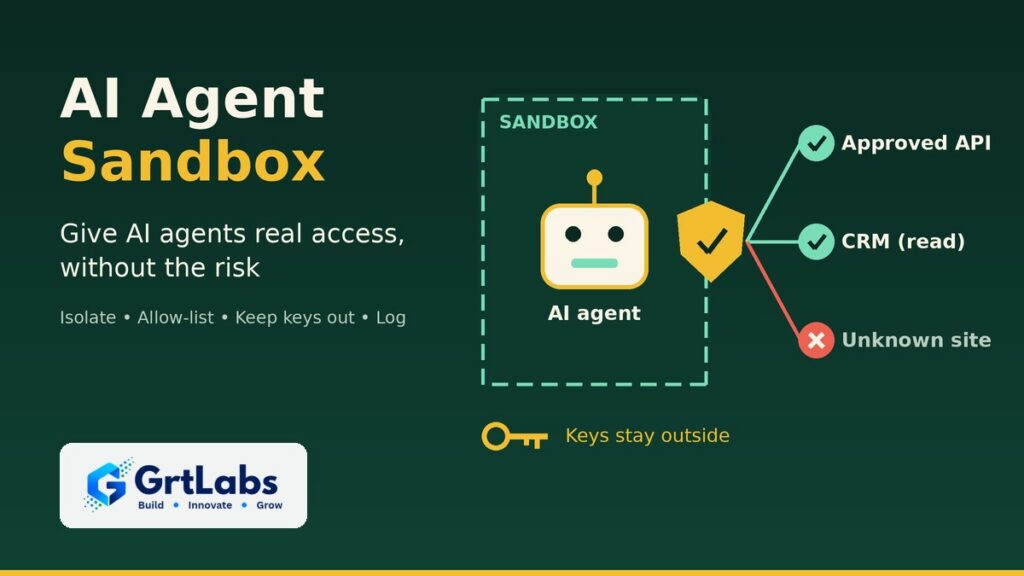
AI Agent Sandbox: How to Give AI Agents Real Access Safely https://grtlabs.com/wp-content/uploads/2026/10/featured-ai-agent-sandbox-1024x576.jpg 1024 576 Nadeem Shaikh https://secure.gravatar.com/avatar/459d5135d86aff60790fdf4d25ee6958e526211d5cd43d190b1516158cf9feba?s=96&d=mm&r=gAn AI agent sandbox is an isolated, locked-down environment where an AI agent does its work. Inside it, the agent can read files, run code, browse and call tools, but it can only reach the files, websites and systems you allow, and it never holds your real passwords or API keys. If the agent makes a mistake or is tricked by a malicious document, the damage stays inside the box. Any agent that runs code, browses the web or handles untrusted files should run in one.
AI agents are useful because they can act: look things up, run scripts, update records and send messages. That same ability makes them risky. A sandbox gives an agent real access to do its job without handing it the keys to your network. Here is what a sandbox does, why it is suddenly a top AI topic, and what your own agents need.
What is an AI agent sandbox?
An AI agent is software that is given a goal, a set of tools it may use and rules for when to stop and ask a person. If that idea is new, start with our guide to what agentic AI is.
A sandbox is the room the agent works in. It is usually a container or a small virtual machine with its own file system, its own processes and tightly controlled network access. The agent can do whatever its task needs inside that room. Everything that leaves the room, such as a web request, a database write or an email, passes through a checkpoint that applies your rules.
The key idea is simple: treat the agent as untrusted, even when you built it yourself. Not because it is malicious, but because it reads content you don’t control, it can misunderstand instructions, and it can be steered by text hidden in a web page or file. Our guide to prompt injection protection explains how that steering works.
Why AI agent sandboxing is in the news now
In October 2026, several of the biggest names in AI shipped sandbox tooling for agents within a few weeks of each other:
- AWS released Strands Box in developer preview on October 7, an open-source sandbox that combines operating-system isolation with policies for what an agent may do. Its network gateway attaches API keys on the way out, so the real secret never enters the agent’s environment.
- Perplexity open-sourced SPACE on October 15, the sandbox platform behind its Computer agent. Each sandbox runs in a small virtual machine, and credentials and network access are managed outside it.
- Google Cloud announced Agent Compute Engine on October 22. It gives each agent its own hardware-isolated micro virtual machine with short-lived credentials, and it is planned for preview in the coming months.
- NVIDIA describes its open-source OpenShell runtime the same way: agent workloads are treated as untrusted, and access to credentials is checked by a supervisor that runs outside the sandbox.
The risk is real. Microsoft Security analyzed a compromised LiteLLM release, a popular Python library for calling AI models, published on October 21; it tried to collect credentials from developer tools, AI applications and cloud environments. An agent with no secrets inside its sandbox has far less to steal.
The message from all of these releases is the same: the question is no longer only what an agent can do, but where it runs, what it can reach and who can see what it did.
What a good agent sandbox controls
Whether you use a managed service, an open-source tool or a custom setup, a sandbox should give you control over six things:
- Files and processes. The agent sees only its own working folder and the data for the current task, not your servers or shared drives.
- Network access. Outbound traffic goes through a gateway with an allow list. The agent can reach the APIs and websites its job needs, and nothing else.
- Credentials. Real passwords, tokens and API keys stay outside the sandbox. The gateway adds them only to requests your policy allows, and they should be short-lived.
- Actions. Policies decide what the agent may do with a tool, not just whether it can reach it. Reading production logs may be fine while changing them is not.
- Time and resources. Limits on run time, memory, steps and spend stop a stuck agent from looping forever or running up a large bill.
- Logs. Every command, request and decision is recorded outside the sandbox, where the agent cannot edit it. Our guide to an AI agent audit trail covers how to set that up.
Containers, micro VMs or managed sandboxes?
There are three common ways to build an agent sandbox. The right one depends on what the agent does and how sensitive your data is.
- Containers. Fast to start, cheap to run and familiar to most engineering teams. They share the host’s operating system kernel, so they are a good fit for agents that call known APIs and read your own data, and less ideal for running code the agent writes on the fly.
- Micro virtual machines. Each sandbox gets its own kernel, which gives stronger isolation for agents that run generated code, install packages or browse the open web. Several of the new tools above use this approach.
- Managed cloud sandboxes. Your cloud provider runs the isolation layer and you set the image, network rules and identity. This saves operations work, but check what is generally available today versus in preview, and where your data is stored.
Isolation alone is not enough. A sandbox can stop an agent from reaching your file server, but if the agent is allowed to call your CRM, you still need rules about which records it can change. That is why the newer tools pair isolation with a policy layer, and why connecting tools through a well-scoped interface such as a custom MCP server matters as much as the box itself.
Does your business agent need a sandbox?
Not every AI feature needs a full sandbox. A simple assistant that answers questions from approved documents and cannot take actions carries far less risk. Use this rule of thumb:
- Yes, sandbox it if the agent runs code it writes, browses the open web, opens files from customers or vendors, installs packages, or works with a shell or command line.
- Yes, sandbox it if the agent can change data, send messages or move money, even through approved tools.
- Scoped tools may be enough if the agent only reads from a fixed set of internal sources through narrow, read-only APIs, and a person approves every output.
- Reconsider the design if the agent needs broad admin access to work at all. Split the job into smaller steps with less access each, as we describe in our guide to multi-agent systems.
A practical checklist for running AI agents safely
Before an agent goes to production, your team should be able to answer three questions: where does the agent run, what can it reach, and who sees the log? This checklist turns those into concrete steps:
- Start from zero access. Grant each tool, folder and website only when the task needs it.
- Keep secrets out. Use a gateway or secrets manager to inject credentials per request, and prefer short-lived tokens over long-lived keys.
- Allow-list the network. Block outbound traffic by default and allow only the services the agent needs.
- Separate read from write. Give read access freely and write access sparingly, with human approval for sensitive actions.
- Set limits. Cap run time, steps, retries and model spend for each task.
- Log outside the box. Store every action in a log the agent cannot change, and review it.
- Pin your dependencies. Lock package versions and review updates, so a compromised library cannot slip into the agent’s environment unnoticed.
- Test the walls. Before launch, try to make the agent read a file, reach a site or use a key it should not. Fix whatever gets through.
These controls sit alongside your policies on who approves what. For that side, see our guide to AI agent governance.
How GrtLabs can help
GrtLabs is a Houston AI lab that builds agentic AI for teams that need software that can plan, call tools and finish multi-step work. We design agents that connect to your APIs, databases, documents and workflows, with clear guardrails and human review where it matters. Our work is built for operations, support, sales ops and internal tools, not demos.
Every agent we build starts with an agreed design: its goal, the tools it may use, its permissions and its escalation rules. We deploy with human-in-the-loop approval steps and logging, so you can see every step the agent took, and we hand off with documentation and training. For hosting, our AWS and Azure AI work designs deployments inside your own cloud account, with identity and access controls you own.
The same Houston team also builds RAG knowledge systems, AI automation, custom web and app development, and GRTforms, our own online form builder with AI form creation.
Planning an agent that needs real access to your systems? Talk to our Houston team about running it safely, or see our agentic AI services.
Frequently asked questions
What is an AI agent sandbox?
An AI agent sandbox is an isolated environment, usually a container or small virtual machine, where an AI agent runs code, browses and calls tools. It limits which files, websites and systems the agent can reach, keeps real credentials outside, and logs what the agent does.
Why do AI agents need to be sandboxed?
Agents read content you don’t control and can make mistakes or be manipulated by hidden instructions. A sandbox limits the damage: the agent can only reach what you allow, it holds no real secrets to leak, and every action is recorded.
What is the difference between a container and a microVM sandbox?
A container shares the host’s operating system kernel, so it starts fast and is cheap but offers lighter isolation. A micro virtual machine gives each sandbox its own kernel, which provides stronger isolation for agents that run generated code or browse the open web.
Does every AI agent need a sandbox?
No. An assistant that only reads approved documents through narrow, read-only tools with human review may only need scoped access. Agents that run code, browse the web, open outside files or change data should run in a sandbox.
Can GrtLabs build sandboxed AI agents in Houston?
Yes. GrtLabs is a Houston AI lab that builds agentic AI with defined tools, permissions, human approval steps and logging, and deploys on AWS or Azure inside your own cloud account with access controls you own.
