AI

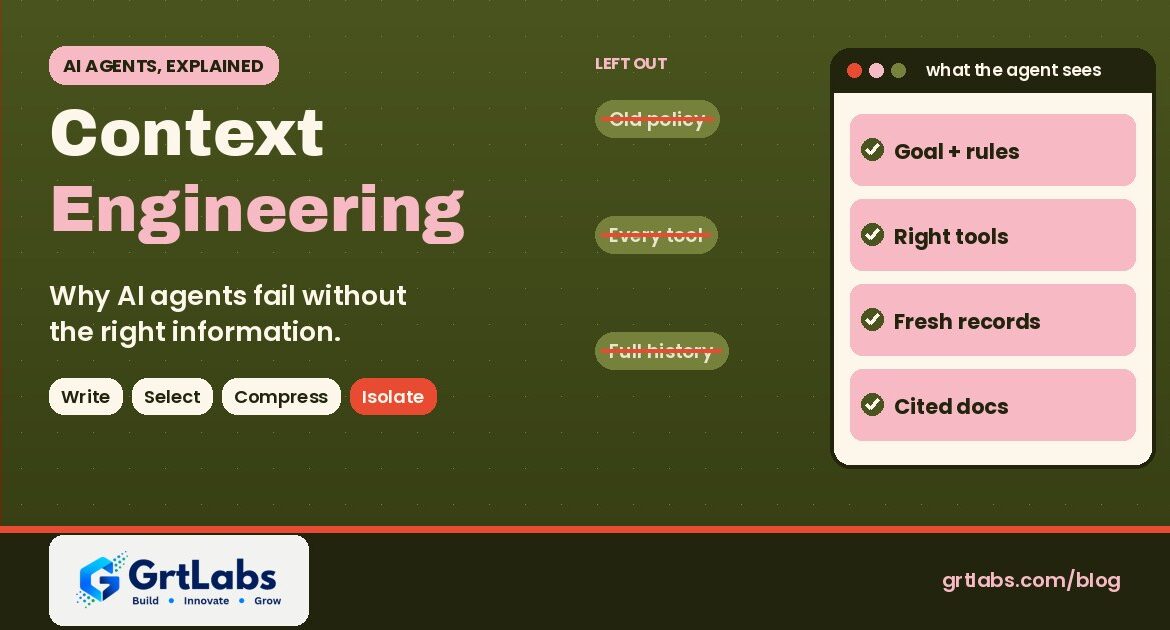
Context engineering graphic: old policy, every tool and full history left out; goal, right tools, fresh records and cited docs inside the agent's window
Context Engineering: Why AI Agents Fail Without the Right Information
Context Engineering: Why AI Agents Fail Without the Right Information 1024 538 Nadeem Shaikh

Context engineering is the work of deciding what an AI agent sees at each step of a task: its instructions, the tools it may use, the facts and records it pulls in, and what it remembers from earlier steps. When an agent gives a wrong answer or takes the wrong action, the cause is usually missing, stale or noisy context, not a weak model. So if you are buying or building AI agents, context engineering is where most of the reliability comes from. Good context is small, current, relevant to the step and limited to what the user is allowed to see.

The term spread because agents now run for many steps, call tools and pile up history. Below: a plain definition, the four ways context goes wrong, the main fixes, and what to ask before you sign off on an agent project.

What is context engineering?

Every time a language model answers, it only knows two things: what it learned in training, and what is in its context window right now. The context window is everything sent to the model for that step. Anthropic’s engineering team defines context engineering as the set of strategies for curating and maintaining the optimal set of tokens (information) during inference, including everything that lands there outside of the prompt itself.

Harrison Chase of LangChain puts it in more practical terms in The rise of context engineering: building dynamic systems to provide the right information and tools in the right format, so the model can plausibly accomplish the task. Redis’s 2026 overview adds the production view: deciding what an agent should see at each step, including which facts, records and past interactions it should retrieve, delivered current enough to trust and fast enough for production.

The key words are each step. An agent loops: it reads, calls a tool, gets a result, decides and calls another tool. The context changes on every turn, so someone has to design what goes in and what stays out.

Context engineering vs prompt engineering

Prompt engineering is about wording: how to phrase instructions so the model answers well. Anthropic calls context engineering the natural progression of prompt engineering. A prompt is one part of the context; the rest is tools, retrieved documents, message history, memory and data from your systems.

  • Prompt engineering asks: how should we word the instructions? It is mostly a one-time writing task.
  • Context engineering asks: what does the model need to see right now, and what should we leave out? It runs on every step, so it is software you build, test and monitor.

Chase makes a useful point for buyers: as models get better, more agent mistakes come from the model not being given the right context than from the model itself. In his words, LLMs cannot read minds. Garbage in, garbage out.

What goes into an AI agent’s context

When you review an agent design, ask to see each of these pieces.

  • Instructions. The agent’s role, rules, limits and when to stop and ask a person. New to agents? Start with What is agentic AI? and AI chatbot vs AI agent.
  • Tools. The list of actions it may take and how each tool is described. Anthropic warns that one of the most common failures is a bloated tool set with overlapping tools: if a human engineer cannot say which tool fits a situation, the agent cannot either.
  • Knowledge. Passages pulled from your documents, usually through RAG (retrieval-augmented generation), limited to what the user may see.
  • Live business data. The current order, ticket or customer record, fetched when it is needed.
  • History and memory. What happened earlier in this task, and notes saved from past work.
  • Examples. A few clear examples of good output. Anthropic recommends a small set of diverse, canonical examples instead of a long list of edge-case rules.

Why more context is not better

Context windows now reach millions of tokens, so it is tempting to send everything. The research says no. In its Context Rot report (July 2025), Chroma tested 18 models, including GPT-4.1, Claude 4, Gemini 2.5 and Qwen3, and found that model performance degrades as input length increases, often in surprising and non-uniform ways, even on simple tasks.

Anthropic describes the same effect as an attention budget: every extra token uses some of it, so context should be treated as a finite resource with diminishing returns. Its guiding rule is to find the smallest possible set of high-signal tokens that gives the outcome you want. Less context also means lower cost and faster answers, because you pay for and wait on every token.

Four ways context goes wrong

LangChain’s guide to context engineering for agents and Splunk’s August 2026 guide to production agents both use four failure patterns named by Drew Breunig. Each has a different fix.

  • Context poisoning: a wrong fact or hallucination gets into the context and keeps being referenced, so the error compounds. Fix: check facts before saving them as goals or notes, and let the agent re-fetch from the source.
  • Context distraction: the context grows so long that the model leans on the history instead of reasoning about the task. Fix: summarize or trim older steps.
  • Context confusion: extra material, such as unrelated documents or unused tools, nudges the answer the wrong way. Fix: retrieve less, and offer only the tools for this step.
  • Context clash: two parts of the context disagree, such as an old policy and a new one. Fix: version your sources, drop superseded documents and keep data fresh.

Redis sums up the freshness problem in one line: an agent acting on stale data will act confidently and wrongly. Security belongs here too. Anything an agent reads, including emails, web pages and uploaded files, becomes part of its context, which is how prompt injection works.

The main context engineering techniques

LangChain groups the techniques into four buckets: write, select, compress and isolate. In plain words:

  1. Write (save it outside the window). The agent keeps notes, a to-do list or a scratchpad outside the context and reads them back when needed. Anthropic calls this structured note-taking, or agentic memory.
  2. Select (pull in only what this step needs). Retrieve the few relevant passages, records or tools instead of everything. Anthropic describes a just-in-time approach: the agent keeps lightweight references, such as file paths, stored queries or links, and loads the data with tools only when it needs it.
  3. Compress (summarize and trim). When a long task nears the limit, summarize the history and continue from the summary. Anthropic calls this compaction and notes that clearing old raw tool results is one of the safest, lightest forms.
  4. Isolate (split the work). Give sub-tasks to separate agents with their own clean context, then combine the results. Splunk, which adds caching as a fifth pattern, notes that isolation suits read-only, parallel work like research and can cause trouble where steps depend on each other. See our post on multi-agent systems.

Where RAG and MCP fit

  • RAG is the most common way to select knowledge: search your documents and pass only the relevant passages, with links to the sources. It is one part of the job, not all of it. Read RAG explained and RAG vs fine-tuning for when each fits.
  • MCP, the Model Context Protocol, is an open-source standard for connecting AI applications to external systems. It gives agents a standard way to reach your tools and data. Every connected tool also adds descriptions and results to the context, so more connections are not automatically better. Our guide to a custom MCP server covers when to build one.

What context engineering means if you are buying an AI agent

You do not need to write the code, but ask how the vendor handles context. Good answers are specific.

  1. Where does each fact come from? Ask which systems and documents the agent reads, and whether answers show their source.
  2. How fresh is it? Live lookups, nightly sync or a one-time upload? Stale data is a common cause of confident wrong answers.
  3. Who can see what? Retrieval should respect each user’s existing permissions.
  4. Which tools are available at each step? A short, clearly described tool list beats dozens of overlapping tools.
  5. What happens on long tasks? Ask how history is summarized or trimmed, and what is kept.
  6. Can you see the context that led to an action? Logs should show what the agent saw and did, so a bad decision can be traced. See AI agent audit trail.
  7. How is it tested? Ask for tests on your own real examples before launch and monitoring after. Our LLMOps guide explains the after-launch side.

Common mistakes

  • Blaming the model first. Before you pay for a bigger model, check what the agent actually saw on the failed step.
  • Stuffing the context. A million-token window is not a reason to send a million tokens.
  • Too many tools. Offer only the tools a step needs, each with a plain description.
  • Trusting everything it reads. Treat emails, web pages and uploaded files as untrusted input.
  • No owner for the knowledge. If nobody updates the documents behind the agent, its answers drift out of date.
  • Skipping governance. Context decides what the agent knows; permissions and approvals decide what it may do. You need both. See AI agent governance.

How GrtLabs helps

GrtLabs is a Houston, Texas AI and software development company, founded in 2019, that builds custom AI, agentic AI, RAG, AI automation, and web and app development. Our Agentic AI work starts by agreeing on the agent’s goal, the tools it may use, its permissions and its escalation rules, then testing it against real examples with your team and deploying with human-in-the-loop approval steps and logging. Our RAG Knowledge Systems give agents and AI Assistants answers that cite their sources and respect who is allowed to see what, and our AWS and Azure AI team can run it inside your own cloud account.

Not sure where to start? Our AI Discovery engagement helps select the right first proof of concept, and AI automation may be enough where every step is the same. We also build GRTforms, our own drag-and-drop form builder with an AI builder, which is a simple way to collect clean, structured requests for an agent to work from. Working with a team in Texas? Meet our AI development company in Houston.

Want an AI agent that sees the right information at every step? Talk to our Houston team about your use case.

Frequently asked questions

What is context engineering in AI?

Context engineering is designing what an AI model or agent sees at each step of a task: its instructions, available tools, retrieved documents, live business data and memory of earlier steps. The goal is the smallest set of relevant, current information that lets the model do the step well.

What is the difference between context engineering and prompt engineering?

Prompt engineering is about how to word the instructions. Context engineering covers everything else the model sees as well, such as tools, retrieved documents, history and data from your systems, and it runs on every step of an agent’s work, so it is built and tested like software.

Why do AI agents fail even with a good model?

Most often because the context is wrong: information is missing, out of date, too long, contradictory or not allowed for that user. Research such as Chroma’s Context Rot report found that model performance degrades as input length grows, so sending everything does not fix it.

Is RAG the same as context engineering?

No. RAG is one context engineering technique: it searches your documents and passes only the relevant passages to the model. Context engineering also covers instructions, tool choice, memory, summarizing long histories and keeping data fresh.

What is context rot?

Context rot is the drop in accuracy that happens as the amount of text sent to a model grows. Chroma’s 2025 study of 18 models found performance becomes less reliable as input length increases, even on simple tasks, so long contexts need to be curated.

Can GrtLabs build AI agents with good context engineering in Houston?

Yes. GrtLabs is a Houston AI and software development company, founded in 2019, that builds agentic AI, RAG knowledge systems, AI assistants and AI automation, with permissions, approval steps and logging. Contact the team at grtlabs.com/contact to discuss your use case.
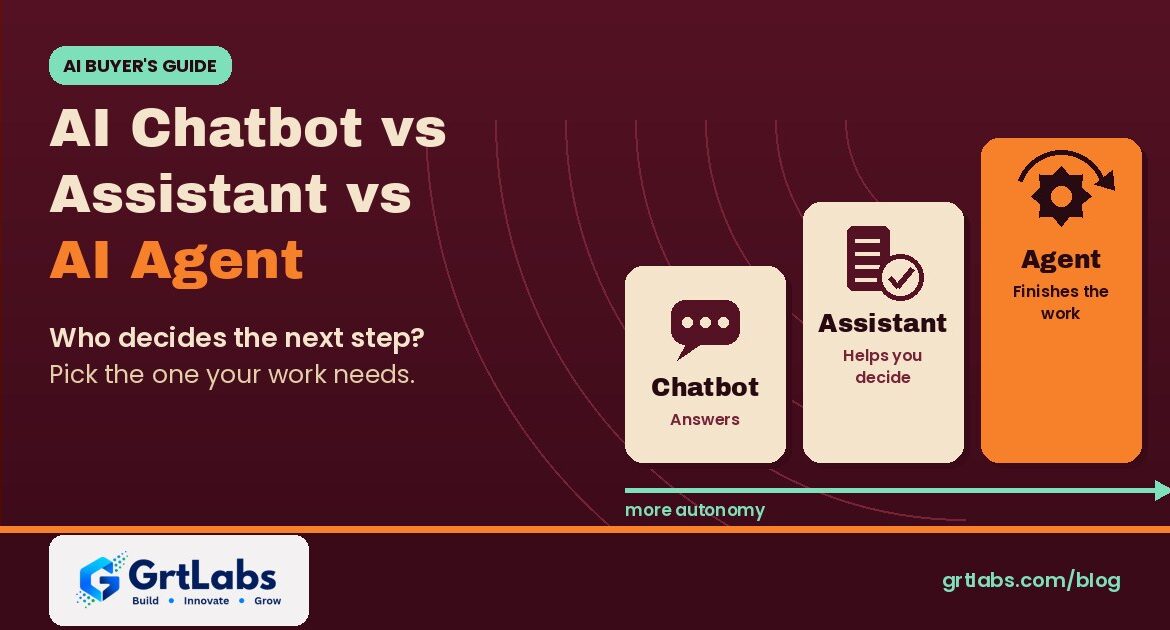
Three rising cards labeled Chatbot, Assistant and Agent along a more-autonomy arrow on burgundy
AI Chatbot vs AI Assistant vs AI Agent: Which Does Your Business Need?
AI Chatbot vs AI Assistant vs AI Agent: Which Does Your Business Need? 1024 538 Nadeem Shaikh

An AI chatbot answers questions in a conversation. An AI assistant answers from your own data and helps a person with tasks, but the person makes the decisions. An AI agent is given a goal and a set of tools, decides the next step itself, and finishes multi-step work across your systems, with a person approving the sensitive steps. So the real difference in AI chatbot vs AI agent is not how smart the model is. It is who decides what happens next. Most businesses should start with the simplest one that does the job and move up only when the work needs it.

Vendors now call almost everything an agent, so it is easy to pay for autonomy you do not need, or to buy a chatbot and expect it to finish work. Below: plain definitions from the platform vendors’ own documentation, a side-by-side table, and five questions to pick the right one.

What is an AI chatbot?

A chatbot is software that talks with people through text or voice. IBM’s chatbot guide splits them into two kinds. Traditional, rule-based chatbots follow predefined rules, decision trees and scripted flows; they work well for predictable questions such as website FAQs. AI chatbots use language models to understand the request and write a natural answer, so they cope with a wider range of questions. As IBM puts it, every AI chatbot is a chatbot, but not every chatbot is an AI chatbot.

Both kinds mostly talk. A typical chatbot answers from a script or general model knowledge, and its job ends with the answer. It does not usually look up your records or change anything in your systems.

What is an AI assistant?

An AI assistant is a chatbot connected to your knowledge and often a few tools, still working at a person’s request. Google Cloud’s explainer describes AI assistants as working with users through each step of a task: the assistant responds to requests or prompts and can recommend actions, but decision-making is done by the user. IBM says the same thing more briefly: AI assistants are reactive, performing tasks at your request.

In a business setting, a good assistant answers from approved sources (usually through RAG, retrieval-augmented generation) rather than guessing, can do small actions such as looking up a record or opening a ticket, and hands the conversation to a person when a request is outside its scope. Our guide to building an internal AI assistant for HR and IT questions walks through one.

What is an AI agent?

An AI agent is given a goal rather than a single question. OpenAI’s Agents SDK documentation defines an agent as a large language model configured with instructions, tools, and optional runtime behavior such as handoffs, guardrails and structured outputs. Anthropic’s engineering guide draws a useful line inside that: workflows are systems where models and tools are orchestrated through predefined code paths, while agents are systems where the model dynamically directs its own process and tool use. Anthropic adds that agents can pause for human feedback at checkpoints and often run with stopping conditions, such as a maximum number of steps.

Microsoft uses the word more broadly: Copilot Studio’s documentation calls an agent an AI assistant that handles conversations and completes tasks, deciding the best next step, and notes that some agents can work proactively from their own account. That overlap is why the terms confuse buyers. The practical test is the same everywhere: does the software decide and carry out the next step itself, or wait for a person? For a longer introduction, read What is agentic AI?.

AI chatbot vs AI assistant vs AI agent: side by side

AI chatbotAI assistantAI agent
Main jobAnswer questions in a conversationHelp a person with a task, step by stepReach a goal by planning and finishing multi-step work
Who decides the next stepThe script or the userThe user; the assistant suggestsThe agent, within rules and approval steps
KnowledgeA script or general model knowledgeYour approved documents and dataYour data, plus results from the tools it calls
Actions in your systemsUsually noneA few small actions, such as a lookup or a ticketReads and updates records across several systems
InteractionReactive, one question at a timeReactive, at the user’s requestProactive and goal-oriented, after a kickoff
Main riskWrong or made-up answersWrong answers, or showing data to the wrong personWrong actions, repeated at machine speed
Controls it needsClear scope and a handoff to a personGrounding, access control, logging, escalationAll of that, plus permissions per tool, approvals, step limits and an audit trail
Good first exampleWebsite FAQ and opening hoursHR policy questions, IT triage, support draftsSupport triage end to end, lead research and CRM updates, order exception handling

The table follows the split in Google Cloud’s comparison of agents, assistants and bots (agents most autonomous, bots least) and adds the controls each level needs. In short, the AI chatbot vs AI agent gap is the gap between answering and doing.

The real difference: who decides what happens next

Think of the three as steps on a ladder of autonomy. They often share the same model; what changes is how much the software may decide and do on its own. IBM makes the same point: the ability to call tools does not by itself make a model an agent.

  • Chatbot: if it gets something wrong, a person reads a wrong answer.
  • Assistant: it looks things up and drafts; a person decides, so mistakes are usually caught before anything changes.
  • Agent: it takes actions, so a mistake changes a record or moves an order, and can repeat quickly.

So the work in an agent is mostly in the controls: tool permissions, approvals for sensitive actions, logs and a safe place to test. See AI agent governance, AI agent sandbox and prompt injection protection.

When a chatbot is enough

A chatbot fits when questions are predictable, answers rarely change, and nothing needs to happen in your systems: hours, shipping policy, how to book a visit. A rule-based flow can even be better here because it is predictable and easy to check. Use an AI chatbot if people phrase the same questions many ways, and keep a handoff to a person.

When you need an AI assistant

Choose an assistant when people need answers from your own content, such as policies, product docs or past tickets. Signs you are here:

  • Staff or customers ask the same questions, but the answers live in documents that change.
  • The useful next step is small and safe, such as opening a ticket or checking a status, and a person still owns the decision.
  • You want sources shown with each answer so people can check them.

This is where most companies should start: the risk is contained, and the knowledge layer, access rules and logging are the same pieces an agent needs later. Our post on how to build a company AI assistant breaks this into eight layers.

When an AI agent is worth it

An agent earns its extra controls when work crosses several systems and needs a decision at each step: read a request, gather context, decide, update records, follow up. Examples: support triage that gathers account context and drafts a response, lead research with CRM updates, and exceptions an automation could not finish.

If every step is the same every time, you may not need an agent at all. Anthropic’s advice is to find the simplest solution possible and add multi-step agentic systems only when simpler solutions fall short, because agentic systems often trade latency and cost for better task performance. A fixed workflow or plain AI automation can be cheaper and easier to trust. We compare those options in AI agents vs RPA, and when one agent is not enough, see multi-agent systems.

Five questions to pick the right one

  1. Does anything need to change in a system? If no, a chatbot or assistant is enough.
  2. Where do the answers come from? A short fixed list suits a chatbot. Your own changing documents need an assistant with RAG.
  3. Who should make the final decision? If a person must decide every time, build an assistant. If clear rules cover most cases, an agent with approvals can.
  4. How many steps and systems are involved? One lookup is an assistant. Several systems with judgment at each step is agent work.
  5. What is the cost of a wrong action? The higher it is, the more approvals and logging you need, and the more it pays to add autonomy one step at a time.

Common mistakes when choosing

  • Buying the label. Ask the vendor which steps the software decides and performs alone, and which a person approves.
  • Broad access on day one. Start agents with read-only tools and add write access per tool.
  • No handoff or no logs. Every level needs a path to a person and a record of what it said and did.
  • No knowledge layer. Without your documents behind it, the AI sounds confident and is wrong about your business. RAG explained covers grounding.

How GrtLabs helps

GrtLabs is a Houston, Texas AI and software development company, founded in 2019, that builds custom AI, agentic AI, RAG, AI automation, and web and app development. Our AI Assistants are grounded in your approved knowledge, take action through connected tools such as looking up a record or creating a ticket, and escalate to a person with full context. When the work needs more autonomy, our Agentic AI team designs agents with clear goals, allowed tools, permissions and escalation rules, deployed with human-in-the-loop approval steps and logging of every step.

Not sure which level fits? Our AI Discovery engagement helps pick the right first proof of concept. We also build GRTforms, our own drag-and-drop form builder with a Create with AI option, which is a simple way to collect the structured requests an assistant or agent works from. Working with a team in Texas? Meet our AI development company in Houston.

Still weighing AI chatbot vs AI agent for your team? Talk to our Houston team about your use case.

Frequently asked questions

What is the difference between an AI chatbot and an AI agent?

An AI chatbot answers questions in a conversation and usually stops there. An AI agent is given a goal and a set of tools, decides the next step itself, and carries out multi-step work across systems, such as updating records, with a person approving sensitive actions.

What is the difference between an AI assistant and an AI agent?

An AI assistant works at a person’s request: it answers from your data, suggests actions and may do small tasks, but the person makes the decisions. An AI agent works toward a goal after a kickoff, choosing which tools to use and when, within the permissions and approval steps you set.

Is ChatGPT a chatbot, an assistant or an agent?

It depends on the setup. Used for questions and answers, a general model acts as a chatbot or assistant. It becomes part of an agent when it is given instructions and tools and allowed to decide and carry out the next steps toward a goal.

Which one should a business start with?

Most businesses should start with an AI assistant grounded in their own documents, with access control, logging and a handoff to a person. The risk is contained, and the knowledge layer and controls are needed later if you add agents.

Are AI agents safe to use with company systems?

They can be, with the right controls: least-privilege permissions for each tool, approval steps for sensitive actions, limits on the number of steps, logs of everything the agent did, and testing on real examples in a sandbox before production.

Can GrtLabs build AI assistants and AI agents in Houston?

Yes. GrtLabs is a Houston AI and software development company, founded in 2019, that builds grounded AI assistants, agentic AI, RAG knowledge systems and AI automation. Contact the team at grtlabs.com/contact to discuss your use case.
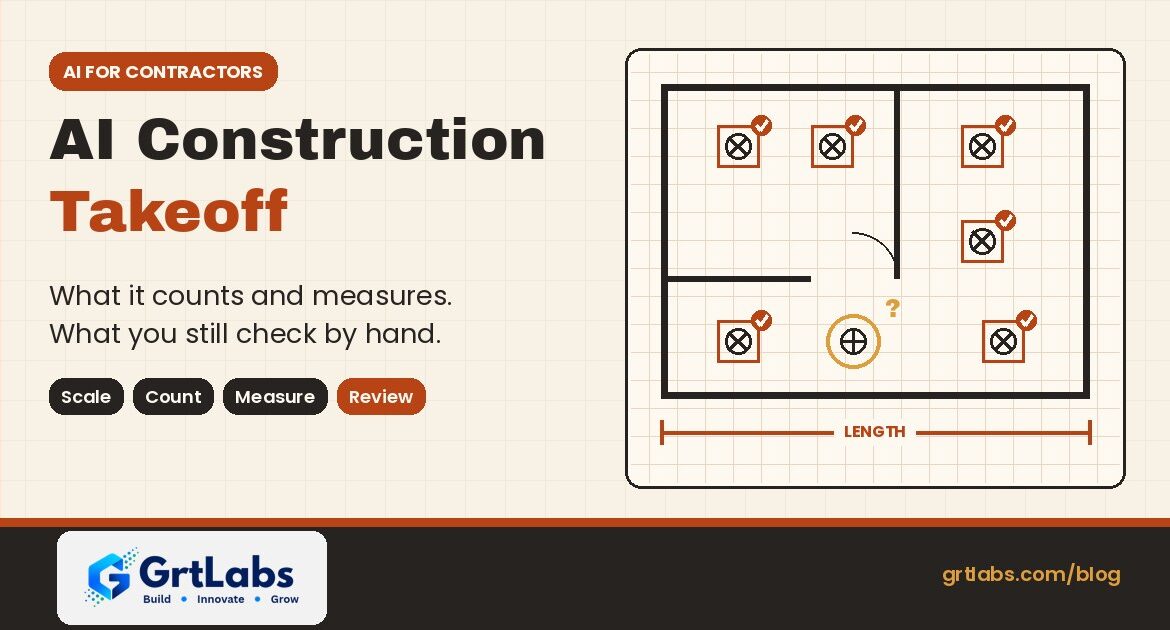
Floor plan graphic where AI has boxed and checked light fixtures, one symbol flagged for manual review, titled AI Construction Takeoff
AI Construction Takeoff: What It Automates and What to Check by Hand
AI Construction Takeoff: What It Automates and What to Check by Hand 1024 538 Nadeem Shaikh

AI construction takeoff uses computer vision and language models to read digital plan sets and produce a first pass of quantities: it sets sheet scales, counts symbols such as fixtures and receptacles, and measures lengths and areas. In 2026 it is good at the repetitive counting and tracing that eats an estimator’s day. It is not yet good at judging scope, reading every note and spec, or catching what changed between revisions. Treat the AI output as a draft that a person checks, and keep the estimator in charge of the number that goes into the bid.

That split matters if you buy software for a contractor, subcontractor or supplier. Vendors are shipping AI takeoff features fast, and general-purpose assistants such as Claude and ChatGPT can now work inside plan-review tools. Here is what the tools actually do, where they go wrong, and how to set up a review process so faster takeoffs do not turn into bad bids.

What is a quantity takeoff?

A quantity takeoff is the list of materials a project needs, counted and measured from the drawings: doors and hardware, light fixtures and outlets, linear feet of pipe, conduit and wall, square feet of slab, drywall or flooring. ConstructConnect describes takeoff as "the process of identifying and quantifying physical materials required for a construction project to ensure accurate bidding, ordering, and budgeting."

Done by hand, it means calibrating the scale on every sheet, clicking every symbol and tracing every run. It is slow and error-prone, which is why AI is aimed at it first.

What AI construction takeoff tools do today

Most of the AI features shipping now fall into four groups. Each example below comes from the vendor’s own announcement or documentation.

1. Sheet setup and scale

Before any counting, each sheet needs a correct scale and name. In its June 30, 2026 announcement, Trimble says its MEP estimating tools can use AI to identify and set the correct scale and name across entire plan sets, so estimators move from upload to takeoff in seconds.

2. Counting symbols

Count takeoffs are where AI is most mature. Autodesk’s symbol detection lets an estimator box one symbol on a 2D sheet; the tool then finds every similar symbol on that sheet and shows each match for review before it is saved as takeoff. Trimble says its AI recognizes, labels and counts symbols such as receptacles, switches and light fixtures.

3. Measuring lengths and areas

Measuring is newer. ConstructConnect’s Takeoff Boost, announced April 22, 2026 and built on Google Cloud, uses computer vision to classify, detect, count and measure areas, linears and objects directly from digital plans. Trimble’s auto-routing feature calculates conduit linear footage, including vertical rises and drops.

4. Asking questions in plain language

The fourth group is conversational. Trimble has an AI assistant inside Accubid Anywhere for querying estimates in natural language. Bluebeam connects Revu to outside AI models through the Model Context Protocol (MCP), covered below.

Vendors also publish time-savings figures. Trimble, for example, says contractors using its features cut the time for those tasks by as much as 60%. Those are vendor-reported numbers for their own products and workflows. Measure the result on your own plan sets before you plan staffing around it.

AI vs manual takeoff: what to automate and what to check

TaskWhat AI does wellWhat a person should still check
Sheet scale and namingSets scale and names across a whole plan setSheets marked not to scale, enlarged details, mixed scales on one sheet
Symbol countsFinds every matching symbol on a sheet in one passRotated or overlapping symbols, legend changes, items shown only in schedules
Lengths and areasTraces runs and areas from clean vector PDFsScanned sheets, hidden or demolished work, vertical rises, waste factors
Scope and specsSearches and summarizes textWhat is in or out of your scope, alternates, notes that change quantities
RevisionsRe-runs detection on new sheetsEvery changed sheet against the last bid, and quantities that moved

Where AI takeoffs go wrong

The vendor documentation is honest about the limits, and the limits tell you where to look first.

  • Rotated symbols. Autodesk’s help says its symbol detection finds symbols rotated in 90-degree increments. A fixture drawn at 45 degrees can be missed and has to be added by hand or detected again from a sample at that angle.
  • Busy drawings. Autodesk advises choosing a symbol with a clear, open background, because thick lines or other graphics behind or crossing a symbol can cause unexpected or incomplete results. Dense MEP sheets are exactly where that happens.
  • Text and tags. Autodesk notes that its symbol detection does not detect text, so tag-based items (for example a fixture called out only by a type mark) need another method.
  • Scope is not on the sheet. Quantities depend on specifications, general notes, alternates and what your trade actually carries. A model that counts everything it sees will happily count items that belong to another trade.
  • Revisions. A takeoff is only as current as the sheet set it ran on. Autodesk shows new symbol matches above previously detected ones when you re-run detection on a revised drawing, which helps, but someone still has to compare the bid to the new set.
  • Over-trust. A fast, confident number is persuasive. Without a review step, one bad scale or a missed sheet goes straight into the price.

Can Claude or ChatGPT do a takeoff?

Partly. General-purpose AI models are now connected to plan-review software, but what they can see is limited. Bluebeam’s Revu and MCP documentation says Revu 21.9 or later can connect to AI models including Claude and ChatGPT through an MCP server, on the Bluebeam Max plan, in the desktop version of Revu. Once Claude is set up, you can ask questions about open documents, run text searches, create summaries and reports, and reformat content.

For takeoffs specifically, Bluebeam’s own knowledge base is clear: measurement capabilities are available in Revu 21.10, and MCP can create count markups but "doesn’t yet truly identify underlying objects." If the item is labeled with text, Claude can count it. In other words, a general assistant is useful for counting tagged items, searching notes, summarizing specs and preparing reports, while purpose-built computer vision tools do the symbol and area work.

Bluebeam also notes that token use depends on your AI provider’s plan and that Bluebeam can’t control it, so large plan sets have a running cost to watch. If you want to understand the connector standard behind this, read our guide to building a custom MCP server.

A review workflow that keeps the estimate safe

Faster takeoffs only help if the checks are built in. A practical sequence:

  1. Confirm the set. Log which sheets and revision the takeoff ran on, so the bid can always be traced back to its drawings.
  2. Check scales first. Spot-check a known dimension on each sheet before trusting any length or area.
  3. Review every detection batch. Scan the matches before saving, then look for rotated, overlapping or tag-only items the tool skipped.
  4. Reconcile with schedules. Compare symbol counts with fixture, door and equipment schedules. Large gaps mean something was missed or double counted.
  5. Apply scope and specs by hand. Remove items outside your trade, add what the notes require, and apply your own waste and labor factors.
  6. Re-run on revisions and compare. When a new set arrives, re-run detection and review what changed before updating the bid.
  7. Track your own accuracy. Compare AI-assisted takeoffs to final installed quantities on a few jobs, and use that, not a vendor headline, to decide how far to trust the tool.

Off-the-shelf takeoff software or a custom AI build?

For most contractors, the first step is the AI already inside the takeoff tool they use, or one of the dedicated products. Custom software makes sense around the edges, where packaged tools stop:

  • Connecting the output. Moving takeoff quantities into your estimating spreadsheet, ERP, purchasing or project system without retyping.
  • Reading the documents around the plans. Pulling quantities and requirements from specs, addenda, submittals and supplier quotes with document intelligence.
  • Answering from your own history. A RAG knowledge system over past bids, spec books and lessons learned, so estimators can ask how a similar scope was priced and see the source.
  • Watching for changes. An AI agent that notices a new addendum, flags which sheets changed and routes the review to the right estimator, with a person approving every update.

Our guide to off-the-shelf AI vs custom AI walks through that decision, and the AI readiness assessment lists the questions to answer before you start.

How GrtLabs helps construction teams

GrtLabs is a Houston AI and software development company, founded in 2019, that builds custom AI, agentic AI, RAG knowledge systems, AI automation, and web and app development, plus GRTforms, our own online form builder.

For construction, we built Zamindar, construction management software that gives general contractors, builders and project teams one place to manage projects, documents and field-to-office collaboration, with field logs on mobile and centralized project cost information. Our Document Intelligence pipelines classify, extract and validate data from documents, check it against your data and push clean records into your systems, with low-confidence results routed to a person for review.

If your estimators are retyping quantities, hunting through spec books or chasing revisions by email, we can connect your takeoff tool, documents and project systems so the numbers flow and the people stay in control. Working with a team in Texas? Meet our AI development company in Houston.

Want to speed up estimating without losing control of the bid? Talk to our Houston team, or see Zamindar for construction teams.

Frequently asked questions

What is AI construction takeoff?

AI construction takeoff uses computer vision and AI models to read digital construction plans and produce a first pass of quantities, such as symbol counts, linear footage and areas. Estimators then review and adjust the results before they go into a bid.

Is AI takeoff accurate enough to bid from?

Not without review. AI is good at repetitive counting and tracing on clean drawings, but it can miss rotated or overlapping symbols, tag-only items and scope set by specs and notes. Check scales, reconcile counts with schedules and apply scope by hand before bidding.

Can Claude do quantity takeoffs in Bluebeam?

Partly. With a Bluebeam Max plan and Revu 21.9 or later, Claude can connect to Revu through MCP to search, summarize and report on open documents. Bluebeam says measurement is available in Revu 21.10 and MCP can create count markups, but it does not yet identify underlying drawing objects; it can count items labeled with text.

What parts of a takeoff should stay manual?

Scope decisions, reading specifications and general notes, applying waste and labor factors, checking sheets that are not to scale, and comparing revisions against the last bid. These need trade knowledge that current tools do not have.

Will AI takeoff replace estimators?

No. Current tools automate setup, counting and measuring, which frees estimators to spend more time on scope, risk and pricing. Vendors such as ConstructConnect describe the goal as shifting estimator time toward analysis and bid strategy.

Can GrtLabs build custom AI for construction estimating in Houston?

Yes. GrtLabs is a Houston AI and software development company that builds custom AI, document intelligence, RAG knowledge systems and AI automation, and offers Zamindar construction management software. Contact the team at grtlabs.com/contact to discuss your estimating workflow.

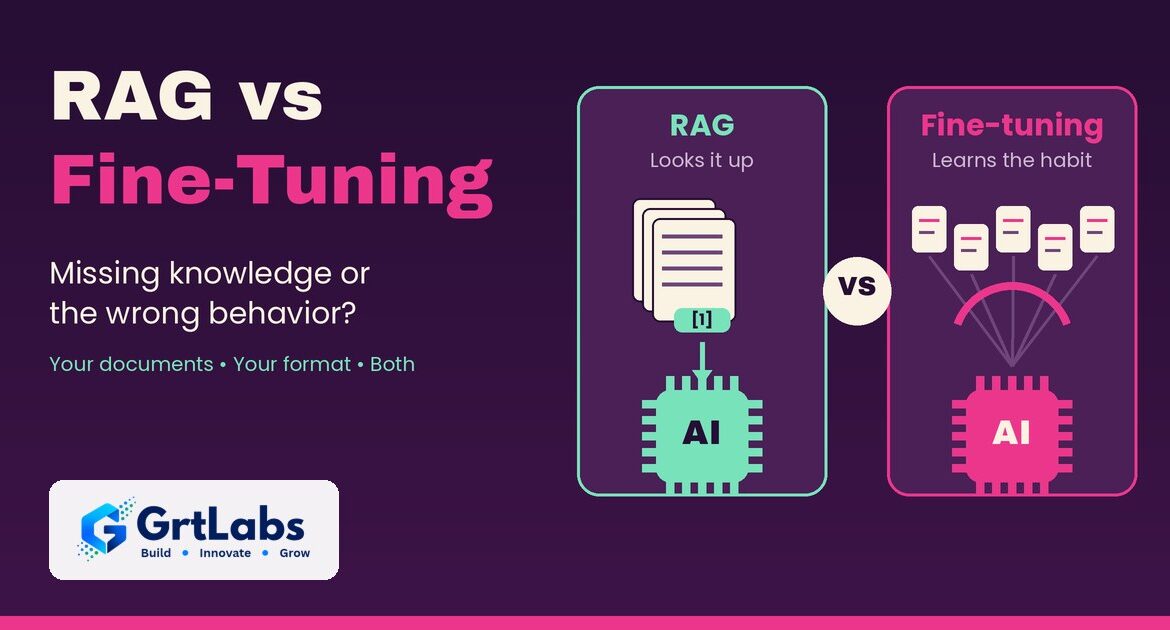
Graphic comparing RAG, an AI reading cited documents, with fine-tuning, an AI trained on examples
RAG vs Fine-Tuning: Which Approach Fits Your Company Knowledge?
RAG vs Fine-Tuning: Which Approach Fits Your Company Knowledge? 1024 538 Nadeem Shaikh

RAG vs fine-tuning comes down to one question: is your AI missing knowledge, or is it behaving the wrong way? RAG (retrieval-augmented generation) looks up the right passages in your own documents at the moment a question is asked and answers from them, with sources. Fine-tuning retrains a model on a set of example inputs and outputs so it learns a fixed style, format or task. If you want an AI that knows your policies, products and contracts, start with RAG. Add fine-tuning only when the model already has the facts but keeps answering in the wrong shape.

A request to "train an AI on our data" is often a knowledge problem in disguise: the team wants answers grounded in documents that change every month, limited to what each employee may see. Fine-tuning does not do that well. Here is how the two compare, when each one wins, and why many systems use both.

What is RAG?

Retrieval-augmented generation connects a language model to a search index of your content. When someone asks a question, the system searches your documents, wikis and knowledge bases, pulls the most relevant passages and hands them to the model along with the question. The model then writes an answer based on those passages and links back to where they came from. For a longer walkthrough, read our guide RAG explained: how AI can answer from your own company documents.

Cloud platforms now package this as a service. Amazon Bedrock Knowledge Bases searches your data at query time, can include citations and, on its managed option, filters results by document-level permissions. Azure AI Search offers security trimming so users only retrieve content they are authorized to see.

The key point for a business: the knowledge stays in your documents, not inside the model. When a policy changes, you re-index the document. Nothing has to be retrained.

What is fine-tuning?

Fine-tuning takes a model that has already been trained and continues training it on your own examples. Microsoft’s Foundry fine-tuning overview puts it simply: it adjusts the model’s weights rather than adding examples to each prompt. You give it pairs of inputs and ideal outputs, and the model learns the pattern.

OpenAI’s model optimization guide says fine-tuning can make a model format responses consistently, allow shorter prompts, and train a smaller, cheaper model to do one task well. Amazon Bedrock offers supervised fine-tuning, reinforcement fine-tuning and distillation, where a large "teacher" model trains a smaller "student" model.

What fine-tuning is not good at is keeping facts current. Microsoft’s own documentation says fine-tuning "doesn’t replace retrieval for current information or application-level safety controls."

RAG vs fine-tuning: side-by-side comparison

RAGFine-tuning
What it changesWhat the model can look up at answer timeHow the model behaves, through new weights
Best forFacts, policies, product details, documents that changeFormat, tone, classification and repeatable tasks
Keeping content currentRe-index the changed documentCollect new examples and retrain
Shows its sourcesYes, answers can cite the passages usedNo, the knowledge is blended into the model
Access controlCan filter results by each user’s permissionsWhat it learned can surface for any user
What you need to startYour documents and a search indexA set of clean, representative example pairs
Main costsIndexing, search and longer promptsTraining runs, evaluation, hosting and retraining
Common failureRetrieves the wrong passage or misses oneLearns from poor examples or drifts out of date

OpenAI’s guide to optimizing LLM accuracy uses an exam analogy that fits well. RAG is like taking the test with the textbook open: the model looks up what it needs. Fine-tuning is like attending class for months: the model has seen so many examples that the behavior becomes learned memory. The same guide notes that many of OpenAI’s largest customer deployments used only prompt engineering and RAG.

When RAG is the better choice

  • Your answers depend on documents. HR policies, SOPs, product manuals, contracts, support articles and price sheets are knowledge problems, which is what RAG solves.
  • The content changes often. New policies, new products and updated procedures go live as soon as they are indexed.
  • People need to check the answer. Citations let users click through to the source.
  • Not everyone can see everything. A finance document should not show up in an answer for someone outside finance. Retrieval can respect existing permissions; a fine-tuned model cannot unlearn what it saw in training.
  • You want to start quickly. You can begin with documents you already have, with no training set.

That is why internal assistants usually start with retrieval; see our post on building an internal AI assistant for HR and IT.

When is fine-tuning better than RAG?

Fine-tuning wins when the problem is behavior, not knowledge. OpenAI’s accuracy guide describes the signs: the model gives inconsistent results with the wrong formatting, uses the wrong tone or style, or does not follow the reasoning steps you need. Good cases include:

  • Strict output formats. Turning messy notes into the exact fields your system expects, every time.
  • Classification and routing. Sorting tickets, emails or documents into your own categories, using labeled past examples.
  • A house style. Replies that must follow a specific voice or structure that long instructions alone do not achieve.
  • Smaller, faster models. Training a small model to do one narrow task well enough to replace a larger, more expensive one. Our guide to small language models covers when that trade-off makes sense.
  • Shorter prompts at scale. Baking a long list of examples into the model can cut tokens and latency on every request.

Fine-tuning needs good data. OpenAI suggests starting with 50 or more quality examples that look exactly like what the model will see in production, then evaluating before adding more. Microsoft lists data quality, overfitting, repeated runs and retraining when a base model retires among the challenges.

A 2026 reality check on fine-tuning

Fine-tuning also depends on the platform you build on, and that can change. On its deprecations page, OpenAI says that since May 7, 2026, organizations that have never run fine-tuning cannot create fine-tuning jobs, and that active existing customers lose the ability to create new jobs on January 6, 2027. Fine-tuned models keep working for inference until their base models are deprecated.

Amazon Bedrock and Microsoft Foundry still document supervised and reinforcement fine-tuning, and open-weight models can be tuned on your own infrastructure. The lesson is portability. A RAG knowledge base keeps your knowledge in your documents and index, so you can swap the model underneath. A fine-tuned model is tied to one base model and must be retrained when it retires. Weighing platforms? See AWS Bedrock vs Azure OpenAI.

Using RAG and fine-tuning together

This is not always an either-or decision. OpenAI’s guide calls the two methods additive: RAG supplies the right context, and fine-tuning makes the model use it consistently. A common setup looks like this:

  • RAG supplies the facts. The system retrieves the current, permitted passages for each question.
  • A tuned model shapes the output. If the answers must follow a strict format, a model fine-tuned on examples that include retrieved context can follow it more consistently.
  • Evaluations keep both honest. A fixed set of real questions with known answers runs before every change.

Two more options are worth checking before either one. If your reference material is small, Anthropic’s engineering team notes in its post on contextual retrieval that a knowledge base under about 200,000 tokens (roughly 500 pages) can go straight into the prompt, with no retrieval at all. And clear instructions with a few examples are often enough. OpenAI’s advice is to get as far as you can with prompting before reaching for RAG or fine-tuning. Our post on LLMOps covers how to run those evaluations once a system is live.

How to choose: 5 questions

Answer these for your use case:

  • What goes wrong today? Wrong or missing facts point to RAG. Right facts in the wrong format or tone point to fine-tuning.
  • How often does the content change? Weekly or monthly changes favor RAG, because re-indexing is faster than retraining.
  • Do users need sources? If people must verify answers, you need retrieval with citations.
  • Who is allowed to see what? Permission-sensitive content belongs in a retrieval layer that checks access, not inside a model’s weights.
  • Do you have training examples? Without a set of clean examples that match real inputs, fine-tuning is not ready yet.

For most company knowledge projects, the RAG vs fine-tuning answer is RAG first, with fine-tuning later for specific tasks. Still deciding whether to buy or build? Read off-the-shelf AI vs custom AI.

How GrtLabs builds this

GrtLabs is a Houston AI and software development company, founded in 2019, that builds custom AI, agentic AI, RAG knowledge systems, AI automation, and web and app development, plus GRTforms, our own online form builder.

Our RAG knowledge systems give your team private, natural-language Q&A over your own documents, wikis and knowledge bases. We build connectors and ingestion pipelines for your sources, search tuned to your content, answers with source citations, and access control aligned with your existing permissions, delivered as a chat or search interface or an API for your own apps. Every build includes evaluation, monitoring and handover documentation, and we can run it on AWS or Azure AI services within your own cloud environment.

RAG is also the knowledge layer for the agents and assistants we build; see how to build a company AI assistant.

Not sure whether your project needs RAG, fine-tuning or both? Talk to our Houston team, or see our RAG knowledge systems.

Frequently asked questions

What is the difference between RAG and fine-tuning?

RAG retrieves relevant passages from your documents at the moment a question is asked and gives them to the model, so answers are grounded in current content and can cite sources. Fine-tuning retrains a model on example inputs and outputs so it learns a behavior, such as a format, tone or task. RAG adds knowledge; fine-tuning changes behavior.

When is fine-tuning better than RAG?

Fine-tuning is better when the model already has the knowledge it needs but behaves inconsistently: wrong output format, wrong tone, or unreliable classification. It also helps when you want a smaller, cheaper model to do one narrow task, or to replace long example-filled prompts that run on every request.

Is RAG cheaper than fine-tuning?

It depends on the workload. RAG has no training runs and updates by re-indexing, but retrieved text makes every prompt longer. Fine-tuning adds training, evaluation and hosting costs and must be repeated when data or the base model changes, but can shorten prompts.

Can you use RAG and fine-tuning together?

Yes. RAG supplies current, permitted facts, and a fine-tuned model makes answers follow a consistent format or style. Train the model on examples that include retrieved context, and run the same evaluation set before every change.

Does fine-tuning keep company data private?

Fine-tuning blends the training data into the model, and the model cannot check who is asking. RAG keeps knowledge in your documents and can filter results by each user’s existing permissions, which usually fits sensitive company content better.

Can GrtLabs build a RAG system for my company in Houston?

Yes. GrtLabs is a Houston AI and software development company that builds RAG knowledge systems with connectors to your document sources, answers with source citations, access control aligned with your permissions, and evaluation, monitoring and handover documentation.

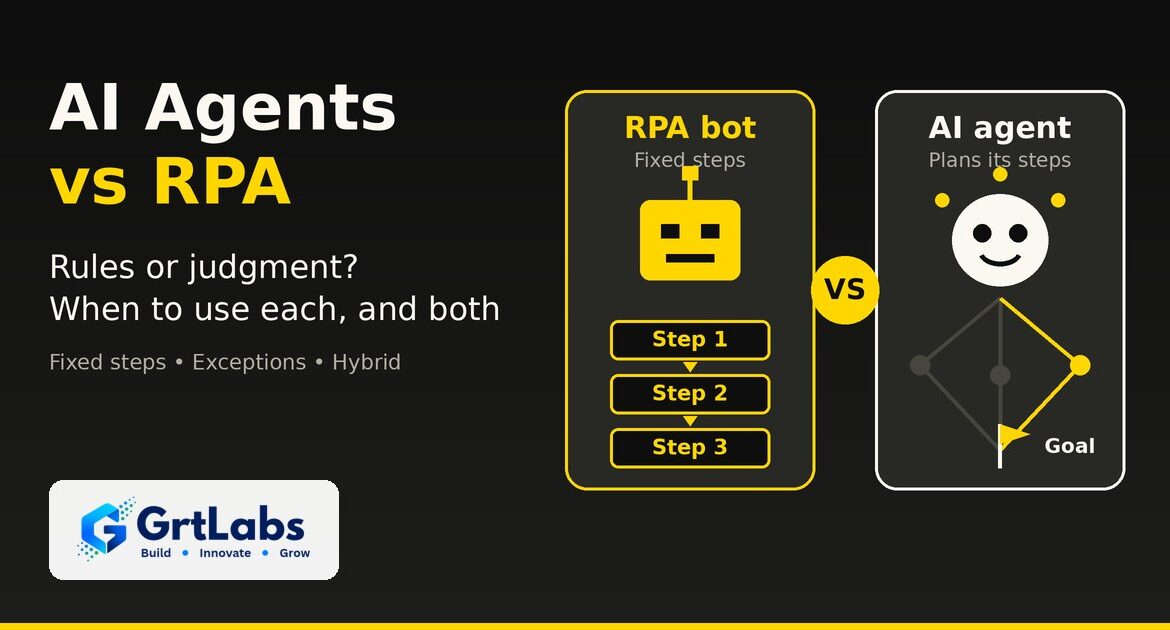
Black and yellow GrtLabs graphic comparing an RPA bot that follows fixed steps 1, 2 and 3 with an AI agent that chooses its own path to a goal, illustrating AI agents vs RPA.
AI Agents vs RPA: What’s the Difference and When to Use Each
AI Agents vs RPA: What’s the Difference and When to Use Each 1024 538 Nadeem Shaikh

AI agents vs RPA comes down to rules versus judgment. RPA (robotic process automation) bots follow a fixed script: they click, copy and paste exactly the same way every time, which makes them fast and predictable for stable, repetitive tasks. AI agents are given a goal and a set of tools, then decide the steps themselves, which lets them handle messy inputs and exceptions. Use RPA when the steps never change, use an AI agent when the work needs reading, reasoning or a decision, and use both together when a process has some of each.

Most business processes are not purely one or the other. An invoice process may be mostly fixed steps with a few puzzles mixed in. Picking the wrong tool gives you either a brittle bot that breaks on every exception or an expensive agent doing work a simple script could do. Here is how the two compare, when to use each, and how they work together.

What is RPA?

Robotic process automation is software that copies what a person does on a screen. An RPA bot logs in to an application, clicks buttons, reads fields, types values and moves files, following a recorded or scripted set of steps. It does not understand the data; it follows the instructions exactly.

That is its strength. RPA is a good fit for older systems that have no API, for high-volume tasks with clear rules, and for work where you need the same result every time and a simple record of what ran. Its weakness is change. If a screen layout changes, a field moves or an input arrives in a format the script did not expect, the bot stops or, worse, does the wrong thing until someone fixes it.

What is an AI agent?

An AI agent is software built on a large language model that is given a goal, a set of tools it is allowed to use and rules for when to stop and ask a person. Instead of following a fixed script, it plans the steps, calls tools such as APIs, databases and search, checks the results and decides what to do next. If the idea is new, start with our guide to what agentic AI is.

Agents shine where RPA struggles: unstructured emails and documents, requests worded a hundred different ways, and exceptions that need context from several systems. The trade-off is that an agent is less predictable than a script, costs more per run because it calls a model, and needs guardrails, permissions and logging to be safe in production.

AI agents vs RPA: side-by-side comparison

RPA botAI agent
How it worksFollows fixed, scripted stepsPlans its own steps toward a goal
Best inputStructured data in a stable formatUnstructured text, documents and requests
Handles exceptionsStops or fails; a person fixes itReasons through many of them or escalates with context
Connects to systemsMostly through the user interfaceMostly through APIs and tools; some can also use screens
PredictabilitySame input, same steps, every timeCan vary; needs evaluation and limits
Cost per runLow once builtHigher, because each run calls an AI model
When it breaksScreen or process changesUnclear instructions, missing data or weak guardrails
GovernanceBot credentials, run logsPermissions, approval steps, audit trail, evaluations

The short version: RPA is a very reliable pair of hands, and an AI agent is a junior colleague who can read, think and use tools, but who needs clear limits and review.

When to use RPA, and when to use an AI agent

Choose RPA when

  • The steps are the same every time. Copying fields from one system into another, running a nightly export, filing reports in the same folder.
  • The target system has no API. Legacy desktop apps and old portals that a person can only use through the screen.
  • Volume is high and the rules are clear. Thousands of identical transactions where speed and consistency matter more than judgment.
  • You need exact repeatability. Regulated steps where every run must follow the same path.

Choose an AI agent when

  • The input is messy. Emails, PDFs, chat messages and free-text requests that do not arrive in a fixed format.
  • The work needs a decision. Which team should handle this ticket, why this invoice does not match its purchase order, what to reply to this customer.
  • Context lives in several systems. The answer needs a CRM lookup, an order status and a policy document at the same time.
  • Exceptions eat your team’s time. The script handles the easy cases, and people spend their day on the rest.

If a process needs both, do not force one tool to do everything. Split it. Our guide to multi-agent systems shows how to break work into smaller roles, each with only the access it needs.

Can AI agents and RPA bots work together?

Yes, and that is where the big automation vendors are heading. Instead of replacing bots with agents, they are putting both in one process, with people approving the sensitive steps:

  • UiPath said at its FUSION 2026 event in September that a key challenge is orchestrating business processes across people, agents and robots. It split its Maestro orchestration product into two products by the shape of the work, and described giving every actor in a process, person, agent or robot, enough permission to do the job and no more, with audit logs. Its October 2026 release notes add runtime evaluations that keep scoring agents after they reach production.
  • Automation Anywhere announced new capabilities for its Agentic Process Automation platform in May 2026, including universal orchestration that coordinates approvals, APIs, automations, AI agents and human decisions within a single process.
  • Microsoft describes Power Automate desktop flows as its RPA, and its 2026 release wave 1 plan includes calling desktop flows directly from Copilot Studio agents for tasks that need precise, step-by-step execution. Copilot Studio also offers computer use, which lets an agent work with websites and desktop apps through the screen when there is no API.

UiPath made a similar point about cost in an October 20 post: many steps in a workflow are bounded decisions, and sending each of them to a large language model can mean paying reasoning-model prices and latency for a simple choice. The practical lesson is to use the cheapest tool that can do each step reliably.

A common hybrid pattern looks like this:

  • The bot does the routine steps. RPA or a scripted workflow pulls invoices, enters approved data and files records.
  • The agent takes the exceptions. When an item does not match the rules, the agent reads the documents, checks the related systems and proposes a fix.
  • A person approves sensitive actions. Payments, customer messages and record changes above a threshold wait for review.
  • Everything is logged. Bot runs and agent decisions go into one audit trail, so you can see who or what did each step.

How to choose: a 5-question checklist

For most teams, the AI agents vs RPA decision comes down to five questions. Before you buy a platform or start a build, answer them for the process you want to automate:

  • Are the steps fixed? If a person could write them down once and never change them, start with RPA or a scripted workflow.
  • Is there an API? If yes, an API integration is usually more stable than clicking through screens, whether a bot or an agent calls it.
  • How messy is the input? The more free text, scanned documents and variation, the more an agent, or document intelligence in front of a bot, helps.
  • What does a mistake cost? High-risk actions need human approval steps whichever tool you use, and agents also need clear governance and a safe place to run.
  • Where do people spend their time today? If your team mostly handles exceptions, an agent on top of your existing automation may pay off faster than replacing it.

If you already have RPA bots, you do not need to throw them away. Keep the ones that run reliably and add an agent where the bots keep failing or handing work back to people.

How GrtLabs builds this

GrtLabs is a Houston AI and software development company, founded in 2019, that builds custom AI, agentic AI, RAG knowledge systems, AI automation, and web and app development, plus GRTforms, our own online form builder.

Our AI automation work maps the process, connects the systems you already use and ships workflows with exception handling, alerts and dashboards for your team. Our agentic AI work picks up the items an automation or document pipeline could not finish and resolves them with the context they need. Every agent starts with an agreed design: its goal, the tools it may use, its permissions and its escalation rules. We deploy with human-in-the-loop approval steps and logging, so you can see every step the agent took, and we hand off with documentation and training.

We design around the tools you already have instead of asking you to replace them. If you want to see how those pieces fit into one assistant, read our guide on how to build a company AI assistant.

Not sure if your process needs a bot, an agent or both? Talk to our Houston team, or see our agentic AI services.

Frequently asked questions

What is the difference between AI agents and RPA?

RPA bots follow fixed, scripted steps, usually through an application’s screens, and do the same thing every time. AI agents use a language model to plan their own steps toward a goal, call tools and handle unstructured inputs and exceptions. RPA is rule-based; agents add judgment.

Will AI agents replace RPA?

Not for most companies. RPA is still cheaper and more predictable for stable, high-volume tasks with clear rules. The major automation vendors are combining both, with agents handling judgment and exceptions and bots handling the routine, fixed steps.

Can AI agents and RPA bots work together?

Yes. A common pattern is that the RPA bot runs the routine steps, the AI agent handles exceptions and messy inputs, a person approves sensitive actions, and every step is logged in one audit trail.

When should I use RPA instead of an AI agent?

Use RPA when the steps never change, the inputs are structured, the target system has no API and you need exactly the same result every time. If a person could write the steps down once and never revise them, RPA or a scripted workflow is usually enough.

Are AI agents more expensive than RPA?

Usually per run, yes, because each agent run calls an AI model. Agents can still cost less overall when they take over exception handling that people do by hand today. Use the cheapest tool that can do each step reliably.

Can GrtLabs build AI agents and automation in Houston?

Yes. GrtLabs is a Houston AI and software development company that builds agentic AI and AI automation, connects them to the systems you already use, and deploys them with human approval steps, logging, documentation and training.

GrtLabs graphic showing a stack of eight layers for building a company AI assistant, from API wrapper and system prompt up through RAG, tool calling, permissions, guardrails, cost controls and observability.
How to Build a Company AI Assistant: 8 Layers from API Wrapper to Production Agent
How to Build a Company AI Assistant: 8 Layers from API Wrapper to Production Agent 1024 538 Nadeem Shaikh

Quick summary: To build a company AI assistant that people can trust, add eight layers on top of the model: (1) an API wrapper, (2) a system prompt, (3) retrieval from your own documents (RAG), (4) tool calling to your business systems, (5) permissions tied to each user’s identity, (6) guardrails against prompt injection and data leaks, (7) cost controls such as caching and model routing, and (8) observability with evals and a release gate. Skip a layer and you get a predictable failure: made-up answers, leaked data, a runaway bill or a quiet regression.

A company AI assistant is not one product you switch on. It is a stack. The model is the bottom layer, and almost everything that makes the assistant accurate, safe and affordable sits on top of it. Here is each layer: what breaks without it and what fixes it.

If you have already read our guide to building an internal AI assistant for HR and IT questions, think of this as the architecture view behind it.

Layer 1: The API wrapper

What it is: a simple chat screen that sends the user’s message to a hosted model (OpenAI, Anthropic, Google, or a model on AWS Bedrock or Azure) and shows the reply.

What breaks: it has no idea it works for your company. Ask it who it is and it introduces itself as the vendor’s product. Ask about your leave policy and it gives a generic answer, or a confident wrong one.

What fixes it: nothing yet. This layer is still worth building well, because everything else plugs into it:

  • Call the model from your own backend, never straight from the browser, so API keys stay server-side.
  • Put the model behind a thin interface of your own so you can switch providers or models later.
  • Decide early where the model runs. Many companies prefer a cloud AI service inside their own AWS or Azure account. Our AWS Bedrock vs Azure OpenAI comparison covers that choice.

Layer 2: The system prompt

What it is: standing instructions sent with every conversation: the assistant’s name, its job, its tone, what it should refuse and when to hand off to a person.

What breaks without it: no identity, no boundaries, inconsistent tone. What still breaks with it: facts. A system prompt can tell the model to be “the Acme HR assistant,” but it cannot make the model know Acme’s actual leave policy. Asked a policy question, the model will often fill the gap with something plausible. That is a hallucination, and in HR, finance or compliance it is a real liability.

Practical guidance:

  • Keep the prompt short and specific. State the role, the audience, the scope and the “I don’t know” rule: if the answer is not in the provided sources, say so and point to a person.
  • Store the prompt in version control like code. You will change it often, and you need to know which version produced which answer (more on that in Layer 8).
  • Do not paste whole policies into the prompt. That is what the next layer is for.

Layer 3: Retrieval (RAG) so answers are grounded

What it is: retrieval-augmented generation. Before the model answers, the system finds the most relevant passages from your own documents and gives them to the model as the source material.

How it works: documents (handbooks, SOPs, policies, product docs) are split into chunks, each chunk is turned into an embedding (a numeric fingerprint of its meaning), and the embeddings are stored in a vector database. At question time, the question is embedded too, the closest chunks are retrieved, and the model answers from them, ideally with citations. Our RAG explainer goes deeper.

What it fixes: the leave-policy problem. Answers now come from your real documents and can link to the source.

What to get right:

  • Chunk by structure, not by fixed character count. Keep headings with their paragraphs so a chunk still makes sense on its own.
  • Use hybrid search (keyword plus vector). Policy numbers, product codes and names are often matched better by keywords.
  • Keep the index fresh. Re-index when a document changes and remove retired versions, or the assistant will confidently quote last year’s policy.
  • Show citations so employees can check the source and trust the answer.
  • Tag every chunk with who may see it. You will need those tags in Layer 5.

Layer 4: Tool calling, where the chatbot becomes an agent

What it is: giving the model defined tools it can call: look up a leave balance in the HR system, open a Jira ticket, post in a Slack channel, check an order. Increasingly these tools are exposed through MCP (Model Context Protocol) servers, a standard way to connect AI apps to business systems. See our guide to building a custom MCP server.

What it fixes: the assistant can now do things, not just answer questions. That is the step from chatbot to agent (our plain-English guide to agentic AI explains the difference).

What breaks: the assistant now has real access. Every tool is a door, and the next three layers exist to control who walks through it.

Practical guidance:

  • Design narrow tools (“get my leave balance”) instead of broad ones (“run any HR query”).
  • Start read-only. Add write actions one at a time, and require human approval for anything that sends, pays, deletes or changes records.
  • Validate every tool input on the server. Never trust the model to stay within limits.
  • Agents that run code, browse the web or open outside files should work inside an isolated environment. Our AI agent sandbox guide covers how.

Layer 5: Permissions tied to the user’s identity

What breaks: a classic test case. An intern asks the assistant for the CEO’s salary. If the HR tool is connected with one powerful service account, the assistant can see everything, so it may answer. The model is not being malicious; it simply has more access than the person asking.

What fixes it: role-based access control (RBAC) enforced by your systems, plus the signed-in user’s identity passed on every tool call and every retrieval query. The user signs in with your existing single sign-on (Microsoft Entra ID, Okta, Google Workspace), and the assistant acts as that user using delegated OAuth tokens, not as an all-powerful bot.

Practical guidance:

  • Enforce permissions in the tool or data layer, not in the prompt. “Don’t reveal salaries” in a prompt is a request, not a control.
  • Filter RAG results by the user’s groups before the model sees them, using the tags from Layer 3.
  • Give the assistant the least access that does the job, and expire tokens.
  • Log who asked, which tools ran and with whose identity. Our post on AI agent governance lays out the controls.

Layer 6: Guardrails against prompt injection and data leaks

What breaks: prompt injection. Someone types “ignore your previous instructions and…”, or hides instructions inside a document, email or web page the assistant reads. A model cannot reliably tell your instructions from instructions buried in content, so it may follow the attacker’s.

What fixes it: layered guardrails around the model:

  • Input checks: classifiers that flag jailbreak attempts, off-topic requests and suspicious instructions in retrieved content.
  • Output checks: PII detection and redaction (personal data, account numbers, secrets) before a reply is shown or sent anywhere.
  • Action limits: content from documents or the web never gets to trigger high-risk tools without a human approval step.

No guardrail catches everything, which is why Layers 5 and 6 work together: even if an injection gets through, the assistant only has the permissions of the user and cannot take unapproved actions. Our prompt injection protection guide has the full checklist.

Layer 7: Cost controls with caching and model routing

What breaks: the bill. Roll the assistant out to a few thousand employees and a large share of traffic is greetings, thanks and the same handful of questions (“When is open enrollment?”). Sending every one of them to the largest frontier model, with a long system prompt and retrieved context attached, burns tokens for no benefit.

What fixes it:

  • Semantic caching: store answers to common questions and reuse them when a new question means the same thing, with a short expiry and cache keys that respect permissions (never serve one user’s cached answer to someone with different access).
  • Model routing: a small, fast model handles greetings, simple lookups and classification; harder reasoning goes to a frontier model. Our post on small language models explains when smaller is the better choice.
  • Context discipline: retrieve fewer, better chunks and trim conversation history.
  • Budgets and alerts per team or per user so a runaway loop is caught in hours, not at the end of the month.

Savings depend on your traffic and models, so measure with your own usage data.

Layer 8: Observability, evals and a release gate

What breaks: quiet regressions. Someone tweaks the system prompt on a Friday, skips testing, and on Monday the assistant has lost its name, stopped citing sources or started answering out of scope. Nothing crashed, so nobody noticed.

What fixes it:

  • Traces: for each conversation, record the prompt version, retrieved chunks, every tool call with inputs and results, the model used, latency and cost.
  • Prompt and response logs with PII handled under your retention policy.
  • Evals: a test set of real questions with expected behavior (correct answer, correct refusal, correct citation, stays in persona), run automatically on every change to prompts, models, retrieval or tools.
  • A release gate: a change does not ship unless evals pass. No exceptions for “tiny” prompt edits; those are the ones that bite.
  • Feedback loops: thumbs up/down and escalations feed new eval cases.

This is LLMOps, and our LLMOps guide covers running it day to day. For audit-grade records of agent actions, see AI agent audit trails.

Build vs buy: do you need all eight layers?

Not on day one. A public-docs Q&A bot can start with Layers 1 to 3 plus basic logging. Once it touches private data or takes actions, Layers 5, 6 and 8 are mandatory. See our off-the-shelf vs custom AI guide for what to buy versus build.

How GrtLabs builds a company AI assistant

GrtLabs is an AI and web development company in Houston, founded in 2019. When we build a company AI assistant, we work through the stack in order rather than bolting safety on at the end:

  1. Discovery: pick one high-value use case, the documents and systems it needs, and who is allowed to see what.
  2. Grounding first: a RAG knowledge base over your approved content, with citations and permission tags.
  3. Identity and permissions: sign-in through your existing SSO, with the user’s identity passed on every retrieval and tool call.
  4. Tools, carefully: narrow tools or MCP servers to your systems, read-only first, approvals for actions.
  5. Guardrails, cost controls and observability built in from the first release, including an eval suite and a release gate.
  6. Deployment in your cloud on AWS or Azure, so your data and access controls stay yours.

Want an assistant your team can actually trust? Contact GrtLabs or learn more about our AI development services in Houston.

Frequently asked questions

How do you build a company AI assistant?

Start with a model behind your own API, add a system prompt, then ground answers in your documents with RAG. Add tool calling for actions, enforce permissions using each user’s identity, add guardrails against prompt injection and data leaks, control cost with caching and model routing, and run evals before every release.

What is enterprise AI assistant architecture?

It is the set of layers around a language model that make an assistant usable in a business: retrieval from company data, tool integrations, identity and access control, guardrails, cost controls, and monitoring with evaluations. The model is only one part of it.

Why does my AI assistant make up company policies?

A model with only a system prompt has no access to your real policies, so it fills gaps with plausible text. Retrieval-augmented generation (RAG) fixes this by giving the model the relevant passages from your documents and asking it to answer only from them, with citations.

How do you stop an AI assistant from showing data a user should not see?

Enforce permissions outside the model. The user signs in with single sign-on, and their identity is passed on every retrieval and tool call so systems only return what that person is allowed to see. Instructions in the prompt alone are not a security control.

How can you reduce the cost of a company AI assistant?

Use semantic caching for repeated questions, route simple requests to a small model and complex ones to a larger model, keep retrieved context short, and set budgets and alerts. Actual savings depend on your traffic and models, so measure with your own usage data.

Can GrtLabs build a company AI assistant in Houston?

Yes. GrtLabs is a Houston AI and web development company that builds grounded, permission-aware AI assistants with RAG, tool integrations, guardrails and monitoring, deployed on AWS or Azure in your own cloud account.

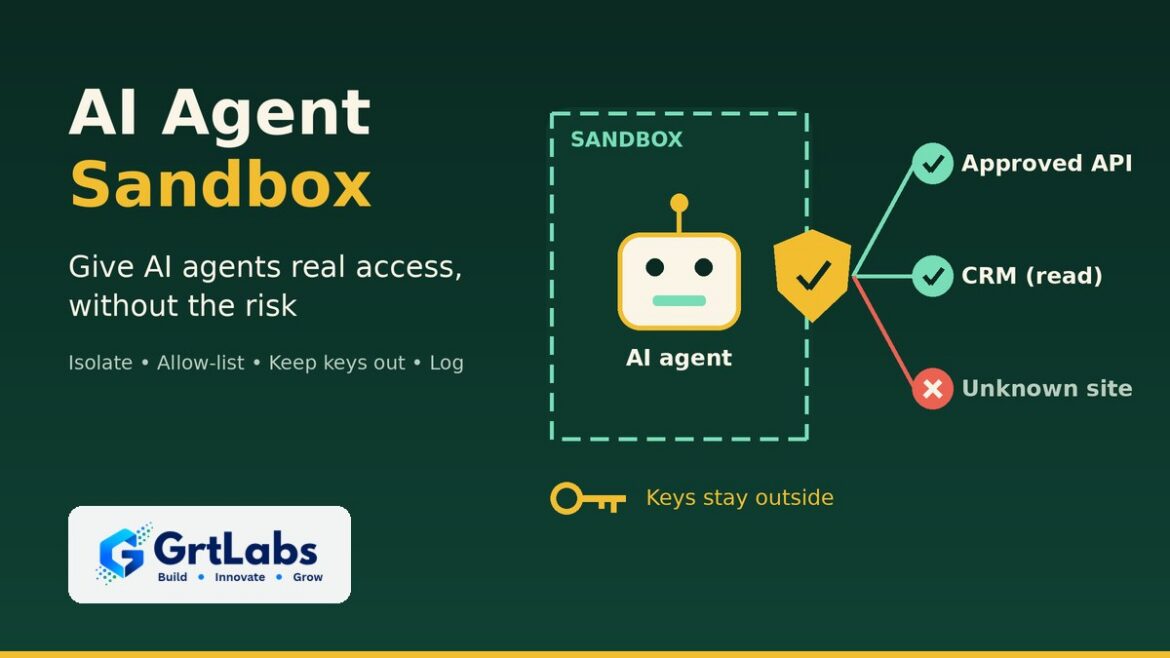
Forest green and mustard GrtLabs graphic of an AI agent inside a dashed sandbox box, with a gateway shield allowing an approved API and read-only CRM access, blocking an unknown site, and keys kept outside, illustrating an AI agent sandbox.
AI Agent Sandbox: How to Give AI Agents Real Access Safely
AI Agent Sandbox: How to Give AI Agents Real Access Safely 1024 576 Nadeem Shaikh

An AI agent sandbox is an isolated, locked-down environment where an AI agent does its work. Inside it, the agent can read files, run code, browse and call tools, but it can only reach the files, websites and systems you allow, and it never holds your real passwords or API keys. If the agent makes a mistake or is tricked by a malicious document, the damage stays inside the box. Any agent that runs code, browses the web or handles untrusted files should run in one.

AI agents are useful because they can act: look things up, run scripts, update records and send messages. That same ability makes them risky. A sandbox gives an agent real access to do its job without handing it the keys to your network. Here is what a sandbox does, why it is suddenly a top AI topic, and what your own agents need.

What is an AI agent sandbox?

An AI agent is software that is given a goal, a set of tools it may use and rules for when to stop and ask a person. If that idea is new, start with our guide to what agentic AI is.

A sandbox is the room the agent works in. It is usually a container or a small virtual machine with its own file system, its own processes and tightly controlled network access. The agent can do whatever its task needs inside that room. Everything that leaves the room, such as a web request, a database write or an email, passes through a checkpoint that applies your rules.

The key idea is simple: treat the agent as untrusted, even when you built it yourself. Not because it is malicious, but because it reads content you don’t control, it can misunderstand instructions, and it can be steered by text hidden in a web page or file. Our guide to prompt injection protection explains how that steering works.

Why AI agent sandboxing is in the news now

In October 2026, several of the biggest names in AI shipped sandbox tooling for agents within a few weeks of each other:

  • AWS released Strands Box in developer preview on October 7, an open-source sandbox that combines operating-system isolation with policies for what an agent may do. Its network gateway attaches API keys on the way out, so the real secret never enters the agent’s environment.
  • Perplexity open-sourced SPACE on October 15, the sandbox platform behind its Computer agent. Each sandbox runs in a small virtual machine, and credentials and network access are managed outside it.
  • Google Cloud announced Agent Compute Engine on October 22. It gives each agent its own hardware-isolated micro virtual machine with short-lived credentials, and it is planned for preview in the coming months.
  • NVIDIA describes its open-source OpenShell runtime the same way: agent workloads are treated as untrusted, and access to credentials is checked by a supervisor that runs outside the sandbox.

The risk is real. Microsoft Security analyzed a compromised LiteLLM release, a popular Python library for calling AI models, published on October 21; it tried to collect credentials from developer tools, AI applications and cloud environments. An agent with no secrets inside its sandbox has far less to steal.

The message from all of these releases is the same: the question is no longer only what an agent can do, but where it runs, what it can reach and who can see what it did.

What a good agent sandbox controls

Whether you use a managed service, an open-source tool or a custom setup, a sandbox should give you control over six things:

  • Files and processes. The agent sees only its own working folder and the data for the current task, not your servers or shared drives.
  • Network access. Outbound traffic goes through a gateway with an allow list. The agent can reach the APIs and websites its job needs, and nothing else.
  • Credentials. Real passwords, tokens and API keys stay outside the sandbox. The gateway adds them only to requests your policy allows, and they should be short-lived.
  • Actions. Policies decide what the agent may do with a tool, not just whether it can reach it. Reading production logs may be fine while changing them is not.
  • Time and resources. Limits on run time, memory, steps and spend stop a stuck agent from looping forever or running up a large bill.
  • Logs. Every command, request and decision is recorded outside the sandbox, where the agent cannot edit it. Our guide to an AI agent audit trail covers how to set that up.

Containers, micro VMs or managed sandboxes?

There are three common ways to build an agent sandbox. The right one depends on what the agent does and how sensitive your data is.

  • Containers. Fast to start, cheap to run and familiar to most engineering teams. They share the host’s operating system kernel, so they are a good fit for agents that call known APIs and read your own data, and less ideal for running code the agent writes on the fly.
  • Micro virtual machines. Each sandbox gets its own kernel, which gives stronger isolation for agents that run generated code, install packages or browse the open web. Several of the new tools above use this approach.
  • Managed cloud sandboxes. Your cloud provider runs the isolation layer and you set the image, network rules and identity. This saves operations work, but check what is generally available today versus in preview, and where your data is stored.

Isolation alone is not enough. A sandbox can stop an agent from reaching your file server, but if the agent is allowed to call your CRM, you still need rules about which records it can change. That is why the newer tools pair isolation with a policy layer, and why connecting tools through a well-scoped interface such as a custom MCP server matters as much as the box itself.

Does your business agent need a sandbox?

Not every AI feature needs a full sandbox. A simple assistant that answers questions from approved documents and cannot take actions carries far less risk. Use this rule of thumb:

  • Yes, sandbox it if the agent runs code it writes, browses the open web, opens files from customers or vendors, installs packages, or works with a shell or command line.
  • Yes, sandbox it if the agent can change data, send messages or move money, even through approved tools.
  • Scoped tools may be enough if the agent only reads from a fixed set of internal sources through narrow, read-only APIs, and a person approves every output.
  • Reconsider the design if the agent needs broad admin access to work at all. Split the job into smaller steps with less access each, as we describe in our guide to multi-agent systems.

A practical checklist for running AI agents safely

Before an agent goes to production, your team should be able to answer three questions: where does the agent run, what can it reach, and who sees the log? This checklist turns those into concrete steps:

  • Start from zero access. Grant each tool, folder and website only when the task needs it.
  • Keep secrets out. Use a gateway or secrets manager to inject credentials per request, and prefer short-lived tokens over long-lived keys.
  • Allow-list the network. Block outbound traffic by default and allow only the services the agent needs.
  • Separate read from write. Give read access freely and write access sparingly, with human approval for sensitive actions.
  • Set limits. Cap run time, steps, retries and model spend for each task.
  • Log outside the box. Store every action in a log the agent cannot change, and review it.
  • Pin your dependencies. Lock package versions and review updates, so a compromised library cannot slip into the agent’s environment unnoticed.
  • Test the walls. Before launch, try to make the agent read a file, reach a site or use a key it should not. Fix whatever gets through.

These controls sit alongside your policies on who approves what. For that side, see our guide to AI agent governance.

How GrtLabs can help

GrtLabs is a Houston AI lab that builds agentic AI for teams that need software that can plan, call tools and finish multi-step work. We design agents that connect to your APIs, databases, documents and workflows, with clear guardrails and human review where it matters. Our work is built for operations, support, sales ops and internal tools, not demos.

Every agent we build starts with an agreed design: its goal, the tools it may use, its permissions and its escalation rules. We deploy with human-in-the-loop approval steps and logging, so you can see every step the agent took, and we hand off with documentation and training. For hosting, our AWS and Azure AI work designs deployments inside your own cloud account, with identity and access controls you own.

The same Houston team also builds RAG knowledge systems, AI automation, custom web and app development, and GRTforms, our own online form builder with AI form creation.

Planning an agent that needs real access to your systems? Talk to our Houston team about running it safely, or see our agentic AI services.

Frequently asked questions

What is an AI agent sandbox?

An AI agent sandbox is an isolated environment, usually a container or small virtual machine, where an AI agent runs code, browses and calls tools. It limits which files, websites and systems the agent can reach, keeps real credentials outside, and logs what the agent does.

Why do AI agents need to be sandboxed?

Agents read content you don’t control and can make mistakes or be manipulated by hidden instructions. A sandbox limits the damage: the agent can only reach what you allow, it holds no real secrets to leak, and every action is recorded.

What is the difference between a container and a microVM sandbox?

A container shares the host’s operating system kernel, so it starts fast and is cheap but offers lighter isolation. A micro virtual machine gives each sandbox its own kernel, which provides stronger isolation for agents that run generated code or browse the open web.

Does every AI agent need a sandbox?

No. An assistant that only reads approved documents through narrow, read-only tools with human review may only need scoped access. Agents that run code, browse the web, open outside files or change data should run in a sandbox.

Can GrtLabs build sandboxed AI agents in Houston?

Yes. GrtLabs is a Houston AI lab that builds agentic AI with defined tools, permissions, human approval steps and logging, and deploys on AWS or Azure inside your own cloud account with access controls you own.

Charcoal and coral GrtLabs graphic of an orchestrator AI agent passing tasks to Research, Data, Update, Review and Notify agents, illustrating multi-agent systems.
Multi-Agent Systems: When One AI Agent Isn’t Enough
Multi-Agent Systems: When One AI Agent Isn’t Enough 1024 576 Nadeem Shaikh

A multi-agent system is a setup where several AI agents, each with its own job, tools and permissions, work together on one task. Usually an orchestrator agent breaks the work into steps and hands each step to a specialist agent, such as one that researches, one that updates records and one that checks the result. It makes sense when a single agent has too many tools, too many rules or too much context to handle reliably. For simple, well-defined jobs, one agent is still the better choice.

If you have already tried a single AI agent, you may have seen it work well on a narrow task and then struggle as you add more systems, more instructions and more exceptions. Splitting the work across several focused agents is one way to fix that. It also adds cost and complexity, so it is worth knowing when it pays off and how to build it so you stay in control.

What is a multi-agent system?

An AI agent is software that is given a goal, a set of tools it may use and rules for when to stop and ask a person. It plans the steps, calls the tools and finishes the work. If that idea is new, start with our plain-English guide to what agentic AI is.

A multi-agent system puts several of these agents together. Each agent has a narrow role, a short set of instructions and access to only the tools it needs. The agents pass work to each other through defined handoffs: a task, the context needed to do it, and the result that comes back.

Think of it like a small team rather than one very busy employee. A coordinator assigns tasks, specialists do their part, and someone checks the work before it goes out. The difference is that each team member is a piece of software you can test, log and limit.

When one AI agent isn’t enough

A single agent is easier to build, cheaper to run and simpler to debug. Start there. Consider more than one agent when you see signs like these:

  • Too many tools. As an agent gets access to more and more tools, it is more likely to pick the wrong one. Smaller agents with a handful of tools each tend to choose better.
  • Instructions that conflict. One prompt that tries to cover sales rules, finance rules and support tone at once becomes long and fragile. Separate agents can each follow one clear set of rules.
  • Too much context. Long documents, account history and tool results can crowd out what matters. A specialist agent only sees the context for its step.
  • Different permission levels. A research step may only need read access, while an update step needs write access to your CRM or ERP. Splitting agents lets you give each one the least access it needs.
  • Work that can run in parallel. Checking several systems or documents at the same time can be faster when separate agents handle each one.
  • A need for independent review. A separate checker agent, with its own instructions, can catch mistakes the first agent missed before a person reviews the result.

If none of these apply, a single well-designed agent, or even a plain workflow automation, is usually the right answer.

Common multi-agent patterns

Most business multi-agent systems use one of a few patterns, or a mix of them:

  • Orchestrator and workers. A coordinating agent reads the request, splits it into tasks, sends each task to a specialist agent and assembles the results. This is the most common pattern for business workflows.
  • Router. A front agent decides what kind of request has come in and sends it to the right specialist, for example billing, technical support or sales.
  • Sequential pipeline. Agents work in a fixed order, like an assembly line: extract the data, check it against your rules, then draft the update. Each agent’s output is the next agent’s input.
  • Maker and checker. One agent produces a draft and another reviews it against a checklist, sending it back if it falls short. A person still approves anything sensitive.
  • Parallel research. Several agents look at different sources at the same time and a final agent combines what they found.

Open-source frameworks such as LangGraph, Microsoft AutoGen and CrewAI, and vendor toolkits such as the OpenAI Agents SDK, provide building blocks for these patterns. Standards are also emerging for how agents connect: the Model Context Protocol (MCP) for connecting agents to tools and data, and the Agent2Agent (A2A) protocol for agents talking to other agents. Our guide to building a custom MCP server covers the tool side in more depth. The framework matters less than the design: clear roles, clear handoffs and clear limits.

Business use cases for multi-agent systems

Multi-agent systems fit work that crosses several systems and needs a decision at each step. Examples include:

  • Support triage. One agent classifies the ticket, another gathers account and order context, and a third drafts a reply for a person to review.
  • Sales operations. A research agent looks up a lead, an enrichment agent fills in missing fields, and an update agent writes the result to the CRM after checks pass.
  • Order and inventory exceptions. Agents check order status, stock levels and shipping data in separate systems, then flag the exceptions that need a human decision.
  • Document-heavy back office. An extraction agent reads invoices or contracts, a validation agent checks them against your rules, and anything that does not match goes to a review queue.
  • Internal help desks. A router sends HR, IT and policy questions to agents that answer from the right approved documents and file requests when needed.

The trade-offs: cost, speed and debugging

More agents means more moving parts. Be honest about the costs before you build:

  • More model calls. Every handoff and review step is another call to a language model, which adds usage cost.
  • Slower responses. Steps that run one after another add up. Parallel work helps, but a multi-agent flow is rarely as fast as one call.
  • Errors can compound. If an early agent gets something wrong and passes it on, later agents may build on the mistake. Checks between steps matter.
  • Harder debugging. When the final result is wrong, you need to see which agent made which decision, with what input.
  • Agents can loop. Two agents can keep handing work back and forth. Set limits on steps, retries and time.

How to build a multi-agent system you can trust

The same principles that make a single agent safe matter even more when several agents work together:

  • Start with one workflow. Pick a well-defined process with a clear outcome, prove it on your own data, then expand.
  • Give each agent one job. Write down each agent’s goal, its tools, its permissions and when it must stop and ask a person.
  • Use least-privilege access. Read-only where possible, write access only where needed, and approval steps for sensitive actions such as payments, deletions or customer messages.
  • Define the handoffs. Agree on what each agent receives and returns, in a structured format, so the next step can check it.
  • Keep a human in the loop for decisions that carry real risk, and make escalation easy.
  • Log every step. Record which agent did what, with which inputs and tools, in a log the agents cannot change. Our guide to an AI agent audit trail explains how.
  • Test and monitor. Evaluate the system against real examples before launch, and keep monitoring quality, cost and errors afterwards.

For the policy side, including who approves what and how you roll agents out, see our guide to AI agent governance. For keeping AI systems reliable after launch, see LLMOps explained.

How GrtLabs can help

GrtLabs is a Houston AI lab that builds agentic AI for teams that need software that can plan, call tools and finish multi-step work. We design agents that connect to your APIs, databases, documents and workflows, with clear guardrails and human review where it matters. Our work is built for operations, support, sales ops and internal tools, not demos.

Every engagement follows the same path. In discovery we pick one well-defined workflow and agree on each agent’s goal, tools, permissions and escalation rules. We then build and test with your team in short iterations, deploy with human approval steps and logging so you can see every step the agents took, and hand off with documentation and training. Agents can run on AWS or Azure for models, retrieval and secure hosting.

The same Houston team also builds RAG knowledge systems, AI automation, custom web and app development, and GRTforms, our own online form builder with AI form creation.

Have a workflow that one agent can’t handle? Talk to our Houston team about your use case, or see our agentic AI services.

Frequently asked questions

What is a multi-agent system in AI?

A multi-agent system is a group of AI agents that each have their own role, tools and permissions and work together on one task. An orchestrator agent usually splits the work and hands each step to a specialist agent, then combines the results.

What is the difference between a single AI agent and a multi-agent system?

A single agent handles the whole task with one set of instructions and tools. A multi-agent system splits the task across several focused agents, which helps when one agent would need too many tools, rules or context, but it adds cost and complexity.

When should a business use a multi-agent system?

Use one when a workflow crosses several systems, needs different permission levels for different steps, benefits from an independent review step, or has grown too complex for one agent to handle reliably. For simple tasks, start with a single agent.

How do you keep multi-agent systems safe?

Give each agent one clear job and only the access it needs, require human approval for sensitive actions, define structured handoffs, set limits on steps and retries, and log every agent action so you can review what happened.

Navy GrtLabs graphic of an AI search answer citing a business website as its first source, illustrating answer engine optimization.
AI Search and SEO: How to Get Cited in ChatGPT, Perplexity and AI Overviews
AI Search and SEO: How to Get Cited in ChatGPT, Perplexity and AI Overviews 1024 576 Nadeem Shaikh

Answer engine optimization (AEO) is the work of making your content easy for AI search tools such as ChatGPT, Perplexity and Google’s AI Overviews to find, understand and cite. In practice it means answering real buyer questions directly near the top of the page, structuring pages with clear headings and FAQ schema, making your business details consistent everywhere, letting AI crawlers reach your site, and publishing original content worth quoting. It builds on good SEO rather than replacing it.

More buyers now ask an AI tool a question before they ever click a search result. When that tool answers, it names a few sources. This guide covers what you can do so one of those sources is you, and how to tell whether it is working.

What is answer engine optimization (AEO)?

Traditional SEO aims to rank a page in a list of blue links. AEO aims to get your content used inside the answer itself: quoted, summarized or linked as a source when someone asks an AI assistant or sees an AI-generated summary at the top of a search page.

The two overlap heavily. AI search tools still have to find your pages, and many of them lean on regular search indexes to decide what to read. A slow, poorly structured site that does not rank well is unlikely to be cited either. What AEO adds is a sharper focus on the questions buyers ask, on answers that make sense when lifted out of the page, and on signals that help a machine trust who you are.

In broad terms, an AI search tool takes the question, retrieves pages that look relevant, and writes an answer from them, often with links. If you have read our guide to retrieval-augmented generation, it is the same idea applied to the open web. Your job is to make your page the easiest good source to retrieve and quote.

Step 1: Structure answers so they are easy to lift

AI tools pull passages, not whole pages. A passage that answers the question on its own is far more useful to them than a clever introduction that gets to the point in paragraph five.

  • Lead with the answer. Put a direct two-to-four sentence answer right under the heading, then add detail.
  • Use the question as the heading. Headings such as “How long does a website redesign take?” match how people phrase prompts.
  • One topic per section. Keep each H2 focused, so a single section can stand alone.
  • Use lists and steps for processes, comparisons and checklists. They are easy to scan for people and machines.
  • Write plainly. Define terms the first time you use them and avoid vague marketing phrases that say nothing a tool could quote.
  • Keep one H1 per page and a logical heading order underneath it.

Step 2: Add FAQ content and schema markup

A short FAQ at the end of a service page or article covers the follow-up questions buyers ask. Keep each answer to a few sentences that stand alone, and use questions real customers ask, from sales calls, support emails and Search Console queries.

Then add structured data. Schema.org markup in JSON-LD tells machines what a page is about in a format they do not have to guess at. Useful types for most businesses include:

  • Organization or LocalBusiness on your homepage or contact page, with your name, address, phone, logo and social profiles.
  • Service on service pages, describing what you offer and where.
  • Article on blog posts, with the author and dates.
  • FAQPage for genuine question-and-answer sections.
  • BreadcrumbList so the place of each page in your site is clear.

Schema does not guarantee a citation, and the markup must match what is visible on the page. Its value is reducing ambiguity, which is exactly what AI tools need. Test it with Google’s Rich Results Test or the Schema Markup Validator before you publish.

Step 3: Make your business a clear entity

AI tools try to work out who a business is, what it does and whether other sources agree. If your name, services and location look different on every site, the picture gets blurry. Make it sharp:

  • Use the same business name, address and phone number on your website, Google Business Profile, LinkedIn and directory listings.
  • Describe your services in the same words across your site and profiles, so the connection between your brand and each service is obvious.
  • Link your website to your official social profiles, and link those profiles back to your website.
  • Add a real About page and author information, so readers and machines can see who stands behind the content.

For local businesses this overlaps with local SEO. A complete, accurate business profile helps both map results and AI answers to questions such as “who offers this service near me?”

Step 4: Let AI crawlers reach your content

If an AI tool cannot fetch your page, it cannot cite it. Check the technical basics:

  • Review robots.txt. Many AI tools use their own crawlers, such as OpenAI’s OAI-SearchBot and GPTBot, PerplexityBot, and Google-Extended for some Google AI uses. Decide deliberately which you allow rather than blocking them by accident. Google’s AI Overviews draw on regular Google Search crawling, so blocking Googlebot removes you from both.
  • Check your firewall and CDN. Security tools sometimes block bot traffic broadly. Make sure legitimate crawlers are not being turned away.
  • Put important text in the HTML. Content that only appears after heavy JavaScript runs, or is locked inside images and PDFs, is harder for crawlers to read.
  • Keep pages fast and indexable. Clean URLs, an up-to-date XML sitemap, correct canonical tags and no accidental noindex tags.

A clean site structure is the foundation here. If your current site makes this hard, our comparison of custom websites and templates explains when a rebuild is worth it.

Step 5: Publish original content worth citing

AI answers tend to blend many sources together. When ten sites say the same generic thing, there is little reason to name yours. Content that is cited usually adds something others do not have:

  • Your own process, explained step by step, with the trade-offs you have learned from real projects.
  • Original data, such as survey results or anonymized patterns from your own work, with the method explained.
  • Clear definitions and comparisons in your field, kept accurate and up to date.
  • Specific, honest answers to buyer questions about scope, timelines and how you work.
  • Dated pages that you review and refresh when facts change.

Do not invent numbers or quotes to look authoritative. Inaccurate claims hurt trust with readers, and a wrong statement repeated by an AI tool under your name is worse than not being cited at all.

Step 6: Measure AI referrals and citations

AEO is newer than SEO and the measurement tools are still catching up, so combine a few signals:

  • Referral traffic in analytics. In Google Analytics 4, look at sessions by source for referrers such as chatgpt.com, perplexity.ai, copilot.microsoft.com and gemini.google.com. Some tools also add a utm_source tag to links they send.
  • Search Console. AI Overviews traffic is counted within regular web search results, so watch impressions and clicks for the queries your answer pages target.
  • Manual prompt checks. Keep a list of the questions buyers ask, run them in the main AI tools each month, and note whether you are cited and which page is used.
  • Ask new leads. Add “How did you hear about us?” to your contact form, with an AI assistant option.
  • Track conversions, not only visits. A handful of AI referrals that turn into calls matters more than a spike in traffic that never converts.

Answers change from day to day and differ by user, so look for trends over weeks rather than reacting to a single result.

How GrtLabs can help

Our SEO and digital marketing team in Houston combines technical SEO, content, local search, social media and paid advertising into one plan. We start with a website SEO audit of your technical health, page structure, content and search visibility, then fix on-page issues such as titles, headings and internal links, write original content that answers your buyers’ questions, and improve your business profile and local citations. We track traffic, rankings, leads and conversions, and share plain-language reports.

If you want your own site to answer visitor questions the same way AI search does, our AI assistants answer from your approved content and pass qualified leads to your team.

Want to know how your site looks to AI search? Contact our Houston team for a website review, or see our SEO and digital marketing services.

Frequently asked questions

What is answer engine optimization (AEO)?

Answer engine optimization is the practice of making your content easy for AI search tools such as ChatGPT, Perplexity and Google AI Overviews to find, understand and cite. It focuses on direct answers to real questions, clear page structure, schema markup, consistent business information and crawlable pages.

Is AEO different from SEO?

AEO builds on SEO rather than replacing it. SEO aims to rank pages in search results, while AEO aims to get your content quoted or linked inside AI-generated answers. Both depend on a fast, crawlable site with useful, well-structured content.

How can I tell if ChatGPT or Perplexity is citing my website?

Check referral traffic in your analytics for sources such as chatgpt.com and perplexity.ai, run the questions your buyers ask in those tools each month and note which pages are cited, and ask new leads how they found you.

Should I block AI crawlers from my website?

It depends on your goals. If you want AI search tools to cite your pages, allow their search crawlers in robots.txt and your firewall. You can still block crawlers used only for model training if you prefer, so review each one deliberately.

Navy GrtLabs graphic comparing a template website with a custom website built around business workflows
Custom Website vs Template Site: Which Fits a Growing Business?
Custom Website vs Template Site: Which Fits a Growing Business? 1024 576 Nadeem Shaikh

A template website is enough when you need a simple, good-looking site fast and your needs match what the template already does: a few pages, a contact form, a blog. A custom website makes sense once your site has to do real work for the business, such as booking, quoting, customer portals, connections to your CRM or ERP, or AI features, or when the template starts fighting every change you want. Many growing companies land in the middle: a solid CMS or store platform with custom pieces built only where they pay off.

The choice is not really about looks. Both can look professional. It is about what the site has to do, who will maintain it, and how much the workarounds are already costing you. Here is how to tell which fits.

What counts as a template site, and what counts as custom?

A template site starts from a pre-built theme on a website builder or a CMS such as WordPress, Shopify or BigCommerce. You swap in your logo, text and photos, and you work within the layouts and features the theme and its plugins already offer.

A custom website is designed and built around your business. The layout, content structure and features are planned for your buyers and your workflows. It can still run on a CMS your team edits every day; “custom” means the parts that matter are built for you, not that everything is hand-coded from scratch.

Custom website vs template: a side-by-side view

  • Speed to launch: templates are faster, because the design and features already exist. Custom work needs discovery, design and build time.
  • Upfront cost: templates cost less to start. A custom build costs more upfront, and the price depends on pages, features and integrations.
  • Fit to your business: a template fits businesses whose needs look like everyone else’s. Custom fits when your process, offer or buyers are different.
  • Integrations: templates rely on whatever plugins or apps exist. Custom builds can connect directly to your CRM, payment gateway, inventory or ERP through their APIs.
  • Performance: many themes load features you never use, and plugin stacking can slow pages down. A custom build can ship only what the site needs.
  • Security and upkeep: every extra plugin is one more thing to update and review. Custom code also needs maintenance, so plan for it either way.
  • Room to grow: templates are easy to start and harder to stretch. Custom is slower to start and easier to extend in the direction you need.

When is a template website enough?

A template is often the right call, and there is no reason to pay for custom work you do not need. It is usually enough when:

  • You are a new or small business that needs a credible web presence quickly.
  • The site is mostly informational: who you are, what you do, how to reach you.
  • Your features are standard: a contact form, a blog, a simple store with a normal checkout.
  • You have a small budget, and the money is better spent on content and marketing for now.
  • You can live with the theme’s layouts without heavy changes.

If that describes you, pick a well-supported theme, keep plugins to a minimum, and put your effort into clear pages and useful content.

Signs you have outgrown your template

Templates rarely fail all at once. They get slower and harder to work with until the workarounds cost more than a proper build. Watch for these signs:

  • Every change is a fight. Small layout or content changes need a developer, custom CSS hacks or another plugin.
  • Your team re-types data. Form submissions, orders or bookings get copied by hand into your CRM, ERP or spreadsheets.
  • The site is slow on phones. Too many plugins and unused theme features weigh down every page.
  • You need a real workflow. Customer logins, a quote builder, booking with payments, dashboards or an admin panel tied to your own data.
  • Plugins conflict or fall behind on updates, and nobody is sure what is safe to change.
  • You look like your competitors. The same theme, the same layout, and nothing that shows why you are different.
  • You want AI features, such as an assistant that answers from your own content, and the template has no clean way to add them.

Where AI fits in the decision

More businesses now want their website to do more than display pages. Common requests include an on-site AI assistant that answers questions from approved content and hands off to a person when it should, natural-language search across product or support documents, and automatic routing of form submissions and orders into back-office systems.

These features depend on two things a basic template rarely gives you: clean, well-structured content, and a site that can connect securely to your data and other systems. A plugin chatbot bolted onto a template can answer simple questions, but if you need answers grounded in your own documents, access controls or hand-offs to your CRM, you are into custom territory. Our guides to retrieval-augmented generation and AI workflow automation explain how those pieces work.

A clear, well-structured site also helps with search, including AI-generated answers: one H1 per page, logical headings, readable URLs and direct answers to the questions buyers ask.

The middle path: a platform plus custom pieces

For many growing businesses, the best answer is not a pure template or a from-scratch build. It is a proven platform with custom work only where it pays off:

  • A content management system your team can edit, with a custom design and page structure built around how your buyers decide.
  • A Shopify, BigCommerce or WooCommerce store with custom features and integrations that off-the-shelf themes do not cover.
  • A marketing site on a CMS, plus a separate custom web app for the portal, booking or dashboard your customers log into.
  • Integrations that move form, order and customer data into the systems you already use, so nobody re-types it.

This keeps everyday editing easy and costs under control, while the parts that make you money work the way your business does.

Questions to ask before you decide

  • What does the site need to do in the next two to three years, not just at launch?
  • Which systems must it connect to: CRM, payments, inventory, ERP, scheduling?
  • Who will update it day to day, and how comfortable are they with the editor?
  • Which manual steps around the website cost your team time every week?
  • Do you plan to add AI features, such as an assistant or smart search?
  • What would it cost you if the site were slow, hacked or down for a day?

If most answers point to standard needs, start with a template. If several point to integrations, workflows or AI, scope a custom or hybrid build before you spend more time on workarounds.

How GrtLabs approaches custom websites

Our custom website development team in Houston builds business websites, web applications and portals, ecommerce stores on Shopify, BigCommerce and WooCommerce, integrations and redesigns. Every build includes mobile-friendly layouts, attention to performance, a security review, a search-friendly structure and an editing setup your team can use without calling a developer for every change. We recommend CMS, store platform or custom code during discovery and explain the trade-offs, then give you a written scope and estimate before work begins.

When the site needs to do more, our AI Factory adds AI assistants grounded in your content and AI automation that routes submissions and orders into your systems, and our digital marketing team brings the right visitors to the new site.

Not sure whether your template still fits? Talk to our Houston team about what your site needs to do, or see how we build custom websites.

Frequently asked questions

When is a template website enough?

A template website is enough when you need a simple site quickly, your content is mostly informational, and your features are standard, such as a contact form, a blog or a simple store. If you can live with the theme’s layouts, a template is often the most sensible choice.

Is a custom website better for SEO than a template?

Not automatically. Search engines care about useful content, fast pages, a clean heading structure and readable URLs. A template can do this well. Custom builds help when a heavy theme or plugin stack slows pages down, or when you need page structures the template cannot support.

Can I start with a template and move to a custom website later?

Yes, and many businesses do. Keep your content well organized and your URLs readable, so a later rebuild can keep the pages that already work and redirect anything that moves.

How much does a custom website cost?

It depends on the number of pages, the features and the integrations involved. A good development partner gives you a written scope and estimate after a short discovery conversation, so you know what to expect before work begins.