AI

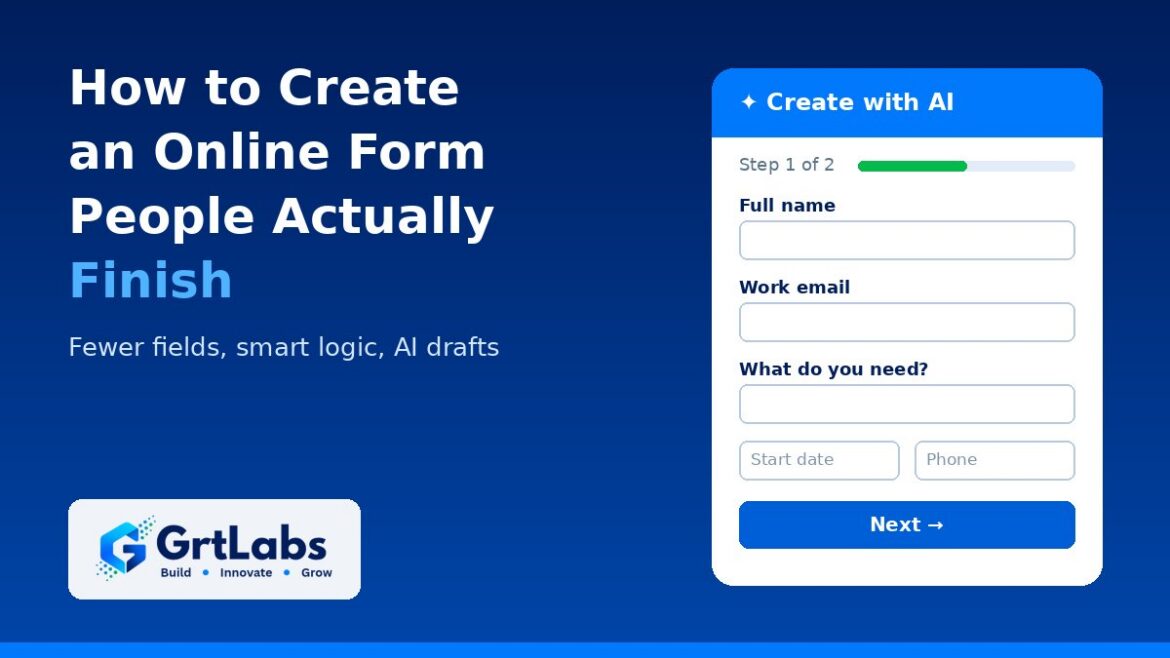
Navy GrtLabs graphic showing a short two-step online form drafted with AI, for a guide on how to create an online form
How to Create an Online Form People Actually Finish (With AI)
How to Create an Online Form People Actually Finish (With AI) 1024 576 Nadeem Shaikh

To create an online form people actually finish, decide the one job the form has to do, ask only the questions you will really use, put the easy ones first, hide questions that do not apply with conditional logic, split anything long into short steps, and test it on a phone before you share it. AI form builders now make the first draft fast: you describe the form in plain words and get a set of suggested fields to edit. The real work is still cutting it down.

Most forms fail for the same reasons: too many questions, questions that do not apply, and a layout that is painful on a phone. Here is a step-by-step way to build one that gets completed, whether it is a contact form, quote request, registration or client intake form.

Step 1: Write down the form’s one job

Before you add a field, finish this sentence: “This form exists so that we can ___.” Book a call, send a quote, register an attendee. If you cannot finish it in a few words, the form is trying to do too much.

Step 2: Draft the form with AI, or by hand

You can start from a blank page or a template, but with an AI form builder you can also describe the form in a sentence or two, for example: “A quote request form for a cleaning company. Ask for name, work email, building type, square footage and start date.” The AI turns that into a draft with suggested fields, which you then edit.

Two tips make AI drafts better:

  • Say who the form is for and what you need to decide. “Qualify leads for a quote” gets better suggested fields than “contact form”.
  • Treat every AI-suggested field as a proposal, not a decision. AI tends to add fields that are nice to have. Run each one through the cut test in Step 3.

Step 3: Cut every question you will not use

This is the step that matters most for completion. For each field, ask: “If we removed this, would we lose something we act on?” If the honest answer is no, delete it. Common cuts:

  • Details you can get later. A full mailing address on a first inquiry, a company size range nobody reads.
  • Questions you can answer yourself. “How did you hear about us?” can often be captured with hidden fields that read campaign values from the link, so the person never has to type it.
  • Duplicate asks, such as a confirm-email field on a simple form.
  • Rarely used optional fields that only crowd the screen.

Step 4: Ask in the right order, in plain words

Start with easy questions such as name and email, and save harder or more personal ones for later. Then:

  • Write labels as plain questions (“When do you want to start?”) instead of internal jargon.
  • Use the right field type: a dropdown or radio buttons for fixed choices, a date picker for dates, an email field for email so the phone shows the right keyboard.
  • Put short, related fields side by side so the form looks shorter.
  • Mark what is required, and keep required fields to the ones you truly need.
  • Add a hint only where people are likely to get stuck.

Step 5: Use conditional logic so people only see what applies

Conditional logic shows or hides fields, or skips pages, based on earlier answers. A homeowner does not need to see the commercial building questions. Logic lets one form serve several kinds of people while each person sees a short, relevant version.

Step 6: Split long forms into short steps

Some forms have to be long, such as job applications or client intake. Use page breaks to split them into short steps with a clear theme each, such as “About you” and “Your project”. Put the contact details on the first step, so if someone stops partway you still know who they were.

Step 7: Make it easy on a phone

Many people will open your form from a link on their phone. Preview it at phone width before you share it. Check that buttons are easy to tap and that uploads and signatures work. Use built-in validation for email and phone format, with error messages that say what to fix.

Step 8: Keep spam out without punishing real people

Heavy protection on every form adds friction for real visitors. Keep protection running quietly in the background, watching for bursts of submissions from the same address, and turn on a CAPTCHA when a form starts attracting abuse, instead of making everyone solve one from day one.

Step 9: Publish, then measure and improve

Share the form by link, or embed it on your website so people do not have to leave the page. Then add analytics or ad tracking and compare how many people view the form with how many submit it. If a form gets views but few submissions, look first at its length, the required fields and how it behaves on a phone.

How long should an online form be?

As short as its job allows. A contact or newsletter form usually needs only a few fields. A quote request needs enough detail to price the work, and no more. A job application or client intake form can be long, as long as it is split into steps, uses logic to hide what does not apply and asks for contact details first. There is no magic number of fields; the right length is the shortest form that still gives your team everything it needs to act on the submission.

A checklist before you publish

  • The form’s one job is written down, and every field supports it.
  • Every AI-suggested field has been reviewed, and unused ones are removed.
  • Easy questions come first; labels are plain questions.
  • Conditional logic hides questions that do not apply.
  • Long forms are split into steps, with contact details on step one.
  • The form has been tested at phone width, including uploads and signatures.
  • Tracking is in place so you can compare views with submissions.
  • Someone owns the submissions and knows what to do with each one.

When a form is only the first step

The time often goes after the form: re-keying answers into a CRM or ERP, checking uploads, routing requests. Webhooks can send each submission straight to your other systems, and AI can read attached invoices, contracts or IDs and turn them into clean data, as we explain in our guide to intelligent document processing. If you are deciding which back-office steps to automate first, see AI workflow automation, or look at how our AI Automation team connects the systems you already use.

Build your next form with GRTforms

GRTforms is the online form builder made by GrtLabs. With Create with AI, you describe the form you need in plain words, and GRTforms drafts the fields, pages and theme in the language you choose (English, Spanish, French, German or Portuguese), then opens the draft in a drag-and-drop builder so you can edit it before you publish. Only your prompt is sent to the AI, never your respondents’ answers. You can even try it at grtforms.com/try without an account.

The builder covers the steps above: conditional logic, multi-page forms, required fields and validation, hidden fields for UTM and campaign values, side-by-side half-width fields, file uploads, e-signatures and star ratings. Share it by link or embed, add GA4, Google Tag Manager, Meta Pixel or HubSpot tracking, send submissions to other tools with webhooks, and keep spam out with abuse alerts, IP blocking and Cloudflare Turnstile CAPTCHA. It is free to start, with no credit card required.

Ready to build a form people finish? See GRTforms, or if your forms need to feed custom software or an AI workflow, talk to our Houston team.

Frequently asked questions

How long should an online form be?

As short as its job allows. Ask only for information your team will use to act on the submission. Simple contact forms need a few fields; longer forms such as job applications or client intake should be split into short steps, with logic that hides questions that do not apply.

Can AI create an online form for me?

Yes. AI form builders such as GRTforms Create with AI let you describe the form in plain words and get a draft with suggested fields and pages. Review every suggested field, remove the ones you will not use, and edit the draft before you publish.

How do I get more people to finish my online form?

Cut fields you do not need, put easy questions first, use conditional logic to hide questions that do not apply, split long forms into steps, make sure it works well on a phone, and write error messages that say what to fix.

Should I embed a form on my website or share a link?

Both work. Embedding keeps visitors on your website, which suits contact and quote forms. A public link is easier to share by email, text or social media. Many form builders, including GRTforms, give you both from the same form.
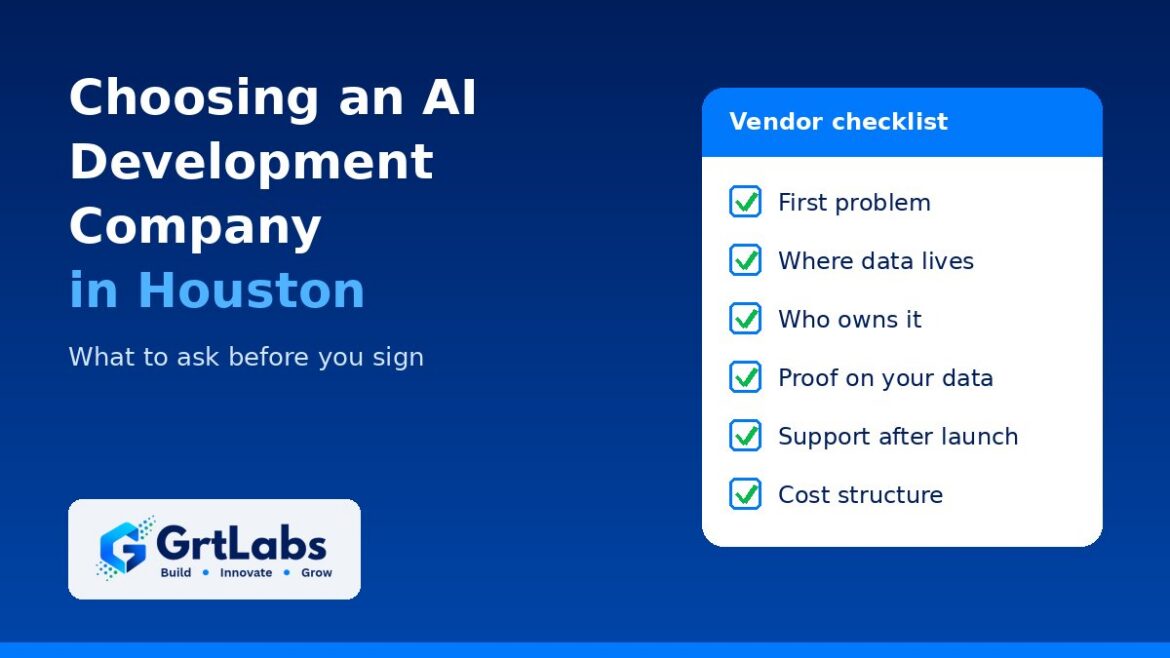
Navy GrtLabs graphic with a vendor checklist for choosing an AI development company in Houston
Choosing an AI Development Company in Houston: What to Ask Before You Sign
Choosing an AI Development Company in Houston: What to Ask Before You Sign 1024 576 Nadeem Shaikh

Before you sign with an AI development company in Houston, get clear, written answers on five things: which problem they will solve first, where your data will live, who owns what they build, how they will prove it works on your real data, and who runs it after launch. A good partner answers all five in plain words. A vague answer to any of them is a warning sign, no matter how good the demo looked.

Plenty of firms in Houston now offer AI. The hard part is telling a team that can ship a working system inside your business from one that can only show a polished prototype. The questions below work for any vendor, local or remote, and they are the same questions we expect buyers to ask us.

1. Start with the problem, not the technology

The first conversation should be about your process, not about model names. Ask:

  • What problem would you solve first, and how will we measure it? Hours saved, errors avoided, faster replies to customers: something you can count.
  • Have you built something like this before, and can you show it? Ask for a walkthrough of real work, not slides.
  • Would you tell us if AI is the wrong tool? Some problems are better solved with a simple automation, a report or a process change.

A good sign is a vendor who asks about your documents, systems and exceptions before proposing anything. A warning sign is a proposal that leads with “AI transformation” and never names a specific workflow. If you are still deciding between buying a tool and building one, our guide to off-the-shelf AI vs custom AI can help.

2. Ask where your data goes

This is the question that matters most for companies in healthcare, energy, finance and any business with customer records. Ask:

  • Will our data stay inside our own AWS or Azure account, or pass through yours?
  • Which model providers will see our prompts and documents, and do their terms allow them to train on that data?
  • Will the AI respect our existing permissions, so nobody sees documents they could not already open?
  • Can it run on a self-hosted model if our privacy rules rule out outside AI services?
  • How will you protect it against prompt injection and other misuse?

If the system will answer questions from your documents, ask how retrieval works and how answers cite their sources. Our RAG explainer covers what good looks like.

3. Ask who owns what you pay for

Ownership gets messy when it is not written down. Ask who owns the code, prompts, configuration, data pipelines, any fine-tuned models and the documentation. Then ask the follow-up: if we part ways, can another team pick this up and run it? Watch for systems built on a vendor’s own closed platform that you can only keep using by paying them. Whatever the answer, put it in the contract.

4. Ask how they will prove it works

A demo on the vendor’s sample data proves very little. Ask:

  • Will the proof of concept use our real documents and data?
  • What does success look like, agreed before the build starts? For example, an accuracy target on a test set, or time saved per task.
  • How do you test answers, and where do people review the output before it is trusted?
  • What happens if the proof of concept misses the target?

A short discovery phase before any build is the cleanest way to get these answers. Our AI readiness assessment guide lists what that phase should cover.

5. Ask how it runs after launch

AI systems need care after go-live: models change, documents change and usage grows. Ask who monitors quality and errors, how cloud and model costs are tracked and capped, how model updates are tested, and who you call when something breaks. For agents that take actions, ask whether every action is logged so you can review it later, as we describe in AI agent audit trails. Our LLMOps guide covers the day-to-day side in more detail.

Also ask what handoff looks like: documentation, training for your team, and whether you can run it yourselves if you choose to.

6. Ask about cost the right way

Any honest vendor will struggle to quote a full AI build before seeing your data and systems. Instead of asking for one number on the first call, ask how pricing is structured (a fixed discovery phase, time and materials, a monthly support plan), what drives ongoing cloud and model usage costs and who pays them, and what support includes. Then ask for a written estimate once discovery is done, when it can be based on real scope.

Red flags to watch for

  • Accuracy or savings promised before anyone has looked at your data.
  • No mention of human review where a mistake would be costly.
  • Unclear answers about where your data goes or which AI providers see it.
  • A closed platform with no way to take your system elsewhere.
  • Demos only on the vendor’s own sample data.
  • No plan for monitoring, support or handoff after launch.

Does it matter if the AI company is in Houston?

Local is not a reason on its own to pick a vendor; the answers above matter more. But a Houston-based team does make some things easier: discovery workshops can happen in person at your office, meetings and fixes happen on Central Time, and the team is more likely to know the documents and systems common in Houston industries such as energy, healthcare, construction and logistics. A remote team that answers every question well is still a better choice than a local one that does not.

A checklist to bring to your first call

  • Which problem will you solve first, and how will we measure it?
  • Where will our data live, and which AI providers will see it?
  • Who owns the code, prompts, pipelines and models?
  • Will the proof of concept use our real data, with success agreed up front?
  • Who monitors, supports and pays for running it after launch?
  • How is pricing structured, and when will we get a written estimate?

How GrtLabs answers these questions

GrtLabs is a Houston AI lab and software company at 10101 Southwest Fwy #431. We usually start with AI Discovery, a focused 2–3 week engagement where we review your data, systems and processes, rank use cases by value and feasibility, and give you build or no-build recommendations with a roadmap that is yours whether or not you build with us. When we build, we deploy inside your own AWS or Azure account with access controls you own, plus monitoring, logging and cost budgets, and we document the system and train your team to run it. See what we build and how an engagement works on our AI development company in Houston page.

Comparing AI vendors in Houston? Bring this checklist to us too. Talk to our team about your first use case, or start with AI Discovery.

Frequently asked questions

What should a Houston business ask an AI development company before signing?

Ask which problem they will solve first and how it will be measured, where your data will live and which AI providers will see it, who owns the code and models, how the proof of concept will be tested on your real data, and who monitors and supports the system after launch. Get the answers in writing.

How long does it take to know if an AI project will work?

Usually a few weeks. A short discovery phase picks the right first use case, and a proof of concept on your own data shows whether it meets the success target you agreed up front. At GrtLabs, AI Discovery typically takes 2–3 weeks.

How much does it cost to hire an AI development company?

It depends on the use case, the data involved and the systems that need to connect, so an honest vendor will not quote a full build before seeing them. Ask how pricing is structured, what ongoing cloud and model costs to expect, and for a written estimate after discovery.

Do I need a local AI development company, or can I hire a remote one?

Either can work. A local Houston team makes in-person workshops and same-time-zone support easier, but clear answers on data, ownership, testing and support matter more than location.

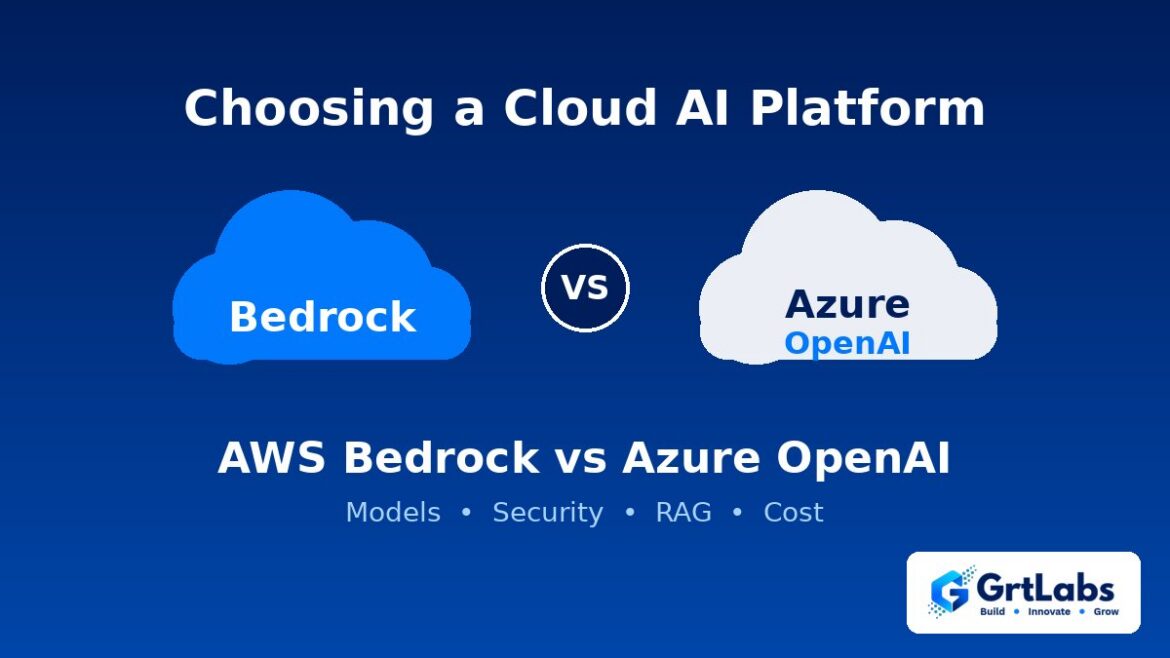
Navy GrtLabs graphic comparing two clouds labeled Bedrock and Azure OpenAI.
AWS Bedrock vs Azure OpenAI: How to Choose a Cloud AI Platform
AWS Bedrock vs Azure OpenAI: How to Choose a Cloud AI Platform 1024 576 Nadeem Shaikh

Choose Amazon Bedrock if your systems and data already live on AWS and you want one API for models from several providers. Choose Azure OpenAI if you run on Microsoft Azure and Microsoft 365, or you specifically want OpenAI’s GPT models with Microsoft’s security and identity tools. For most companies, the cloud you already use matters more than any single model, because that is where your data, access rules and billing already sit.

Both services let a business use large language models through a managed cloud service instead of a consumer chatbot. Both keep your data inside your cloud account’s controls, and both can power assistants, document search and automation. The differences are in which models you get, how each fits your existing stack, and how your team will build and run things day to day. This guide walks through those differences in plain words.

What Amazon Bedrock is

Amazon Bedrock is AWS’s managed service for foundation models. Instead of hosting models yourself, you call them through one AWS API. Bedrock offers models from several companies, including Anthropic’s Claude, Meta’s Llama, Mistral and Amazon’s own models, so you can compare and switch models without changing clouds.

Around the models, Bedrock adds building blocks such as knowledge bases for answering from your own documents, agents that can call your systems, and guardrails for filtering what goes in and out. Access is controlled with the same AWS identity and networking tools your team may already use.

What Azure OpenAI is

Azure OpenAI is Microsoft’s service for running OpenAI’s models, such as the GPT family, inside Azure. It is now part of Microsoft’s broader AI Foundry platform, which also lists models from other providers. You get the OpenAI models many people already know from ChatGPT, but under your company’s Azure account, with Microsoft Entra ID for sign-in and access, private networking options and Azure’s content filters.

For document search, teams usually pair it with Azure AI Search. If your company runs on Microsoft 365, Teams and SharePoint, Azure tends to connect to those tools with less custom work.

AWS Bedrock vs Azure OpenAI: the main differences

  • Model choice. Bedrock is built around many model providers behind one API. Azure OpenAI centers on OpenAI’s models, with other models available through the wider Foundry catalog. Both catalogs change often, so check the current list for the exact models and regions you need.
  • Fit with your stack. If your apps, databases and files are on AWS, Bedrock keeps everything close. If you run on Azure and Microsoft 365, Azure OpenAI fits more naturally.
  • Identity and security. Bedrock uses AWS IAM and VPC networking. Azure OpenAI uses Entra ID and Azure networking. Neither is weaker; the better one is the one your team already manages well.
  • Building blocks for RAG and agents. Both offer managed ways to ground answers in your documents and to build agents that take actions. The tools differ in setup and detail, so a short prototype on your own data tells you more than a feature list.
  • Pricing and capacity. Both mainly charge by usage (tokens in and out), with options for reserved capacity at higher volumes. Rates vary by model and region and change over time, so price your real workload on each provider’s current pricing page rather than relying on old comparisons.
  • Data handling. Both providers state that your prompts and outputs are not used to train the underlying models. Read the current terms for your region and compliance needs before you send sensitive data.

When Amazon Bedrock is the better fit

  • Your main systems and data are already on AWS
  • You want to test several model families and keep the option to switch
  • You plan to build RAG over your company documents stored in AWS
  • Your team already knows IAM, VPCs and AWS cost tools

When Azure OpenAI is the better fit

  • Your company runs on Azure, Microsoft 365, Teams or SharePoint
  • You specifically want OpenAI’s models with enterprise controls
  • Your security team manages access through Microsoft Entra ID
  • You already have an Azure agreement and want AI spend on the same bill

Can a company use both?

Yes, and some do. A common pattern is to put a thin layer in your own code between your app and the model provider, so the app does not care which cloud answers. That lets you route each task to the model that does it best, keep a backup if one service has an outage, and compare cost over time. The trade-off is extra setup: two sets of access rules, two bills and two sets of logs to watch. Our post on LLMOps covers how to keep that monitoring under control.

How to decide in four steps

  1. Start from your current cloud. If one cloud already holds most of your data and apps, begin there unless a model you need is missing.
  2. List the models you need. Confirm they are available on each platform in the regions where your data must stay.
  3. Run the same test on both. Use real examples from your business, with known good answers, and compare accuracy, speed and cost per request.
  4. Check security and compliance. Confirm identity, networking, logging and data terms meet your requirements before anything goes to production.

If your use case is narrow and high-volume, also test a smaller model. Our guide to small language models explains when a smaller model is the better choice.

How GrtLabs can help

GrtLabs is a Houston AI lab that works in whichever cloud you already use, or helps you choose. Through our AWS and Azure AI services, we help with architecture and service selection, model hosting, RAG over your documents, and moving a working prototype into a secure, monitored production setup inside your own cloud account, with access controls you own and budgets that keep cost in check. If you are still deciding where AI fits, start with AI Discovery.

Talk to GrtLabs about choosing your cloud AI platform.

FAQ

What is the difference between AWS Bedrock and Azure OpenAI?

Amazon Bedrock is AWS’s managed service that gives one API to foundation models from several providers. Azure OpenAI is Microsoft’s service for running OpenAI’s GPT models inside Azure. Bedrock is built around model choice on AWS, and Azure OpenAI is built around OpenAI models with Microsoft’s security and identity tools.

Which is better for a business, Bedrock or Azure OpenAI?

Neither is better for everyone. The best choice is usually the cloud that already holds your data and apps, as long as it offers the models you need. Test both on your own examples if you are unsure.

Can a company use both AWS and Azure for AI?

Yes. Many teams add a small layer in their own code so an app can call either provider. This lets them route tasks to the best model and keep a backup, at the cost of managing two sets of access rules, bills and logs.

Do AWS Bedrock and Azure OpenAI use my data to train models?

Both providers state that customer prompts and outputs are not used to train the underlying models. Check each provider’s current data terms for your region and compliance needs before sending sensitive data.

Navy GrtLabs graphic with a large and a small computer chip and the title Small Language Models
Small Language Models: When a Smaller AI Model Is the Better Business Choice
Small Language Models: When a Smaller AI Model Is the Better Business Choice 1024 576 Nadeem Shaikh

A small language model (SLM) is an AI language model that is much smaller than the giant models behind tools like ChatGPT, small enough to run on one server, a laptop, or even a phone. For narrow, repeatable business tasks, a well-chosen small model can be faster, cheaper to run, and easier to keep inside your own environment than a large one, though it gives up some broad knowledge and reasoning.

Most companies start their AI work with the biggest model they can get. That makes sense for a prototype. But once a use case is clear and the volume grows, many teams find they are paying a large model to do a small job. This guide explains what small language models are, where they fit, where they don’t, and how to decide.

What counts as a small language model

There is no official size cutoff. “Small” is relative: these models have far fewer parameters (the learned values inside the model) than the largest frontier models, so they need less memory and less computing power to run. Several open-weight model families, such as Llama, Mistral, Gemma, and Phi, publish smaller versions, and the major cloud platforms offer smaller models alongside their large ones.

In practice, people use the term for models that can:

  • Run on a single GPU server, or on ordinary hardware without a GPU for some tasks
  • Run on a device such as a laptop or phone, with no internet connection
  • Answer quickly enough for high-volume, real-time work

Small vs large language models: the real trade-offs

Neither size is “better.” They are good at different things.

  • Breadth of knowledge. Large models know more about the world and handle open-ended questions better. Small models know less, so they rely more on the context you give them.
  • Reasoning. Large models usually do better on multi-step reasoning, long documents, and tricky instructions. Small models can struggle when a task needs many steps or judgment calls.
  • Speed. Small models usually answer faster, which matters for chat, search, and anything a user waits on.
  • Running cost. Fewer parameters means less compute per request. At high volume, that difference shows up on the bill.
  • Where it runs. A small model can run in your own cloud account, in your data center, or on a device. That gives you more control over where data goes.
  • Customization. Small models are cheaper and faster to fine-tune on your own examples, so they can become very good at one narrow job.

When a small language model is the better choice

Small models shine when the task is narrow, repeated often, and easy to check. Good fits include:

  • Classifying and routing. Sorting support tickets, emails, or documents into categories and sending them to the right team.
  • Pulling fields from text. Extracting names, dates, amounts, or order numbers from messages and forms.
  • Answering from your own documents. In a RAG system, the model gets the relevant passages handed to it, so it needs less built-in knowledge. A small model is often enough to write the answer.
  • Summaries and rewrites. Short summaries of tickets, calls, or notes in a fixed format.
  • Private or offline work. Situations where data should not leave your environment, or where the device may not have a connection.
  • Steps inside a bigger workflow. In AI workflow automation, many steps are simple. A small model can handle those while a larger model handles the hard ones.

When you still need a large model

Stick with a large model when:

  • Questions are open-ended and you cannot predict what users will ask
  • The task needs careful reasoning across many steps, such as planning in an agentic AI system
  • The work involves long or complex documents where missing a detail is costly
  • You are still exploring the use case and don’t yet know what “good” looks like

Many teams end up using both: a small model for the high-volume, simple requests and a large model for the cases the small one can’t handle well. A simple router decides which model gets each request.

How to decide: a practical test

Don’t choose a model on reputation. Test it on your own work:

  1. Write down the task clearly. What goes in, what should come out, and how you will know an answer is right.
  2. Build a test set. Collect real examples with known good answers, including the hard and unusual cases.
  3. Start with a large model as the baseline. Measure how often it gets the answers right on your test set.
  4. Try one or two small models on the same set. Compare accuracy, speed, and cost per request.
  5. Decide where the line is. If the small model is close enough on the cases that matter, use it. If it fails on certain types of requests, route only those to the large model.
  6. Keep testing after launch. Rerun the test set whenever you change prompts or models. Our post on LLMOps explains how to keep this running.

Running a small model: what to plan for

A small model you host yourself gives you control, but also responsibilities:

  • Hosting. Decide whether it runs as a managed cloud service, on your own servers, or on devices. Each has different setup and upkeep.
  • Security and access. The same rules apply as for any AI app: limit what data and tools it can reach, and log what it does.
  • Updates. New model versions come out often. Test each one on your set before switching.
  • Licenses. Open-weight models come with their own license terms. Check them for commercial use before you build on one.
  • Monitoring. Track accuracy, speed, and cost in production, just as you would for a large model.

How GrtLabs can help

GrtLabs, a Houston AI lab, helps teams pick the right models and cloud services, connect them to existing apps, and keep cost and access under control. Through our AWS and Azure AI services, we can test small and large models on your real tasks, design deployments inside your own cloud account, and move a working prototype into a secure, monitored production setup. If you are not sure where AI fits yet, our AI Discovery engagement is a good place to start.

Talk to GrtLabs about your use case.

FAQ

What is a small language model?

A small language model is an AI model that understands and writes text like a large language model, but with far fewer parameters. That makes it cheaper and faster to run and small enough to run on one server, a laptop, or a phone.

Are small language models as accurate as large ones?

Not in general. Large models know more and reason better on open-ended tasks. On a narrow, well-defined task, especially with good context or fine-tuning, a small model can come close enough to be the better choice. The only way to know is to test both on your own examples.

Can a small language model run without sending data to the cloud?

Yes. Because it needs less computing power, a small model can run in your own cloud account, on your own servers, or on a device, so prompts and data stay in an environment you control.

Should a business use a small model or a large model?

Use a small model for high-volume, narrow tasks that are easy to check, such as classifying, extracting fields, or answering from your documents. Use a large model for open-ended questions and complex reasoning. Many businesses use both and route each request to the right one.

Laptop showing a task board with a monitor dashboard ticket, beside screens with live charts and a mechanical keyboard
LLMOps Explained: How to Keep AI Apps Reliable After Launch
LLMOps Explained: How to Keep AI Apps Reliable After Launch 1024 576 Nadeem Shaikh

LLMOps is the set of practices that keeps an app built on a large language model (LLM) accurate, safe, and affordable after it goes live. It covers how you version prompts and models, test answers before each release, monitor quality and cost in production, and control who and what the AI can reach.

Most teams can get an AI prototype working in a few days. The harder part comes later: answers drift, a model update changes behavior, costs climb, and nobody can say why the assistant gave a wrong answer last Tuesday. LLMOps is how you stay ahead of those problems instead of finding out from your customers.

What LLMOps means in plain words

LLMOps stands for large language model operations. It borrows from DevOps and MLOps, but it focuses on the things that are different about LLM apps:

  • The output is text, not a number. You cannot check it with a simple pass or fail, so you need a way to judge whether answers are correct, grounded, and on-tone.
  • Prompts are code. A small wording change can change results, so prompts need versions, reviews, and tests like any other code.
  • The model can change under you. If you use a hosted model, the provider may release new versions or retire old ones. You need to know which version you run and test before you switch.
  • Every call costs money. Usage-based pricing means a busy week or a badly written prompt shows up on the bill.

Why LLM apps break after launch

An LLM app that worked in the demo can slip in production for a few common reasons:

  • Your data changes. If the app answers from your documents, as a RAG system does, new or outdated files change what it says.
  • Real users ask different questions. People phrase things in ways your test set never covered.
  • Prompts get edited without testing. A quick fix for one case quietly breaks three others.
  • Model versions change. A new version can be better overall and still worse on the questions your business cares about.
  • Attackers probe it. Prompt injection and data leakage attempts grow once an app is public. Our post on prompt injection protection covers the defenses.

The core parts of an LLMOps setup

1. Version prompts, models, and settings together

Keep prompts in source control next to the app code, and record the model name, version, and settings used for each release. When an answer goes wrong, you should be able to say exactly which prompt and model produced it, and roll back if needed.

2. Build an evaluation set before you ship

Collect real questions with known good answers, including the tricky ones and the ones the AI must refuse. Run the full set every time you change a prompt, a model, or the documents behind the app. Combine automated checks, such as whether the answer cites the right source, with a human review of a sample. If you cannot measure quality, you cannot tell whether a change helped.

3. Monitor quality, not just uptime

A server can be up while the AI gives bad answers. Track signals that point to quality: user thumbs up or down, questions the app could not answer, escalations to a person, and answers that did not use any retrieved source. Review a sample of real conversations on a regular schedule.

4. Log every step you may need to explain

Store the input, the retrieved context, the prompt version, the model, the output, and any tool calls the AI made. For AI agents that take actions, this record is essential. We cover what to capture in our guide to an AI agent audit trail. Decide up front how long to keep logs and how to protect personal data in them.

5. Control access and data

Give the AI only the data and tools it needs. Use identity and access controls so it can see what the person asking is allowed to see, and nothing more. Where data sensitivity matters, run the deployment inside your own cloud account rather than sending data to tools you do not control.

6. Watch cost from day one

Set budgets and alerts, track usage per feature, and review it regularly. Common savings come from shorter prompts, caching repeated answers, sending simple requests to a smaller model, and limiting how much context each call sends.

7. Release changes safely

Treat a prompt or model change like a software release: test it against the evaluation set, roll it out to a small share of users first, compare results, and keep a quick way to roll back.

Where LLMOps runs: AWS, Azure, or both

Both major clouds offer managed access to foundation models along with the logging, identity, and cost tools LLMOps depends on. The right choice is usually the cloud your company already uses, because your data, identity system, and security reviews are already there. What matters more than the vendor is that model hosting, retrieval over your data, pipelines, access controls, and cost monitoring are designed together rather than bolted on after launch.

When you need LLMOps, and how much

You do not need a large platform team on day one. Match the effort to the risk:

  • Internal pilot with a small group: version prompts, keep a basic evaluation set, log conversations, and set a budget alert.
  • Staff-facing tool in daily use: add quality monitoring, regular conversation reviews, and access controls tied to your identity system.
  • Customer-facing app or an agent that takes actions: add staged releases, a full audit trail, injection testing, and clear rules for when the AI hands off to a person. Our post on AI agent governance covers those rules.

Move your AI from prototype to production with GrtLabs

GrtLabs is a Houston AI lab that helps businesses run AI in production on AWS or Azure. We help you pick the right cloud services, wire them to your apps, and keep costs and access under control, including moving a working prototype into a secure, monitored production environment. See our AWS and Azure AI services or contact us to talk through your use case.

Frequently asked questions

What is LLMOps?

LLMOps, short for large language model operations, is the practice of running LLM-based apps reliably in production. It includes versioning prompts and models, testing answers against an evaluation set, monitoring quality and cost, logging what the AI did, and controlling its access to data and tools.

How is LLMOps different from MLOps?

MLOps focuses on training, deploying, and monitoring machine learning models, often ones you train yourself. LLMOps deals with apps built on large language models, which are often hosted by a provider, so the work centers on prompts, retrieval, output quality, safety, and usage cost rather than training.

Do small companies need LLMOps?

Yes, at a small scale. Even a pilot should version its prompts, keep a short evaluation set, log conversations, and set a budget alert. Add more as the app reaches more users or starts taking actions.

Can LLMOps run inside our own cloud account?

Yes. GrtLabs designs AWS and Azure AI deployments inside your cloud account with access controls you own, and sets up monitoring and budgets so you can see quality and cost.

Hand ticking boxes on a handwritten checklist in a notebook with sticky notes beside a data screen
AI Readiness Assessment: Questions to Answer Before Your First AI Project
AI Readiness Assessment: Questions to Answer Before Your First AI Project 1024 576 Nadeem Shaikh

An AI readiness assessment tells you, before you spend on a build, whether your goals, data, systems, and people can support AI, and which use case to start with. It ends with a ranked list of use cases, clear build or no-build calls, and a roadmap with one proof of concept to try first.

When a first AI project stalls, the cause is often not the model. It is that nobody agreed on the goal, the data was not where people thought it was, or no one owned the result. An AI readiness assessment puts those questions on the table early, while changing course is still cheap.

What an AI readiness assessment is

An AI readiness assessment is a short, structured review of your business before you commit to an AI build. It looks at four things: what you want to achieve, the processes involved, the data behind them, and the systems that would have to connect to anything you build. The output is a decision, not a demo: what is worth building first, and what is not.

A good assessment is just as useful when it tells you to wait, fix a process, or skip a use case.

Questions to answer before your first AI project

Work through these with the leaders who own the budget and the people who run the processes day to day. If you cannot answer a question, that gap is itself a finding.

Goals and value

  • What business problem are we solving? Name the process and the pain, such as slow intake or repeated manual checks.
  • How will we know it worked? Agree on the measure before anything is built: time saved, fewer errors, faster response, or less rework.
  • Who owns the outcome? One named person should be accountable for the result, not just the project plan.

Processes

  • Is the process written down? If the steps live only in one person’s head, document them first. AI on top of an unclear process makes the confusion faster.
  • Where does work stall today? Handoffs, re-keying, waiting on approvals, and searching for documents are common places to look.
  • What should stay with people? Decide early which steps need human judgment. Our post on AI workflow automation covers how to score processes and which ones to leave manual.

Data

  • Where does the data live? List the systems, file shares, inboxes, and spreadsheets the use case depends on.
  • Can we get to it? Data you cannot access through an export, API, or connector is a blocker, no matter how useful it looks.
  • Is it good enough to use? Check whether records are complete, current, and consistent. Perfect data is not required, but you need to know where the gaps are.
  • Is any of it sensitive? Personal, financial, or regulated data changes where the system can run and who can see the results.

Systems

  • What would the AI read from and write to? An answer that cannot reach the system where work happens is just another inbox.
  • Do we build, buy, or combine? Some needs are met by an existing tool; others need custom work on your own data. See off-the-shelf AI vs custom AI for how to weigh that choice.

People and risk

  • Who will use it, and will they trust it? Bring the people who run the process into the assessment, not just leadership.
  • What happens when it is wrong? Decide who reviews outputs, what gets escalated, and what the AI is never allowed to do on its own.
  • How will we govern it? Permissions, logging, and approval steps matter more as AI starts taking actions. Our guide to AI agent governance walks through the basics.

How to rank use cases: value and feasibility

Once you have a list of candidate use cases, rank each one on two questions:

  1. Value: If this worked, how much would it matter? Think about how often the process runs, how many people it touches, and what the current delays or errors cost the business.
  2. Feasibility: Can we actually build it now? Think about data access and quality, how clear the rules are, how easily the systems connect, and how much risk a wrong answer carries.

Use cases that score high on both are your first candidates. High value but low feasibility usually means groundwork comes first, such as cleaning a data source or documenting a process. Low value but easy to build rarely justifies the investment. Drop anything low on both.

Pick one use case for a proof of concept. A narrow, well-defined first project teaches you more than a broad one, and it gives leadership something concrete to judge.

Signs you are ready, and signs you are not yet

You are likely ready to start when:

  • A specific process has a clear owner and a measurable problem.
  • The data behind it is accessible, even if it needs some cleanup.
  • The people who run the process are willing to help shape and test the solution.
  • Leadership agrees on what success looks like and what a reasonable first step is.

You probably need groundwork first when:

  • The goal is “use AI” rather than a named business problem.
  • Nobody can say where the key data lives or who controls access to it.
  • The process changes every time someone different runs it.
  • There is no plan for who checks the output or handles mistakes.

What you should walk away with

A useful assessment ends with documents your team can act on, not just a slide of ideas. At GrtLabs, AI Discovery is a focused engagement of typically 2–3 weeks. We work with your leadership and process owners to understand your goals, data, and systems, and you get:

  • A discovery workshop with key stakeholders.
  • An AI readiness review of your data, systems, and processes.
  • A prioritized list of use cases ranked by value and feasibility.
  • Clear build or no-build recommendations.
  • A roadmap with a recommended proof of concept to start with.

The first project often points toward one of a few build types: agentic AI for multi-step work, AI automation and document intelligence for repetitive back-office tasks, RAG knowledge systems for answers grounded in your own documents, or AI assistants for staff and customers. The roadmap is yours to use however you choose.

Plan your AI Discovery with GrtLabs

GrtLabs is an AI lab that helps businesses decide what to build before they build it. If you know AI matters but are unsure where to start, which use cases to prioritize, or how to justify the investment, AI Discovery gives you a readiness review and a roadmap in a few weeks. Contact us to plan a Discovery.

Frequently asked questions

What does an AI readiness assessment cover?

An AI readiness assessment covers your business goals, the processes you want to improve, the data behind them, and the systems AI would need to connect to. It identifies where AI can create real value, ranks use cases by value and feasibility, gives build or no-build recommendations, and ends with a roadmap and a recommended first proof of concept.

How long does an AI readiness assessment take?

It depends on how many teams and processes are in scope. GrtLabs AI Discovery typically takes 2–3 weeks.

What do we need to provide for an AI readiness assessment?

Plan for access to key stakeholders for workshops and interviews, plus an overview of the relevant systems and data. Your data does not need to be perfect; finding the gaps is part of the assessment.

Do we have to build with the same company after the assessment?

No. With GrtLabs AI Discovery, the roadmap and recommendations are yours to use however you choose, whether you build with us, with another partner, or in-house.

Top-down marble desk with laptop clipboard checklist and pen
AI Workflow Automation: Which Business Processes to Automate First
AI Workflow Automation: Which Business Processes to Automate First 1024 576 Nadeem Shaikh

Automate first the processes that run often, follow clear rules, take structured inputs, and still leave room to route exceptions to a person — typically invoice and purchase-order intake, order routing with inventory sync, routine reports, and record validation. Leave rare judgment calls, poorly documented one-offs, and high-stakes exceptions under human ownership.

Teams lose hours to re-keying data, moving files, and checking the same fields by hand. That work is slow, error-prone, and hard to scale. AI workflow automation is how you remove that repetitive load from documents, orders, inventory, and back-office processes without throwing away the systems you already use.

What AI workflow automation is

AI workflow automation connects steps that people currently do by hand: read a document, classify it, pull the fields that matter, write them into another system, run a schedule, and flag anything that does not match the rules. On the GrtLabs Automations page, that delivery usually includes:

  • Process mapping and an automation plan so you know which steps to automate and which to leave with people.
  • Document extraction and classification with AI for invoices, POs, forms, and similar paperwork.
  • System-to-system integrations and scheduled workflows so data moves without copy-paste.
  • Exception handling, alerts, and dashboards so mismatches land with a person who has context.

When a document is the bottleneck, pair this with intelligent document processing. When a flow needs judgment across several steps, it can sit next to agentic AI. Document AI workloads can run on AWS or Azure AI when that fits your stack. You do not need to replace your ERP, CRM, or file tools — automations connect the tools you already use.

How to score which processes to automate first

Use a simple score before you build anything. Rate each process on five factors:

  1. Volume — How often does this run each day or week? High volume pays for itself faster.
  2. Rules clarity — Can a trained person explain the happy path in plain steps? If the rules live only in one person’s head, document them first.
  3. Data quality — Are inputs mostly structured or at least consistent (same form layouts, same field names, same file types)? Messy one-off emails are weaker candidates until you constrain them.
  4. Exception rate — Some exceptions are fine if they can be routed with context. Constant unstructured exceptions mean the process is not ready.
  5. System readiness — Do the source and target systems have APIs, exports, or connectors you can use? Automation without a place to write results is just another inbox.

Processes that score well on volume, rules, and system readiness — and that have exceptions you can define — are your first wave. Processes that fail on documentation or system access stay on the backlog until those gaps close.

Strong first candidates for AI workflow automation

These map directly to common automation use cases:

  • Accounts payable and purchase documents — Extract invoices, POs, and forms into your ERP so staff stop re-typing line items and vendor details. Classification plus field extraction handles the bulk; mismatches go to a reviewer.
  • Order routing and inventory sync — Move new orders into fulfillment systems and keep inventory counts aligned across channels so people are not copying rows between spreadsheets and order tools.
  • Routine reports — Generate the same weekly or monthly packs from systems of record on a schedule, with alerts when a source feed is late or incomplete.
  • Record validation — Check records against rules, flag mismatches, and send a queue of exceptions to the right owner instead of scanning every row by hand.

Each of those has structured inputs, a clear destination system, and a natural place for human review. That is why they tend to be safer first projects than open-ended “automate the whole back office” ambitions. If your team also needs private Q&A over policies while they design these flows, RAG explained covers how retrieval over your own documents works.

Which processes should stay manual

Automation is not the goal for every step. Keep these with people:

  • Judgment-heavy work — Negotiations, novel customer exceptions, and decisions that depend on unwritten context. The automation can gather facts; a person should decide.
  • Rare one-offs — A process that runs a few times a year rarely earns the cost of design, testing, and maintenance.
  • Poorly documented processes — If nobody can write the happy path and the exception list, fix the process first. Automating fog creates faster fog.
  • High-stakes exceptions that need clear ownership — Compliance holds, large credit decisions, safety-critical overrides, and anything where a wrong write to a system of record has serious consequences. Route the case to a named person with the full context; do not let the workflow close it alone.

A healthy design assumes exceptions will happen. Good automations route those cases to a person with the original document, the extracted fields, and why the rule failed — then continue after the person acts.

How to start without replacing your systems

A practical sequence looks like this:

  1. Map — Walk the current process with the people who run it. Capture inputs, systems, rules, and where work stalls. Produce a short automation plan that lists what stays manual.
  2. Connect — Wire document intake, extraction/classification where needed, and system-to-system writes or scheduled jobs. Prefer connectors to the tools you already use.
  3. Exceptions — Define what counts as a mismatch, who owns the queue, and what context travels with each alert.
  4. Dashboards — Show volume processed, exception rates, and aging items so owners can see whether the workflow is healthy.

Delivery should include handoff documentation and training so your team can operate the workflow. GrtLabs can stay involved after go-live when you want ongoing support. Start with one high-scoring process, prove the exception path, then expand.

Frequently asked questions

Which processes should stay manual?

Keep manual any work that depends on judgment, runs rarely, is poorly documented, or involves high-stakes exceptions that need a clear human owner. Automations should gather data and apply rules; people should decide novel cases, compliance holds, and anything where a wrong update to a system of record carries serious consequences.

Do we need to replace our current systems to use AI workflow automation?

No. Effective AI workflow automation connects the tools you already use — ERP, order systems, file stores, and related apps — through integrations and scheduled workflows. The goal is to remove re-keying and handoffs, not to rip out systems that already hold your records.

What happens when an automated workflow hits an exception?

Exceptions should route to a person with context: the source document or record, the fields the automation extracted, and why the rule failed. Alerts and dashboards keep those cases visible until someone resolves them, then the workflow can continue.

Map your first automation with GrtLabs

GrtLabs designs and builds AI and workflow automations that remove repetitive work from documents, orders, inventory, and back-office processes — with process mapping, document AI, integrations, exception handling, and dashboards. If you want help choosing which process to automate first, talk to our team.

Glass office desk with open laptop notebook glasses and city view
How to Build an Internal AI Assistant for HR and IT Questions
How to Build an Internal AI Assistant for HR and IT Questions 1024 576 Nadeem Shaikh

An internal AI assistant for HR and IT answers routine employee questions from your approved policies and help docs, cites where the answer came from, can open a ticket or look up status through connected tools, and hands the conversation to a person when the request is outside its scope. It is not a generic chatbot — and it must be blocked from answering sensitive questions about other people, credentials or advice it is not allowed to give.

Most HR and IT tickets start the same way: “What is our parental leave policy?” “How do I reset my VPN?” “Who approves software requests?” Those questions already have answers in handbooks, wikis and past tickets. An AI assistant grounded in that content can clear the queue of repeats so your team spends time on the cases that need judgment.

What an internal AI assistant for HR and IT actually does

Think of it as a scoped helper, not an all-knowing oracle. A useful assistant:

  • Answers from your approved knowledge — employee handbooks, benefits summaries, IT runbooks, access procedures — not from the open internet.
  • Takes simple actions through integrations, such as looking up a request status or creating a support ticket.
  • Escalates with context when the question is ambiguous, sensitive or outside the topics you allowed.
  • Logs conversations so you can see what was asked, what was retrieved and what was handed off.

On the GrtLabs AI Assistants page, that pattern is described as grounded assistants for support, HR and IT: answer from approved knowledge, act through connected tools, and hand off to people when they should. The knowledge layer underneath is usually a RAG knowledge system — private Q&A over your own documents with citations and existing permissions enforced. Our earlier guide, RAG explained, covers how that retrieval step works.

Internal knowledge assistant vs. HR and IT helpdesk bot

The same build can grow into an internal knowledge assistant: one place where any employee can ask about policies, procedures and internal documentation and get a cited answer. Organizations with many departments, such as schools, hospitals and city offices, sometimes call this an institutional AI assistant. The difference is scope, not technology: start with HR and IT, prove the answers are accurate and permission-aware, then add more document collections to the same RAG knowledge base.

Step 1: Scope the questions it is allowed to answer

Start with a short allow-list of topics, not a blank prompt. Typical first scopes for HR and IT look like this:

  • HR: paid time off, holidays, benefits enrollment windows, remote-work policy, how to update personal contact details, where to find the handbook.
  • IT: password reset steps, VPN and MFA setup, approved software list, how to request access, known outage status, laptop setup guides.

Write the topics in plain language and keep examples of real questions your teams already get. Anything not on the list should trigger a refusal or an escalation, not a creative guess. If you are new to systems that plan multi-step work with tools, what agentic AI is is a useful companion read; an HR/IT assistant can stay simpler at first and still be useful.

Step 2: Connect knowledge sources with permissions

Point the assistant only at sources you trust and that already have access control:

  • HR policy PDFs and the current employee handbook.
  • Benefits FAQs maintained by HR (not outdated shared drives).
  • IT wiki pages and runbooks.
  • Selected ticket categories or knowledge articles from your service desk — never every private ticket by default.

Permissions matter as much as content. A RAG system should enforce who is allowed to see what, using rules from your existing systems, so an employee only gets passages they already have access to. Confirm connectors and permission mapping during scoping. Typical sources include file shares, wikis, ticketing systems and document repositories.

Step 3: Retrieve with citations, then answer

For each question the system should:

  1. Retrieve the most relevant approved passages.
  2. Compose an answer grounded in those passages.
  3. Show citations so the employee can open the source and verify.

If nothing relevant is retrieved, the assistant should say it does not have an approved answer and offer to escalate — not invent a policy. That habit keeps HR and IT from cleaning up wrong guidance later.

Step 4: Escalate to humans and ticketing

Escalation is a feature, not a failure. Define clear handoff rules:

  • Low confidence or no matching source → create a ticket or chat with HR/IT, including the question and what was already tried.
  • Requests that need approval (access, exceptions, accommodations) → route to the right queue with the context gathered so far.
  • Frustrated or repeated failed attempts → offer a person immediately.

Tool integrations for creating tickets and looking up status belong here. Keep the assistant’s write actions narrow at first: open a ticket, never change access rights on its own.

What an internal AI assistant must not answer

Put hard refusals in place before you roll out. At minimum, block:

  • Another employee’s personal records, performance notes or medical information.
  • Anyone else’s salary, bonus or compensation details.
  • Legal or medical advice beyond pointing to published policy or telling the person to contact HR or counsel.
  • Security credentials, secrets, API keys or how to bypass MFA.
  • Private ticket contents the requester is not allowed to see.

When those topics appear, the assistant should refuse clearly and route to a human. Guardrails, access control and conversation logging are part of what a production assistant needs — not optional extras. Related reading: prompt injection protection for keeping assistants from being hijacked, and an AI agent audit trail for logging actions where they cannot be erased.

Access control, logging, testing and rollout

Access control

Decide who can use the assistant (all employees vs. specific groups) and which knowledge and tools each group can reach. Access control determines which users can use the assistant and which content and actions are available to them.

Logging

Log questions, retrieved sources, answers, refusals and handoffs. Review samples weekly with HR and IT owners. Logging supports both quality improvement and accountability.

Testing

Before go-live, run a fixed set of real questions: happy-path policy asks, out-of-scope asks, and the sensitive refusals above. Evaluate quality against those questions during the build, the same way you would evaluate a RAG system with citations.

Rollout

Deploy to one channel first (intranet chat or a workplace app), announce the topics it covers, and keep a visible “talk to a person” path. Expand topics only after the refusal and escalation paths behave as designed. Assistants can be deployed to web, chat or workplace channels, with evaluation, monitoring and handover documentation as part of delivery.

Frequently asked questions

What should an internal AI assistant not be allowed to answer?

An internal AI assistant should not answer questions about another employee’s personal records, salary, performance, medical details or legal advice. It should not reveal security credentials, share private ticket contents outside the requester’s access, or invent policy when nothing in the approved knowledge base covers the question. Those requests should be refused or handed to a person.

How is an internal AI assistant different from a chatbot?

Generic chatbots follow scripts or answer from general knowledge. An internal AI assistant answers from your approved policies and documentation, can take actions through connected tools such as creating a ticket, and escalates to people with full context when a request is outside its scope.

Do answers from an HR and IT assistant cite their sources?

They should. When the assistant retrieves passages from your knowledge base, each answer should link back to the source documents so employees can verify them. That citation habit is part of retrieval-augmented generation (RAG) and makes it easier to trust and correct the system.

What is an internal knowledge assistant?

An internal knowledge assistant is an AI assistant that answers employee questions from your company’s own documentation, such as handbooks, IT runbooks and process guides, and links each answer to its source. It respects existing access permissions, so people only see answers drawn from documents they are allowed to open.

How do you add an AI assistant to an internal portal with SSO and permissions?

Embed the assistant in the portal behind your existing single sign-on (SSO), so it knows who is asking without a second login. Pass that identity to the retrieval layer so the assistant only searches documents the person’s role or group can already open, mirror permissions from the source systems instead of copying everything into one open index, and log each question with the sources used. Start with one team’s knowledge base, test with real employee questions, then widen access.

Build an assistant your HR and IT teams can trust

GrtLabs builds AI assistants grounded in your approved knowledge, with tool integrations, escalation and handoff flows, guardrails, access control and conversation logging. Pair that with a RAG knowledge system when you need private, cited answers over your own documents. If you want an internal assistant for HR and IT questions, talk to our team.

Stack of printed business documents and forms resting on a wooden desk
Intelligent Document Processing: Turning Invoices, Forms and Contracts Into Clean Data
Intelligent Document Processing: Turning Invoices, Forms and Contracts Into Clean Data 1024 576 Nadeem Shaikh

Intelligent document processing (IDP) uses AI to read business documents such as invoices, purchase orders, forms and contracts, classify what each one is, extract the fields you need, check them against your rules, and deliver clean records into your ERP, CRM, e-commerce or finance systems. Documents that pass go straight through. Anything low-confidence or invalid goes to a person to review.

Most teams already have the data they need. It is just trapped in PDFs, scans and email attachments that someone has to open, read and retype. IDP replaces that retyping step with a pipeline you can measure, while keeping people in charge of the cases that need judgment.

What intelligent document processing is

IDP is not one tool. It is a pipeline that combines three things:

  • OCR to turn scanned pages and images into text.
  • Language models (LLMs) to understand layout and meaning, so the system can find “invoice total” or “ship-to address” even when every vendor formats it differently.
  • Business rules to decide whether the extracted data is acceptable: required fields present, totals that add up, a PO number that actually exists.

The output is not a text dump. It is structured data, with each field named, checked and ready for the system that needs it. That is the difference between “we scanned it” and “it is in the ERP.”

Teams that usually feel the pain first are accounts payable, procurement, claims and compliance. They handle high volumes of documents that look similar but are never quite identical.

How IDP works, step by step

A typical intelligent document processing flow has five stages:

  1. Classify. Each incoming file is identified by type: invoice, purchase order, claim form, contract, onboarding packet, or something else. Sorting and indexing documents by type is a useful project on its own.
  2. Extract. The system pulls the fields that matter for that document type, such as vendor, dates, line items, amounts, policy numbers or contract parties.
  3. Validate. Extracted values are checked against business rules and your existing records. An invoice can be matched to its purchase order. A claim packet can be pre-checked for missing pages or fields before anyone opens it.
  4. Integrate. Clean records are delivered into your business systems through APIs, databases or file exchanges, so nobody has to copy and paste.
  5. Human review. Results the system is unsure about, or that fail validation, are routed to a person. They confirm or correct the data, and the record continues.

Underneath all five steps you want monitoring, logging and documentation, so you can see what was processed, what was flagged and why.

What documents IDP can handle

IDP is built for the documents that already flow through your inbox and shared drives:

  • Digital PDFs, such as vendor invoices and emailed purchase orders.
  • Scanned images and photos of paper forms.
  • Emails, where the important details sit in the message body or an attachment.
  • Office files, such as spreadsheets and word-processing documents.

Which formats and layouts are in scope for your project should be checked during scoping, using real samples. A clean digital invoice and a faxed, handwritten form are very different inputs, and it is better to know that before you build.

IDP vs plain OCR

OCR answers one question: what characters are on this page? That is useful, but it stops there. You still get a block of text that someone has to read and map to fields.

Intelligent document processing goes further:

  • It understands the document type, so an invoice and a contract are handled differently.
  • It extracts named fields, not just text, even when layouts vary from one sender to the next.
  • It validates what it extracted against rules and records, instead of passing errors downstream.
  • It delivers into your systems and sends exceptions to a person, so the process actually finishes.

Put simply, OCR is one ingredient. IDP is the whole recipe from inbox to system of record.

Where IDP fits with automation and AI agents

IDP is usually the upstream step. Before you can automate a process, the data has to exist in a clean, structured form. Documents are often where that data starts.

Once IDP produces trusted records, workflow automations can take over: create the order, route the approval, update the vendor record, notify the right team. An agentic AI system can go a step further and plan multi-step work based on what the documents say. If you are new to agents, our guide to what agentic AI is covers the basics.

Common starting points look like this:

  • Emailed PDF purchase orders into commerce orders. POs arrive as attachments, IDP extracts the line items, and orders are created automatically. We described one version of this in our PDF purchase order case study.
  • Invoice-to-PO matching. Invoices are extracted and matched against purchase orders, with mismatches sent to AP for review.
  • Sorting and indexing. Mixed document batches are classified by type and filed where they belong.
  • Pre-checking claim and onboarding packets. Packets are checked for missing or invalid information before a reviewer spends time on them.

IDP turns documents into data. If you also need people to ask questions about long documents, such as policies or contracts, that is a different pattern; see RAG explained.

How to start an IDP project

Keep the first project narrow and measurable:

  • Pick one document type and one destination system, such as vendor invoices into your finance tool.
  • Gather real samples, including the messy ones, so scoping reflects what actually arrives.
  • Write down the fields you need and the rules that make a record valid.
  • Decide who reviews exceptions and how they will see them.
  • Track how many documents go straight through, how many go to review, and why, then tune from there.

Frequently asked questions

What kinds of documents can IDP read?

IDP can read PDFs, scanned images, emails and office files. Common business examples are invoices, purchase orders, forms, contracts, claim packets and onboarding documents. The exact formats and layouts for a project should be confirmed during scoping with real samples, because image quality and layout variety affect how much can be processed without review.

Do people still review documents with IDP?

Yes. A well-built IDP system sends low-confidence or invalid results to a person instead of guessing. Reviewers confirm or correct the flagged fields, and the record then continues to your systems. Documents that pass validation can go straight through, so people spend their time on exceptions rather than retyping every page.

Which business systems can IDP send data to?

IDP can deliver clean records into ERP, CRM, e-commerce and finance systems. Integration is usually done through APIs, direct database connections or file exchanges, depending on what each system supports. The right method is chosen during scoping based on your current tools.

Turn your documents into clean data

GrtLabs builds document intelligence and IDP pipelines that classify, extract and validate data from invoices, purchase orders, forms and contracts, route exceptions to your team, and deliver clean records into the systems you already use. If you have a document-heavy process you want to fix, talk to our team.

Library interior with long rows of bookshelves holding an organized knowledge collection
RAG Explained: How AI Can Answer From Your Own Company Documents
RAG Explained: How AI Can Answer From Your Own Company Documents 1024 576 Nadeem Shaikh

Retrieval-augmented generation (RAG) is a way to make AI answer questions from your own company documents instead of guessing from what it was trained on. You index your files, policies, manuals and tickets. When someone asks a question, the system finds the most relevant passages, hands them to a language model, and the model writes an answer that cites those sources.

That is what most businesses actually want from AI: accurate answers about their products, policies and customers, not a generic essay. RAG is the usual way to get there without fine-tuning a new model every time your handbook changes.

If you already use an AI agent or an internal assistant, RAG is often the knowledge layer underneath. The agent still plans and acts; RAG is how it looks things up in your content before it answers or takes a step.

What RAG means in plain English

Break the name into two parts:

  • Retrieval means search. For each question, the system finds the chunks of your documents that are most likely to help, the same way a good search engine would, but tuned for meaning as well as keywords.
  • Augmented generation means the language model writes the answer using those chunks as context, not from memory alone. The model still writes the sentence; your documents supply the facts.

A typical flow looks like this:

  1. Your documents are split into small pieces and indexed in a search or vector store.
  2. A user asks a question.
  3. The system retrieves the top matching pieces (and often filters them by who is allowed to see them).
  4. Those pieces are sent to the model with the question.
  5. The model returns an answer that points back to the source documents.

When it works well, a support lead can ask “What is our refund window for enterprise customers?” and get an answer that quotes the current policy PDF, not last year’s version buried in someone’s Drive.

Why businesses use retrieval-augmented generation

Company knowledge lives in wikis, shared drives, ticketing tools, contracts and email. People already struggle to find the right page. Putting a chat box on top of that mess without retrieval just produces confident wrong answers.

RAG helps when you need:

  • Answers grounded in your content. Policies, SOPs, product docs, SLAs and playbooks stay the source of truth.
  • Citations people can check. Every answer should show which document and passage it used, so a human can verify before acting.
  • Updates without retraining. When a policy changes, you re-index the file. You do not retrain the whole model.
  • Permission-aware answers. Finance docs stay with finance. A general employee should not get an answer built from a restricted folder.

It is also a better first project than jumping straight to agents that send email or change records. You can measure answer quality on a fixed set of real questions before you let software take actions.

What RAG is not

RAG is not magic search. If the document was never ingested, or the chunking cut a table in half, the model cannot invent a correct answer from thin air. Garbage in still means garbage out.

It is also not the same as fine-tuning. Fine-tuning changes how a model writes or behaves. RAG changes what facts it sees for each question. Many teams need both later; most start with RAG for company knowledge because it is easier to update and audit.

And it is not a replacement for access control. If the retrieval step ignores who is logged in, you have built a leak. Permissions have to be enforced at retrieval time, not left to the chat UI.

What you need to build a business RAG system

The building blocks are straightforward. Getting them right for your content is the work:

  • Sources. Decide which systems matter: SharePoint, Confluence, Google Drive, Zendesk, Notion, file shares, and so on.
  • Ingestion and chunking. Pull documents on a schedule, split them into useful pieces, and keep metadata (title, owner, last updated, ACL).
  • Search or vector index. Store embeddings and/or keyword indexes so retrieval is fast and relevant.
  • Answer layer. A language model that writes from the retrieved context and returns citations.
  • Evaluation. A set of real questions with known good answers, so you can score accuracy before and after changes.
  • Hosting and identity. Prefer running inside your own AWS or Azure account when the content is sensitive, with single sign-on and the same permission groups you already use.

For tools and data outside the document store, teams often add a custom MCP server or API layer so an assistant can look up live records as well as static files. That is optional for a first RAG release; start with documents people already trust.

How to know if RAG is working

Do not judge it by how smooth the chat feels. Judge it by whether answers are correct, complete and safe:

  • Pick 30–50 real questions from support, HR, IT or operations.
  • For each one, check whether the retrieved sources were the right ones, whether the answer matched those sources, and whether citations were usable.
  • Track “I don’t know” when the system has no good source. A refusal is better than a guess.
  • Re-run the set after every major content or chunking change.

If accuracy is weak, fix ingestion and retrieval first. Swapping the model rarely fixes missing or badly split documents.

Frequently asked questions

Does RAG keep company data private?

It can, when the system runs in an environment you control and retrieval respects existing permissions. Private RAG setups usually keep documents and indexes in your own cloud account, authenticate users with your identity provider, and only retrieve content each person is already allowed to see. Ask where data is stored, who can access the index, and whether prompts or documents are used to train a public model.

What is the difference between RAG and a chatbot?

A chatbot is the interface. RAG is how answers are grounded in your documents. Many chatbots have no retrieval at all and answer only from the model’s training data. An internal AI assistant that answers from your wiki almost always uses RAG (or a similar search-plus-generate pattern) behind the scenes.

When should a business start with RAG instead of fine-tuning?

Start with RAG when the goal is accurate answers from changing company content: policies, product docs, support articles and similar. Fine-tuning fits better when you need a consistent style, domain language or behavior that retrieval alone does not fix. Most business knowledge projects get farther, faster, with RAG and a clear evaluation set.

Get answers from your own documents

GrtLabs builds RAG knowledge systems that index your sources, enforce permissions, cite every answer and run in your own AWS or Azure account. If you want private Q&A over company documents, or a knowledge layer for agents and assistants, talk to our team.