
AI Construction Takeoff: What It Automates and What to Check by Hand
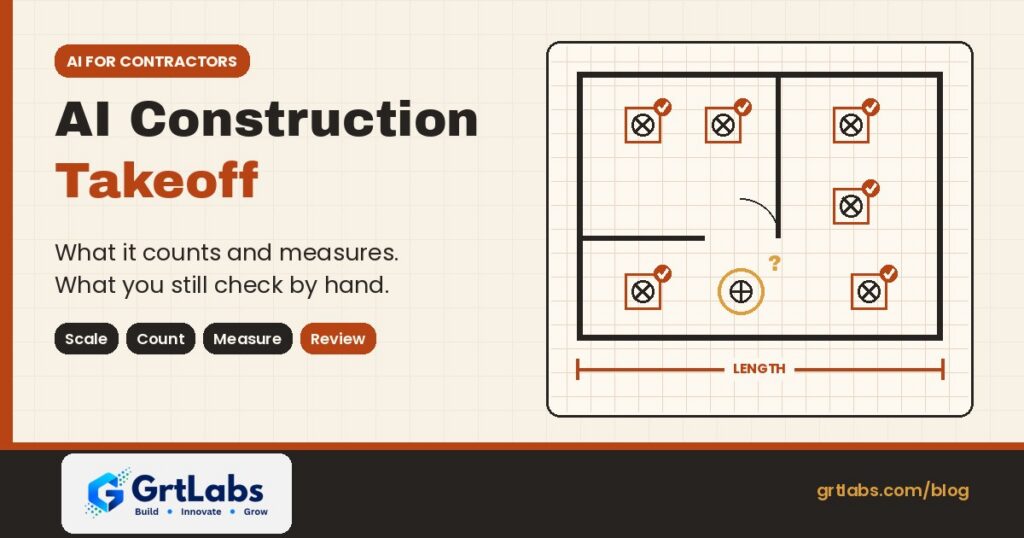
AI Construction Takeoff: What It Automates and What to Check by Hand https://grtlabs.com/wp-content/uploads/2026/10/featured-ai-construction-takeoff-1024x538.jpg 1024 538 Nadeem Shaikh https://secure.gravatar.com/avatar/459d5135d86aff60790fdf4d25ee6958e526211d5cd43d190b1516158cf9feba?s=96&d=mm&r=gAI construction takeoff uses computer vision and language models to read digital plan sets and produce a first pass of quantities: it sets sheet scales, counts symbols such as fixtures and receptacles, and measures lengths and areas. In 2026 it is good at the repetitive counting and tracing that eats an estimator’s day. It is not yet good at judging scope, reading every note and spec, or catching what changed between revisions. Treat the AI output as a draft that a person checks, and keep the estimator in charge of the number that goes into the bid.
That split matters if you buy software for a contractor, subcontractor or supplier. Vendors are shipping AI takeoff features fast, and general-purpose assistants such as Claude and ChatGPT can now work inside plan-review tools. Here is what the tools actually do, where they go wrong, and how to set up a review process so faster takeoffs do not turn into bad bids.
What is a quantity takeoff?
A quantity takeoff is the list of materials a project needs, counted and measured from the drawings: doors and hardware, light fixtures and outlets, linear feet of pipe, conduit and wall, square feet of slab, drywall or flooring. ConstructConnect describes takeoff as "the process of identifying and quantifying physical materials required for a construction project to ensure accurate bidding, ordering, and budgeting."
Done by hand, it means calibrating the scale on every sheet, clicking every symbol and tracing every run. It is slow and error-prone, which is why AI is aimed at it first.
What AI construction takeoff tools do today
Most of the AI features shipping now fall into four groups. Each example below comes from the vendor’s own announcement or documentation.
1. Sheet setup and scale
Before any counting, each sheet needs a correct scale and name. In its June 30, 2026 announcement, Trimble says its MEP estimating tools can use AI to identify and set the correct scale and name across entire plan sets, so estimators move from upload to takeoff in seconds.
2. Counting symbols
Count takeoffs are where AI is most mature. Autodesk’s symbol detection lets an estimator box one symbol on a 2D sheet; the tool then finds every similar symbol on that sheet and shows each match for review before it is saved as takeoff. Trimble says its AI recognizes, labels and counts symbols such as receptacles, switches and light fixtures.
3. Measuring lengths and areas
Measuring is newer. ConstructConnect’s Takeoff Boost, announced April 22, 2026 and built on Google Cloud, uses computer vision to classify, detect, count and measure areas, linears and objects directly from digital plans. Trimble’s auto-routing feature calculates conduit linear footage, including vertical rises and drops.
4. Asking questions in plain language
The fourth group is conversational. Trimble has an AI assistant inside Accubid Anywhere for querying estimates in natural language. Bluebeam connects Revu to outside AI models through the Model Context Protocol (MCP), covered below.
Vendors also publish time-savings figures. Trimble, for example, says contractors using its features cut the time for those tasks by as much as 60%. Those are vendor-reported numbers for their own products and workflows. Measure the result on your own plan sets before you plan staffing around it.
AI vs manual takeoff: what to automate and what to check
| Task | What AI does well | What a person should still check |
|---|---|---|
| Sheet scale and naming | Sets scale and names across a whole plan set | Sheets marked not to scale, enlarged details, mixed scales on one sheet |
| Symbol counts | Finds every matching symbol on a sheet in one pass | Rotated or overlapping symbols, legend changes, items shown only in schedules |
| Lengths and areas | Traces runs and areas from clean vector PDFs | Scanned sheets, hidden or demolished work, vertical rises, waste factors |
| Scope and specs | Searches and summarizes text | What is in or out of your scope, alternates, notes that change quantities |
| Revisions | Re-runs detection on new sheets | Every changed sheet against the last bid, and quantities that moved |
Where AI takeoffs go wrong
The vendor documentation is honest about the limits, and the limits tell you where to look first.
- Rotated symbols. Autodesk’s help says its symbol detection finds symbols rotated in 90-degree increments. A fixture drawn at 45 degrees can be missed and has to be added by hand or detected again from a sample at that angle.
- Busy drawings. Autodesk advises choosing a symbol with a clear, open background, because thick lines or other graphics behind or crossing a symbol can cause unexpected or incomplete results. Dense MEP sheets are exactly where that happens.
- Text and tags. Autodesk notes that its symbol detection does not detect text, so tag-based items (for example a fixture called out only by a type mark) need another method.
- Scope is not on the sheet. Quantities depend on specifications, general notes, alternates and what your trade actually carries. A model that counts everything it sees will happily count items that belong to another trade.
- Revisions. A takeoff is only as current as the sheet set it ran on. Autodesk shows new symbol matches above previously detected ones when you re-run detection on a revised drawing, which helps, but someone still has to compare the bid to the new set.
- Over-trust. A fast, confident number is persuasive. Without a review step, one bad scale or a missed sheet goes straight into the price.
Can Claude or ChatGPT do a takeoff?
Partly. General-purpose AI models are now connected to plan-review software, but what they can see is limited. Bluebeam’s Revu and MCP documentation says Revu 21.9 or later can connect to AI models including Claude and ChatGPT through an MCP server, on the Bluebeam Max plan, in the desktop version of Revu. Once Claude is set up, you can ask questions about open documents, run text searches, create summaries and reports, and reformat content.
For takeoffs specifically, Bluebeam’s own knowledge base is clear: measurement capabilities are available in Revu 21.10, and MCP can create count markups but "doesn’t yet truly identify underlying objects." If the item is labeled with text, Claude can count it. In other words, a general assistant is useful for counting tagged items, searching notes, summarizing specs and preparing reports, while purpose-built computer vision tools do the symbol and area work.
Bluebeam also notes that token use depends on your AI provider’s plan and that Bluebeam can’t control it, so large plan sets have a running cost to watch. If you want to understand the connector standard behind this, read our guide to building a custom MCP server.
A review workflow that keeps the estimate safe
Faster takeoffs only help if the checks are built in. A practical sequence:
- Confirm the set. Log which sheets and revision the takeoff ran on, so the bid can always be traced back to its drawings.
- Check scales first. Spot-check a known dimension on each sheet before trusting any length or area.
- Review every detection batch. Scan the matches before saving, then look for rotated, overlapping or tag-only items the tool skipped.
- Reconcile with schedules. Compare symbol counts with fixture, door and equipment schedules. Large gaps mean something was missed or double counted.
- Apply scope and specs by hand. Remove items outside your trade, add what the notes require, and apply your own waste and labor factors.
- Re-run on revisions and compare. When a new set arrives, re-run detection and review what changed before updating the bid.
- Track your own accuracy. Compare AI-assisted takeoffs to final installed quantities on a few jobs, and use that, not a vendor headline, to decide how far to trust the tool.
Off-the-shelf takeoff software or a custom AI build?
For most contractors, the first step is the AI already inside the takeoff tool they use, or one of the dedicated products. Custom software makes sense around the edges, where packaged tools stop:
- Connecting the output. Moving takeoff quantities into your estimating spreadsheet, ERP, purchasing or project system without retyping.
- Reading the documents around the plans. Pulling quantities and requirements from specs, addenda, submittals and supplier quotes with document intelligence.
- Answering from your own history. A RAG knowledge system over past bids, spec books and lessons learned, so estimators can ask how a similar scope was priced and see the source.
- Watching for changes. An AI agent that notices a new addendum, flags which sheets changed and routes the review to the right estimator, with a person approving every update.
Our guide to off-the-shelf AI vs custom AI walks through that decision, and the AI readiness assessment lists the questions to answer before you start.
How GrtLabs helps construction teams
GrtLabs is a Houston AI and software development company, founded in 2019, that builds custom AI, agentic AI, RAG knowledge systems, AI automation, and web and app development, plus GRTforms, our own online form builder.
For construction, we built Zamindar, construction management software that gives general contractors, builders and project teams one place to manage projects, documents and field-to-office collaboration, with field logs on mobile and centralized project cost information. Our Document Intelligence pipelines classify, extract and validate data from documents, check it against your data and push clean records into your systems, with low-confidence results routed to a person for review.
If your estimators are retyping quantities, hunting through spec books or chasing revisions by email, we can connect your takeoff tool, documents and project systems so the numbers flow and the people stay in control. Working with a team in Texas? Meet our AI development company in Houston.
Want to speed up estimating without losing control of the bid? Talk to our Houston team, or see Zamindar for construction teams.
Frequently asked questions
What is AI construction takeoff?
AI construction takeoff uses computer vision and AI models to read digital construction plans and produce a first pass of quantities, such as symbol counts, linear footage and areas. Estimators then review and adjust the results before they go into a bid.
Is AI takeoff accurate enough to bid from?
Not without review. AI is good at repetitive counting and tracing on clean drawings, but it can miss rotated or overlapping symbols, tag-only items and scope set by specs and notes. Check scales, reconcile counts with schedules and apply scope by hand before bidding.
Can Claude do quantity takeoffs in Bluebeam?
Partly. With a Bluebeam Max plan and Revu 21.9 or later, Claude can connect to Revu through MCP to search, summarize and report on open documents. Bluebeam says measurement is available in Revu 21.10 and MCP can create count markups, but it does not yet identify underlying drawing objects; it can count items labeled with text.
What parts of a takeoff should stay manual?
Scope decisions, reading specifications and general notes, applying waste and labor factors, checking sheets that are not to scale, and comparing revisions against the last bid. These need trade knowledge that current tools do not have.
Will AI takeoff replace estimators?
No. Current tools automate setup, counting and measuring, which frees estimators to spend more time on scope, risk and pricing. Vendors such as ConstructConnect describe the goal as shifting estimator time toward analysis and bid strategy.
Can GrtLabs build custom AI for construction estimating in Houston?
Yes. GrtLabs is a Houston AI and software development company that builds custom AI, document intelligence, RAG knowledge systems and AI automation, and offers Zamindar construction management software. Contact the team at grtlabs.com/contact to discuss your estimating workflow.
