
How to Build an Ask HR Bot From Your Policy Documents Safely
How to Build an Ask HR Bot From Your Policy Documents Safely https://grtlabs.com/wp-content/uploads/2026/11/featured-ask-hr-bot-1024x538.jpg 1024 538 Nadeem Shaikh https://secure.gravatar.com/avatar/459d5135d86aff60790fdf4d25ee6958e526211d5cd43d190b1516158cf9feba?s=96&d=mm&r=gTo build an Ask HR bot from your policy documents safely, give it only the current, approved versions of your policies, make it answer from those documents with a link to the exact section, and have it hand anything personal, sensitive or unclear to a person on your HR team. The hard part is not the AI. It is keeping the handbook clean: one current version of each policy, a clear owner, an effective date, and a note on which employees or locations it covers.
This guide is for HR managers who want employees to get quick, correct answers to policy questions without opening a ticket. It covers how to prepare your policy documents, how to stop the bot from quoting an outdated version, what it should refuse, and how to test it before launch. Access control and single sign-on are covered in our earlier guide to an internal AI assistant for HR and IT.
What an Ask HR bot should and should not do
An Ask HR bot is a chat assistant that answers employee questions from your own HR documents: the employee handbook, leave and benefits summaries, expense and travel policies, holiday calendars and onboarding guides. It works by retrieval-augmented generation (RAG): it searches your documents for the relevant passage, then writes a short answer based only on that passage.
| Good fit | Hand to a person |
|---|---|
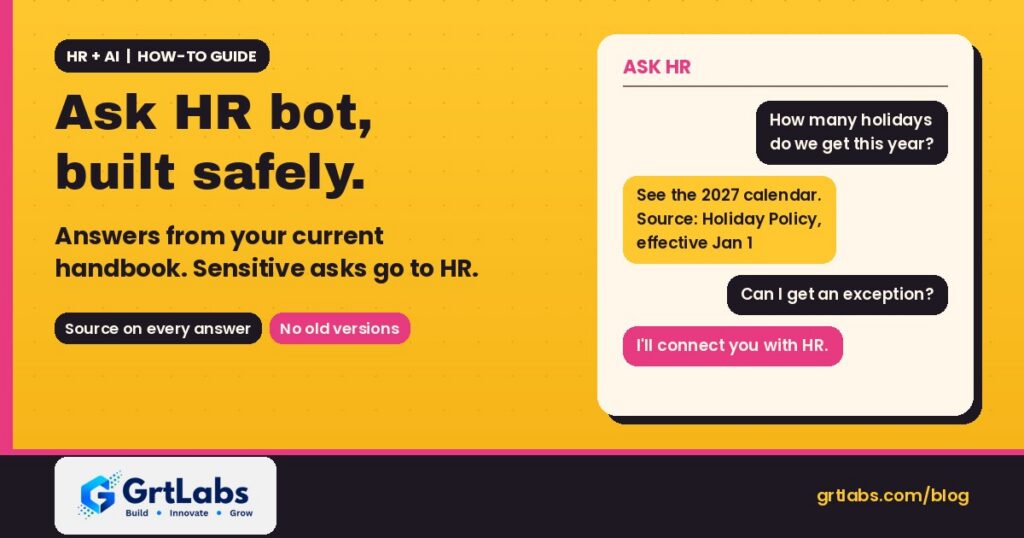
| “How many holidays do we get this year?” | “Can I get an exception to the leave policy?” |
| “Where is the expense form and what is the deadline?” | Anything about a specific employee’s pay, discipline or performance |
| “What does the remote work policy say about equipment?” | Complaints, harassment, safety or discrimination reports |
| “Who do I contact about benefits enrollment?” | Medical, accommodation or legal questions |
| “What is the dress code for client visits?” | Anything the policy does not clearly answer |
The rule of thumb: if the answer is written in a current policy and applies to everyone it covers, the bot can answer it. If it needs judgment or touches one person’s situation, it routes to HR.
Step 1: Get your policy documents ready
Most wrong answers from an Ask HR bot trace back to the documents, not the model. Before you connect anything, clean up the source.
- Make one list of every policy. Handbook chapters, standalone policies, benefits summaries, FAQs and old announcement emails that people still treat as policy.
- Pick one current version of each. Archive drafts, old PDFs and copies saved in personal folders. If two documents disagree, the bot will too.
- Add an owner and an effective date. Put them at the top of each document so the bot can show them and you know who approves changes.
- Mark who it applies to. If a policy differs by state, office, country, or for hourly versus salaried staff, say so in the document, in plain words.
- Split long documents by topic. Clear headings such as “Bereavement leave” help the search step find the right passage and let the bot link straight to it.
- Convert scans to real text. Scanned PDFs need text extraction first (see how document AI reads a form), or the bot simply cannot see them.
Step 2: Keep outdated versions out of answers
The biggest risk with an HR policy chatbot is a confident answer from last year’s handbook. Build these controls in from the start:
- Only index approved documents. Connect the bot to one approved folder or library, not to everyone’s shared drive.
- Remove old versions from the index the moment a policy is replaced, not just from the folder view.
- Show the source and date with every answer, for example “From the PTO Policy, effective January 1.” Employees can then check it themselves.
- Re-sync on a schedule and after every policy change, with a named person who confirms the update went through.
- Review what was asked. A monthly look at questions and unanswered topics shows which documents are missing or unclear.
Step 3: Set clear rules for answers and refusals
Write the bot’s instructions the way you would brief a new HR coordinator:
- Answer only from the retrieved policy text, and say “I can’t find that in our policies” when it is not there. No guessing.
- Quote or link the exact section it used.
- Ask which location or employee group applies when a policy differs, instead of picking one.
- Never give legal, medical, tax or immigration advice.
- Do not collect personal details in the chat. For anything about one person’s case, point to the right HR contact or open a ticket.
- Keep a respectful, neutral tone, and route complaints and safety reports straight to a person.
Many teams also turn off general web knowledge for this bot entirely. An Ask HR bot that sounds helpful but answers from the internet instead of your handbook is worse than no bot.
Step 4: Test it with real questions before launch
Collect 30 to 50 real questions HR already gets by email or chat, with the correct answer and the policy section for each. Include the awkward ones:
- Questions where the answer differs by location or employee type.
- Questions about a policy that changed recently.
- Questions the policy does not answer at all (the bot should say so).
- Personal or sensitive questions (the bot should hand off, not answer).
- Questions phrased the way employees actually write them, with typos and slang.
Have the policy owner score each answer as correct, wrong or should-have-refused. Fix the documents or instructions, run the set again, and repeat until wrong answers on policy facts are gone. Keep the question set and re-run it after every handbook update.
Step 5: Launch small and keep a person in charge
- Start with one team or office and a few policy areas, such as leave, holidays and expenses.
- Add a visible “Talk to HR” button in every answer.
- Log questions and answers with access limited to HR, and decide how long logs are kept.
- Give one person in HR ownership of the bot’s documents, instructions and test set.
- Expand to more policies only after the first set has been accurate for a few weeks.
Who can use the bot, and which documents each group can see, is an access-control question. Our HR and IT assistant guide walks through single sign-on, permissions and logging in detail.
Common mistakes with an Ask HR bot
- Pointing it at a whole shared drive full of drafts and old versions.
- No effective dates, so nobody can tell which answer is current.
- Letting it answer when the policy is silent, instead of saying it does not know.
- Testing only with easy questions written by the project team.
- No owner after launch, so the bot drifts out of date with the handbook.
How GrtLabs builds Ask HR bots
GrtLabs Inc is a Houston-based AI and software development company, founded in 2019. Through our AI Factory we build internal AI assistants and RAG systems that answer from your own documents with source links, permissions and HR handoff built in. We can deploy inside your own AWS or Azure account so employee data and policies stay in your environment.
Cost depends on how many documents and systems are involved and how it connects to your HR tools, which is why most projects start with AI Discovery: a short engagement that scopes the first use case before you commit to a build. For the budget side, see what drives AI development cost, and for picking a first pilot, our AI implementation guide.
Want employees to get policy answers without waiting on HR? Talk to our Houston team about an Ask HR bot built on your own handbook.
Frequently asked questions
How do I build an internal Ask HR bot using policy documents safely?
Start with one current, approved version of each policy, with an owner and effective date. Connect the bot only to that approved library, make it answer from the retrieved text with a link to the source, refuse when the policy is silent, and hand personal or sensitive questions to HR. Test it with real employee questions before launch.
What is an Ask HR bot?
It is a chat assistant that answers employee questions from your own HR documents, such as the employee handbook and leave, benefits and expense policies. It searches those documents and writes a short answer with a link to the policy section it used.
How do you stop an HR policy chatbot from using outdated policies?
Index only an approved folder, remove old versions from the index as soon as a policy is replaced, show the policy name and effective date with every answer, and re-sync after each policy change with a named person confirming it.
What questions should an Ask HR bot not answer?
Questions about one employee’s pay, discipline or performance, complaints and safety reports, medical, accommodation or legal questions, requests for exceptions, and anything the written policy does not clearly cover. Those go to a person on the HR team.
Can an employee handbook chatbot handle policies that differ by location?
Yes, if the documents say who each policy applies to. The bot should ask which location or employee group applies when a policy differs, rather than guessing.
Does an Ask HR bot replace the HR team?
No. It takes routine policy lookups off HR’s plate and points people to the right document. Judgment calls, sensitive cases and policy decisions stay with your HR staff.
