
AI Agents vs RPA: What’s the Difference and When to Use Each
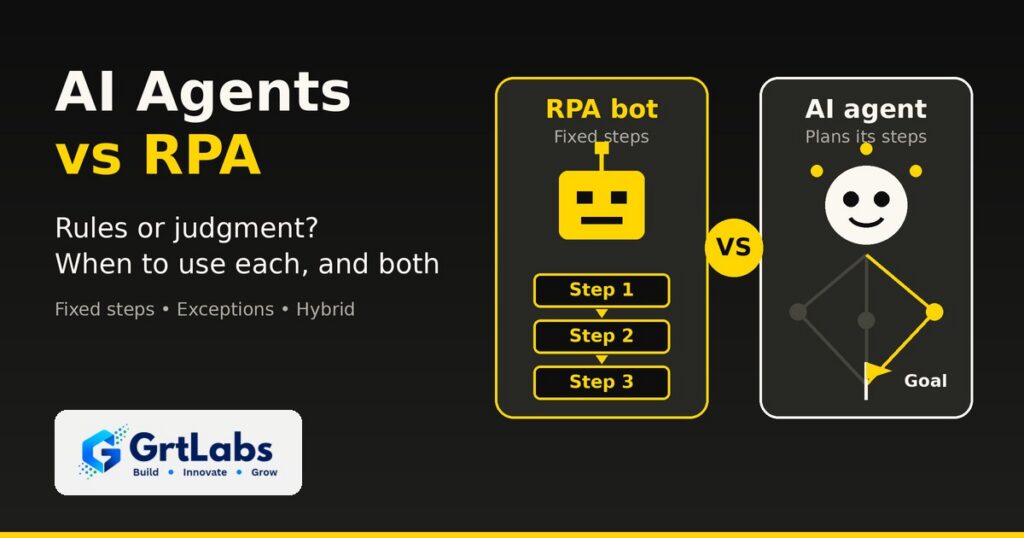
AI Agents vs RPA: What’s the Difference and When to Use Each https://grtlabs.com/wp-content/uploads/2026/10/featured-ai-agents-vs-rpa-1024x538.jpg 1024 538 Nadeem Shaikh https://secure.gravatar.com/avatar/459d5135d86aff60790fdf4d25ee6958e526211d5cd43d190b1516158cf9feba?s=96&d=mm&r=gAI agents vs RPA comes down to rules versus judgment. RPA (robotic process automation) bots follow a fixed script: they click, copy and paste exactly the same way every time, which makes them fast and predictable for stable, repetitive tasks. AI agents are given a goal and a set of tools, then decide the steps themselves, which lets them handle messy inputs and exceptions. Use RPA when the steps never change, use an AI agent when the work needs reading, reasoning or a decision, and use both together when a process has some of each.
Most business processes are not purely one or the other. An invoice process may be mostly fixed steps with a few puzzles mixed in. Picking the wrong tool gives you either a brittle bot that breaks on every exception or an expensive agent doing work a simple script could do. Here is how the two compare, when to use each, and how they work together.
What is RPA?
Robotic process automation is software that copies what a person does on a screen. An RPA bot logs in to an application, clicks buttons, reads fields, types values and moves files, following a recorded or scripted set of steps. It does not understand the data; it follows the instructions exactly.
That is its strength. RPA is a good fit for older systems that have no API, for high-volume tasks with clear rules, and for work where you need the same result every time and a simple record of what ran. Its weakness is change. If a screen layout changes, a field moves or an input arrives in a format the script did not expect, the bot stops or, worse, does the wrong thing until someone fixes it.
What is an AI agent?
An AI agent is software built on a large language model that is given a goal, a set of tools it is allowed to use and rules for when to stop and ask a person. Instead of following a fixed script, it plans the steps, calls tools such as APIs, databases and search, checks the results and decides what to do next. If the idea is new, start with our guide to what agentic AI is.
Agents shine where RPA struggles: unstructured emails and documents, requests worded a hundred different ways, and exceptions that need context from several systems. The trade-off is that an agent is less predictable than a script, costs more per run because it calls a model, and needs guardrails, permissions and logging to be safe in production.
AI agents vs RPA: side-by-side comparison
| RPA bot | AI agent | |
|---|---|---|
| How it works | Follows fixed, scripted steps | Plans its own steps toward a goal |
| Best input | Structured data in a stable format | Unstructured text, documents and requests |
| Handles exceptions | Stops or fails; a person fixes it | Reasons through many of them or escalates with context |
| Connects to systems | Mostly through the user interface | Mostly through APIs and tools; some can also use screens |
| Predictability | Same input, same steps, every time | Can vary; needs evaluation and limits |
| Cost per run | Low once built | Higher, because each run calls an AI model |
| When it breaks | Screen or process changes | Unclear instructions, missing data or weak guardrails |
| Governance | Bot credentials, run logs | Permissions, approval steps, audit trail, evaluations |
The short version: RPA is a very reliable pair of hands, and an AI agent is a junior colleague who can read, think and use tools, but who needs clear limits and review.
When to use RPA, and when to use an AI agent
Choose RPA when
- The steps are the same every time. Copying fields from one system into another, running a nightly export, filing reports in the same folder.
- The target system has no API. Legacy desktop apps and old portals that a person can only use through the screen.
- Volume is high and the rules are clear. Thousands of identical transactions where speed and consistency matter more than judgment.
- You need exact repeatability. Regulated steps where every run must follow the same path.
Choose an AI agent when
- The input is messy. Emails, PDFs, chat messages and free-text requests that do not arrive in a fixed format.
- The work needs a decision. Which team should handle this ticket, why this invoice does not match its purchase order, what to reply to this customer.
- Context lives in several systems. The answer needs a CRM lookup, an order status and a policy document at the same time.
- Exceptions eat your team’s time. The script handles the easy cases, and people spend their day on the rest.
If a process needs both, do not force one tool to do everything. Split it. Our guide to multi-agent systems shows how to break work into smaller roles, each with only the access it needs.
Can AI agents and RPA bots work together?
Yes, and that is where the big automation vendors are heading. Instead of replacing bots with agents, they are putting both in one process, with people approving the sensitive steps:
- UiPath said at its FUSION 2026 event in September that a key challenge is orchestrating business processes across people, agents and robots. It split its Maestro orchestration product into two products by the shape of the work, and described giving every actor in a process, person, agent or robot, enough permission to do the job and no more, with audit logs. Its October 2026 release notes add runtime evaluations that keep scoring agents after they reach production.
- Automation Anywhere announced new capabilities for its Agentic Process Automation platform in May 2026, including universal orchestration that coordinates approvals, APIs, automations, AI agents and human decisions within a single process.
- Microsoft describes Power Automate desktop flows as its RPA, and its 2026 release wave 1 plan includes calling desktop flows directly from Copilot Studio agents for tasks that need precise, step-by-step execution. Copilot Studio also offers computer use, which lets an agent work with websites and desktop apps through the screen when there is no API.
UiPath made a similar point about cost in an October 20 post: many steps in a workflow are bounded decisions, and sending each of them to a large language model can mean paying reasoning-model prices and latency for a simple choice. The practical lesson is to use the cheapest tool that can do each step reliably.
A common hybrid pattern looks like this:
- The bot does the routine steps. RPA or a scripted workflow pulls invoices, enters approved data and files records.
- The agent takes the exceptions. When an item does not match the rules, the agent reads the documents, checks the related systems and proposes a fix.
- A person approves sensitive actions. Payments, customer messages and record changes above a threshold wait for review.
- Everything is logged. Bot runs and agent decisions go into one audit trail, so you can see who or what did each step.
How to choose: a 5-question checklist
For most teams, the AI agents vs RPA decision comes down to five questions. Before you buy a platform or start a build, answer them for the process you want to automate:
- Are the steps fixed? If a person could write them down once and never change them, start with RPA or a scripted workflow.
- Is there an API? If yes, an API integration is usually more stable than clicking through screens, whether a bot or an agent calls it.
- How messy is the input? The more free text, scanned documents and variation, the more an agent, or document intelligence in front of a bot, helps.
- What does a mistake cost? High-risk actions need human approval steps whichever tool you use, and agents also need clear governance and a safe place to run.
- Where do people spend their time today? If your team mostly handles exceptions, an agent on top of your existing automation may pay off faster than replacing it.
If you already have RPA bots, you do not need to throw them away. Keep the ones that run reliably and add an agent where the bots keep failing or handing work back to people.
How GrtLabs builds this
GrtLabs is a Houston AI and software development company, founded in 2019, that builds custom AI, agentic AI, RAG knowledge systems, AI automation, and web and app development, plus GRTforms, our own online form builder.
Our AI automation work maps the process, connects the systems you already use and ships workflows with exception handling, alerts and dashboards for your team. Our agentic AI work picks up the items an automation or document pipeline could not finish and resolves them with the context they need. Every agent starts with an agreed design: its goal, the tools it may use, its permissions and its escalation rules. We deploy with human-in-the-loop approval steps and logging, so you can see every step the agent took, and we hand off with documentation and training.
We design around the tools you already have instead of asking you to replace them. If you want to see how those pieces fit into one assistant, read our guide on how to build a company AI assistant.
Not sure if your process needs a bot, an agent or both? Talk to our Houston team, or see our agentic AI services.
Frequently asked questions
What is the difference between AI agents and RPA?
RPA bots follow fixed, scripted steps, usually through an application’s screens, and do the same thing every time. AI agents use a language model to plan their own steps toward a goal, call tools and handle unstructured inputs and exceptions. RPA is rule-based; agents add judgment.
Will AI agents replace RPA?
Not for most companies. RPA is still cheaper and more predictable for stable, high-volume tasks with clear rules. The major automation vendors are combining both, with agents handling judgment and exceptions and bots handling the routine, fixed steps.
Can AI agents and RPA bots work together?
Yes. A common pattern is that the RPA bot runs the routine steps, the AI agent handles exceptions and messy inputs, a person approves sensitive actions, and every step is logged in one audit trail.
When should I use RPA instead of an AI agent?
Use RPA when the steps never change, the inputs are structured, the target system has no API and you need exactly the same result every time. If a person could write the steps down once and never revise them, RPA or a scripted workflow is usually enough.
Are AI agents more expensive than RPA?
Usually per run, yes, because each agent run calls an AI model. Agents can still cost less overall when they take over exception handling that people do by hand today. Use the cheapest tool that can do each step reliably.
Can GrtLabs build AI agents and automation in Houston?
Yes. GrtLabs is a Houston AI and software development company that builds agentic AI and AI automation, connects them to the systems you already use, and deploys them with human approval steps, logging, documentation and training.
