
How to Build a BigCommerce Inventory Report (Units Sold Over 30, 60 and 90 Days)
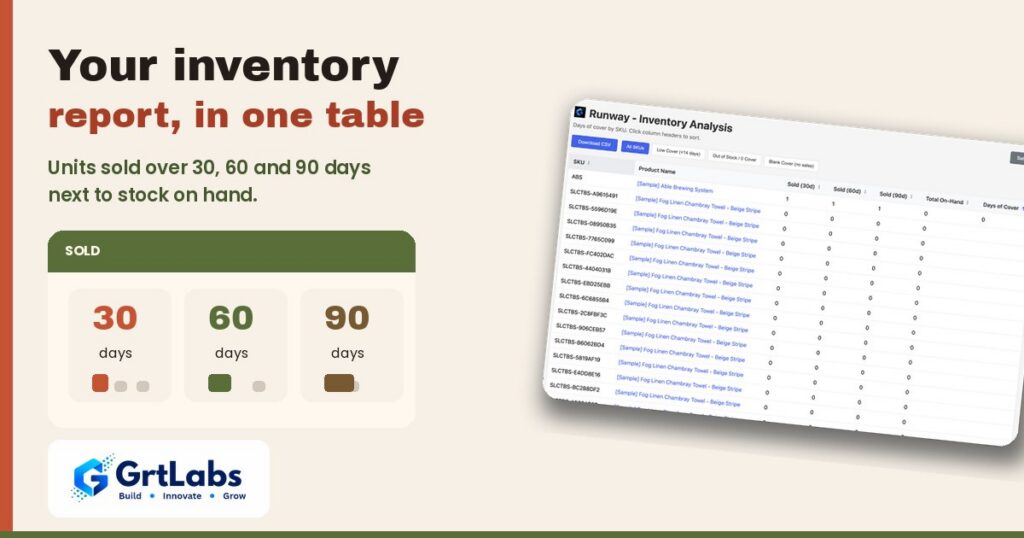
How to Build a BigCommerce Inventory Report (Units Sold Over 30, 60 and 90 Days) https://grtlabs.com/wp-content/uploads/2026/11/featured-bigcommerce-inventory-report-1024x538.jpg 1024 538 Nadeem Shaikh https://secure.gravatar.com/avatar/459d5135d86aff60790fdf4d25ee6958e526211d5cd43d190b1516158cf9feba?s=96&d=mm&r=gA useful BigCommerce inventory report puts units sold per product over the last 30, 60 and 90 days right next to current stock on hand. You can build it yourself by combining an order export and a product export in a spreadsheet, or use a free app that shows it in one table. Seeing sales and stock together is what makes the report useful.
This guide covers what to include, how to build it step by step, and when an app saves you time.
What should an inventory report show?
Many store owners start with a stock list: product name and quantity. That tells you what you have, but not whether it is enough. A report you can act on answers two questions at once:
- How much do I have? (stock on hand)
- How fast is it selling? (units sold over recent periods)
From those two, you can work out a third: days of cover, or how long current stock will last. We explain that in detail in our days of cover guide.
Why 30, 60 and 90 days?
- 30 days shows what is happening right now.
- 60 days smooths out a slow or busy week.
- 90 days shows the bigger trend and helps you spot products that are speeding up or slowing down.
If a product sold 30 units in the last 30 days but only 45 over 90 days, it is picking up speed. If it sold 10 in 30 days and 90 over 90 days, it is slowing down.
The two routes
| Spreadsheet route | App route | |
|---|---|---|
| Cost | Free | Free (Runway) or paid tools |
| Time per refresh | Manual, every time | Opens ready to read |
| Flexibility | Total | What the app shows |
| Good for | Small catalogs, one-off checks | Regular weekly checks |
Building the report with exports and a spreadsheet
Step 1: Export your orders
In your BigCommerce admin, go to Orders and export orders covering at least the last 90 days. Make sure the export includes product line items (product name or SKU, and quantity).
Step 2: Export your products
Go to Products and export your catalog with current stock levels. This gives you stock on hand for each product or SKU.
Step 3: Total units sold by period
In your spreadsheet, add a column that marks each order line by age (days since the order date). Then use a pivot table or SUMIFS to total quantity per SKU for:
- orders in the last 30 days
- orders in the last 60 days
- orders in the last 90 days
Example formula for 30 days: =SUMIFS(qty, sku, A2, order_date, ">="&TODAY()-30)
Step 4: Join stock on hand
Use XLOOKUP or VLOOKUP to pull stock on hand from the product export into the same sheet, matched by SKU.
Step 5: Add days of cover (optional but helpful)
=IF(sold_30=0,"",on_hand/(sold_30/30))
Leaving it blank when nothing sold avoids a misleading “infinite” value.
Step 6: Sort
Sort by days of cover, lowest first, so the products closest to running out are at the top.
A worked example (made-up numbers)
These numbers are an example only.
| Product | On hand | Sold 30d | Sold 60d | Sold 90d | Days of cover |
|---|---|---|---|---|---|
| Ceramic mug | 20 | 60 | 100 | 140 | 10 |
| Wool scarf | 45 | 30 | 50 | 60 | 45 |
| Linen tote | 8 | 12 | 30 | 48 | 20 |
| Gift card holder | 12 | 0 | 2 | 5 | blank |
What this tells you:
- The mug is selling faster lately (60 in the last 30 days versus 140 over 90) and has only 10 days of cover.
- The scarf has plenty of stock for now.
- The tote is slowing down: 12 in the last month versus an average of 16 a month over 90 days.
- The gift card holder has barely moved, so its cover is blank.
None of this tells you what to do. It gives you the facts so you can decide, based on your supplier lead times, cash and plans. For a step-by-step way to make that call, see how to decide what to reorder on BigCommerce.
Common problems with DIY reports
- It goes stale fast. The sheet is only as fresh as your last export.
- Variants and SKUs get messy. Make sure you match on the same identifier in both exports.
- Big catalogs are slow. Thousands of order lines can make formulas sluggish.
- Cancelled or refunded orders. Decide whether to include them and stay consistent.
Using an app instead
If you check stock every week, rebuilding the sheet gets old. Runway is a free, read-only BigCommerce app from GrtLabs that shows this report in one table. For each product you see units sold in the last 30, 60 and 90 days, stock on hand, and days of cover. Products that run out soonest are at the top, you can filter to low cover, out of stock or no recent sales, open a product in your BigCommerce admin, and download everything as a CSV. It is listed on the BigCommerce App Marketplace.
Runway only reads orders, products and inventory. It does not create purchase orders, email suppliers or change your stock. If you need purchase orders or supplier workflows, a full inventory system is a better fit. If you need something built around your own process, our team builds custom BigCommerce apps and integrations.
Quick recap
- Put sales and stock side by side, not just stock.
- Use 30, 60 and 90-day windows to see the trend.
- Add days of cover to compare products on one scale.
- Spreadsheets work; an app saves time if you check often.
FAQ
Does BigCommerce have an inventory report?
You can export orders and products from your BigCommerce admin and combine them in a spreadsheet. Apps such as Runway show units sold and stock on hand together in one table.
How do I see sales by product in BigCommerce?
Export orders with line items, then total quantity per product or SKU in a spreadsheet for the periods you care about, such as 30, 60 and 90 days.
Why compare 30, 60 and 90-day sales?
Comparing periods shows whether a product is speeding up, steady or slowing down, which a single number cannot show.
Can I export my inventory report to CSV?
Yes. A spreadsheet can be saved as CSV, and Runway lets you download its product list as a CSV.
Is Runway free?
Yes. Runway is a free, read-only BigCommerce app from GrtLabs with no upfront or monthly fee.
