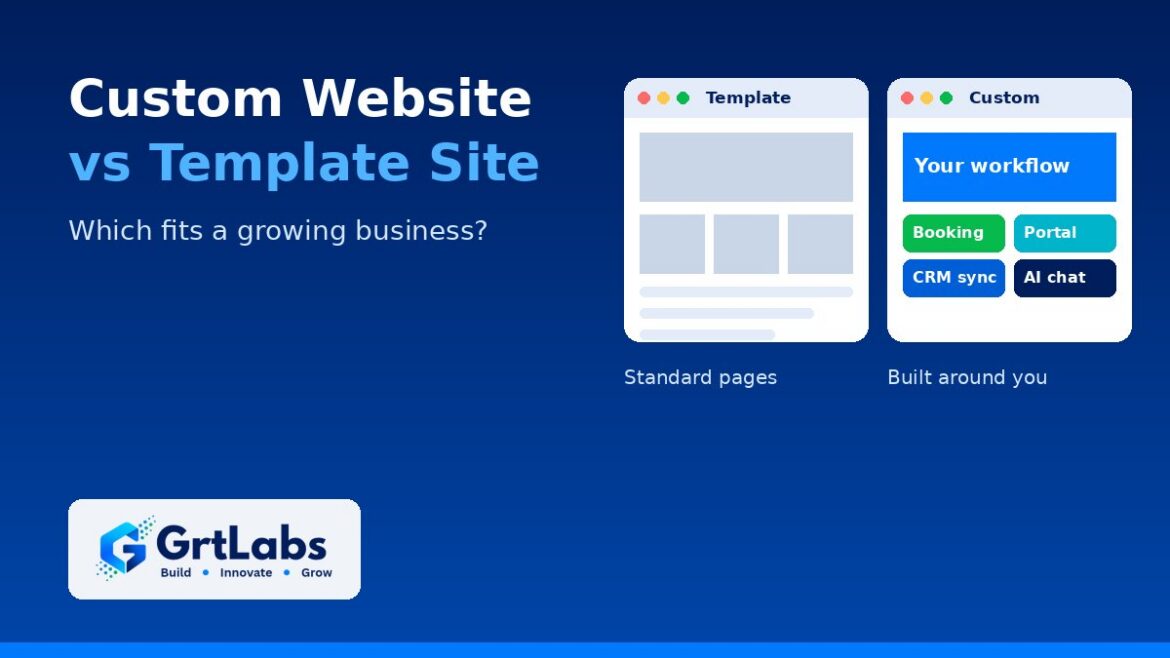
Custom Website vs Template Site: Which Fits a Growing Business?
Custom Website vs Template Site: Which Fits a Growing Business? https://grtlabs.com/wp-content/uploads/2026/10/featured-custom-website-vs-template-1024x576.jpg 1024 576 Nadeem Shaikh https://secure.gravatar.com/avatar/459d5135d86aff60790fdf4d25ee6958e526211d5cd43d190b1516158cf9feba?s=96&d=mm&r=gA template website is enough when you need a simple, good-looking site fast and your needs match what the template already does: a few pages, a contact form, a blog. A custom website makes sense once your site has to do real work for the business, such as booking, quoting, customer portals, connections to your CRM or ERP, or AI features, or when the template starts fighting every change you want. Many growing companies land in the middle: a solid CMS or store platform with custom pieces built only where they pay off.
The choice is not really about looks. Both can look professional. It is about what the site has to do, who will maintain it, and how much the workarounds are already costing you. Here is how to tell which fits.
What counts as a template site, and what counts as custom?
A template site starts from a pre-built theme on a website builder or a CMS such as WordPress, Shopify or BigCommerce. You swap in your logo, text and photos, and you work within the layouts and features the theme and its plugins already offer.
A custom website is designed and built around your business. The layout, content structure and features are planned for your buyers and your workflows. It can still run on a CMS your team edits every day; “custom” means the parts that matter are built for you, not that everything is hand-coded from scratch.
Custom website vs template: a side-by-side view
- Speed to launch: templates are faster, because the design and features already exist. Custom work needs discovery, design and build time.
- Upfront cost: templates cost less to start. A custom build costs more upfront, and the price depends on pages, features and integrations.
- Fit to your business: a template fits businesses whose needs look like everyone else’s. Custom fits when your process, offer or buyers are different.
- Integrations: templates rely on whatever plugins or apps exist. Custom builds can connect directly to your CRM, payment gateway, inventory or ERP through their APIs.
- Performance: many themes load features you never use, and plugin stacking can slow pages down. A custom build can ship only what the site needs.
- Security and upkeep: every extra plugin is one more thing to update and review. Custom code also needs maintenance, so plan for it either way.
- Room to grow: templates are easy to start and harder to stretch. Custom is slower to start and easier to extend in the direction you need.
When is a template website enough?
A template is often the right call, and there is no reason to pay for custom work you do not need. It is usually enough when:
- You are a new or small business that needs a credible web presence quickly.
- The site is mostly informational: who you are, what you do, how to reach you.
- Your features are standard: a contact form, a blog, a simple store with a normal checkout.
- You have a small budget, and the money is better spent on content and marketing for now.
- You can live with the theme’s layouts without heavy changes.
If that describes you, pick a well-supported theme, keep plugins to a minimum, and put your effort into clear pages and useful content.
Signs you have outgrown your template
Templates rarely fail all at once. They get slower and harder to work with until the workarounds cost more than a proper build. Watch for these signs:
- Every change is a fight. Small layout or content changes need a developer, custom CSS hacks or another plugin.
- Your team re-types data. Form submissions, orders or bookings get copied by hand into your CRM, ERP or spreadsheets.
- The site is slow on phones. Too many plugins and unused theme features weigh down every page.
- You need a real workflow. Customer logins, a quote builder, booking with payments, dashboards or an admin panel tied to your own data.
- Plugins conflict or fall behind on updates, and nobody is sure what is safe to change.
- You look like your competitors. The same theme, the same layout, and nothing that shows why you are different.
- You want AI features, such as an assistant that answers from your own content, and the template has no clean way to add them.
Where AI fits in the decision
More businesses now want their website to do more than display pages. Common requests include an on-site AI assistant that answers questions from approved content and hands off to a person when it should, natural-language search across product or support documents, and automatic routing of form submissions and orders into back-office systems.
These features depend on two things a basic template rarely gives you: clean, well-structured content, and a site that can connect securely to your data and other systems. A plugin chatbot bolted onto a template can answer simple questions, but if you need answers grounded in your own documents, access controls or hand-offs to your CRM, you are into custom territory. Our guides to retrieval-augmented generation and AI workflow automation explain how those pieces work.
A clear, well-structured site also helps with search, including AI-generated answers: one H1 per page, logical headings, readable URLs and direct answers to the questions buyers ask.
The middle path: a platform plus custom pieces
For many growing businesses, the best answer is not a pure template or a from-scratch build. It is a proven platform with custom work only where it pays off:
- A content management system your team can edit, with a custom design and page structure built around how your buyers decide.
- A Shopify, BigCommerce or WooCommerce store with custom features and integrations that off-the-shelf themes do not cover.
- A marketing site on a CMS, plus a separate custom web app for the portal, booking or dashboard your customers log into.
- Integrations that move form, order and customer data into the systems you already use, so nobody re-types it.
This keeps everyday editing easy and costs under control, while the parts that make you money work the way your business does.
Questions to ask before you decide
- What does the site need to do in the next two to three years, not just at launch?
- Which systems must it connect to: CRM, payments, inventory, ERP, scheduling?
- Who will update it day to day, and how comfortable are they with the editor?
- Which manual steps around the website cost your team time every week?
- Do you plan to add AI features, such as an assistant or smart search?
- What would it cost you if the site were slow, hacked or down for a day?
If most answers point to standard needs, start with a template. If several point to integrations, workflows or AI, scope a custom or hybrid build before you spend more time on workarounds.
How GrtLabs approaches custom websites
Our custom website development team in Houston builds business websites, web applications and portals, ecommerce stores on Shopify, BigCommerce and WooCommerce, integrations and redesigns. Every build includes mobile-friendly layouts, attention to performance, a security review, a search-friendly structure and an editing setup your team can use without calling a developer for every change. We recommend CMS, store platform or custom code during discovery and explain the trade-offs, then give you a written scope and estimate before work begins.
When the site needs to do more, our AI Factory adds AI assistants grounded in your content and AI automation that routes submissions and orders into your systems, and our digital marketing team brings the right visitors to the new site.
Not sure whether your template still fits? Talk to our Houston team about what your site needs to do, or see how we build custom websites.
Frequently asked questions
When is a template website enough?
A template website is enough when you need a simple site quickly, your content is mostly informational, and your features are standard, such as a contact form, a blog or a simple store. If you can live with the theme’s layouts, a template is often the most sensible choice.
Is a custom website better for SEO than a template?
Not automatically. Search engines care about useful content, fast pages, a clean heading structure and readable URLs. A template can do this well. Custom builds help when a heavy theme or plugin stack slows pages down, or when you need page structures the template cannot support.
Can I start with a template and move to a custom website later?
Yes, and many businesses do. Keep your content well organized and your URLs readable, so a later rebuild can keep the pages that already work and redirect anything that moves.
How much does a custom website cost?
It depends on the number of pages, the features and the integrations involved. A good development partner gives you a written scope and estimate after a short discovery conversation, so you know what to expect before work begins.