
Deciding What to Reorder on BigCommerce: A Simple Method
Deciding What to Reorder on BigCommerce: A Simple Method https://grtlabs.com/wp-content/uploads/2026/11/featured-bigcommerce-reorder-1024x538.jpg 1024 538 Nadeem Shaikh https://secure.gravatar.com/avatar/459d5135d86aff60790fdf4d25ee6958e526211d5cd43d190b1516158cf9feba?s=96&d=mm&r=gTo decide what to reorder on BigCommerce, compare each product’s days of cover with how long your supplier takes to deliver, check whether sales are rising or falling over 30, 60 and 90 days, and then size the order to cover lead time plus the period you want to stock for. The data points you to the products that need attention; you make the final call based on cash, space and plans.
This guide gives you a four-step method you can run in about 20 minutes a week.
Why a simple method helps
Guessing works until it doesn’t. Order too little and a best seller runs out, which can cost sales. Order too much and cash sits on the shelf. A repeatable method keeps you out of both traps without needing a complex system.
The four-step method
Step 1: Check days of cover
Days of cover = stock on hand ÷ average daily sales (from the last 30 days). It tells you roughly how many days your stock will last. Sort products from lowest to highest. The top of the list is where to start. (Our low stock guide covers how to set a threshold.) (More detail in our days of cover guide.)
Step 2: Compare with lead time
Lead time is the number of days from placing a purchase order to having stock ready to sell. If a product’s days of cover is close to or below its lead time, new stock may not arrive before it runs out.
Add a buffer (safety stock) for delays or busy weeks. A simple rule many small stores use:
Look closely when days of cover < lead time + buffer
Step 3: Check the trend
Compare units sold over 30, 60 and 90 days (see how to build an inventory report with those columns):
- Speeding up: the last 30 days is more than a third of the 90-day total. You may want a bit more.
- Steady: roughly a third each month.
- Slowing down: the last 30 days is less than a third of the 90-day total. You may want a bit less, or wait.
Also think about anything the numbers cannot see: an upcoming promotion, a holiday, or a product you plan to discontinue.
Step 4: Size the order
A plain-terms way to estimate quantity:
Order quantity ≈ (average daily sales × days you want to cover) − stock on hand
“Days you want to cover” is usually lead time plus how long you want the new stock to last, plus your buffer. Round to your supplier’s case or minimum order size.
A worked example (made-up numbers)
These numbers are an example only.
Your mug supplier takes 10 days to deliver. You want a 5-day buffer and you order roughly once a month (30 days).
| Product | On hand | Sold 30d | Sold 90d | Avg daily | Days of cover |
|---|---|---|---|---|---|
| Ceramic mug | 20 | 60 | 140 | 2.0 | 10 |
| Wool scarf | 45 | 30 | 60 | 1.0 | 45 |
Mug:
- Days of cover: 10.
- Lead time + buffer: 10 + 5 = 15. Cover is below that, so it needs attention.
- Trend: 60 of 140 sold in the last 30 days, more than a third. Sales are picking up.
- Size: days to cover = 10 (lead) + 30 (cycle) + 5 (buffer) = 45. Average daily 2.0 × 45 = 90. Minus 20 on hand = about 70 units. If the mug comes in cases of 24, you might choose 72.
Scarf:
- Days of cover: 45.
- Well above 15, so no rush.
- Trend: 30 of 60 in the last 30 days, also rising, but stock is healthy.
- You could leave it this week and check again next week.
These are your decisions to make. If cash is tight, you might order 48 mugs now and more later. If a big sale is coming, you might order more. The math is a starting point, not a rule.
Common mistakes to avoid
- Ignoring stockout days. If a product was out of stock for part of the month, its sales look lower than real demand.
- Treating no sales as no need. A blank days of cover (no sales in 30 days) means not enough data, not endless stock. Check 60 and 90-day sales.
- Forgetting minimums. Supplier minimums and case sizes often decide the final number.
- Checking too rarely. A weekly look catches problems while there is still time to act.
Getting the numbers without a spreadsheet
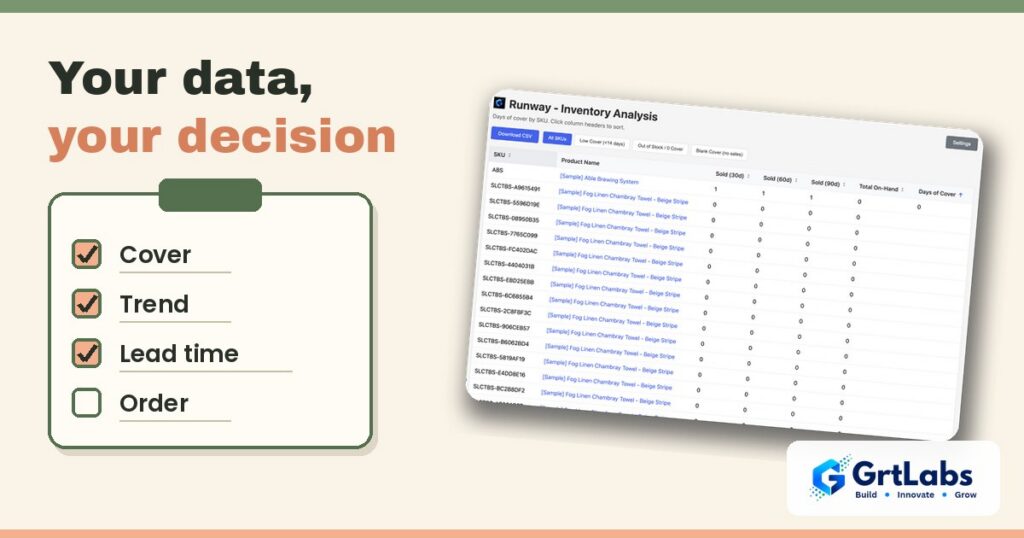
You can run this method from exported orders and products in a spreadsheet. If you would rather have the numbers ready, Runway is a free, read-only BigCommerce app from GrtLabs. It shows units sold in the last 30, 60 and 90 days, stock on hand and days of cover for each product, with the products that run out soonest at the top. You can filter to low cover or out of stock, open a product in your BigCommerce admin, and download the list as a CSV to work out quantities with your own lead times. It is on the BigCommerce App Marketplace.
To be clear about what it does not do: Runway does not tell you how much to order, create purchase orders, email suppliers or change your stock. It shows the data; you decide and place the order yourself. If you need a tool shaped around your own buying process, our team builds custom BigCommerce apps and integrations.
Quick recap
- Sort by days of cover.
- Compare with lead time plus a buffer.
- Check the 30/60/90-day trend.
- Size the order, then adjust for cash, case sizes and plans.
FAQ
How do I know when to reorder a product?
Compare its days of cover with your supplier lead time plus a buffer. If cover is close to or below that number, the product needs attention now.
How much should I reorder?
A simple estimate is average daily sales times the number of days you want to cover, minus stock on hand. Then adjust for case sizes, minimums, cash and upcoming events.
What is lead time?
Lead time is the number of days between placing an order with your supplier and having that stock ready to sell.
What is safety stock?
Safety stock is extra stock, often expressed as a few extra days of sales, kept to cover supplier delays or sudden jumps in demand.
Does Runway create purchase orders?
No. Runway is a free, read-only BigCommerce app. It shows units sold, stock on hand and days of cover, and exports a CSV. You decide what to order and place the purchase order yourself.
